

SnapPDF: Pic Scanner Converter
amit jalan Productivity iPhoneiPadiPod touch
SnapPDF: Pic Scanner Converter is a free Productivity app for iPhone and iPad by amit jalan. Rated 5.0/5 from 1 ratings. Requires iOS 16.0.
- Rating
- 5.0
- 1 ratings
- Price
- Free
- on the App Store
- Size
- 131 MB
- Age 17+
- Updated
- Aug 30
- 2025 · v1.7
Screenshots

About SnapPDF: Pic Scanner Converter
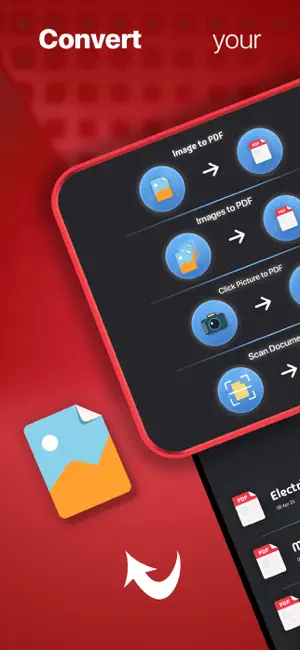
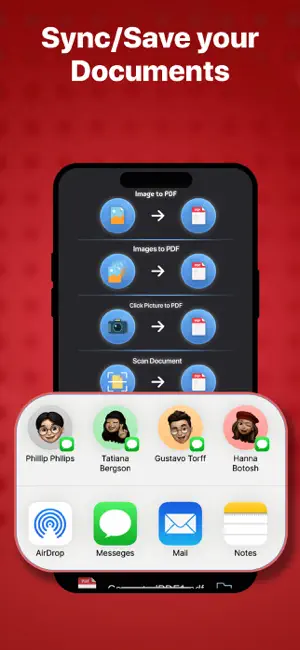
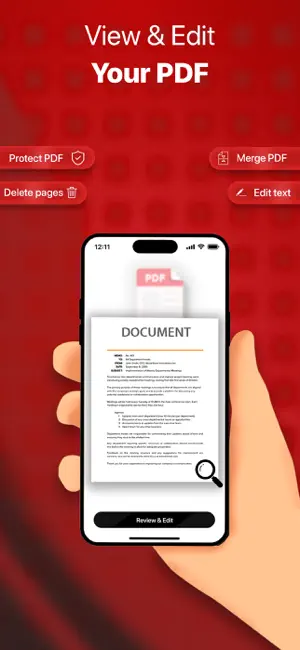
Turn your photos into shareable PDFs in seconds. Our app makes it easy to convert or click images and scans into PDF files anytime, anywhere – right on your iPhone or iPad. Whether it’s a receipt, note, ID, or a batch of photos, you can scan, crop, and compile them into a single PDF with just a few taps. Why Choose This App? 1) Instant Image-to-PDF Conversion: Snap a picture using the built-in camera or import photos from your gallery. In one tap, convert them into a high-quality PDF document. No complex steps or delays – just point, shoot, and convert. 2) Crop and Adjust with Ease: Built-in editing tools let you crop your images and documents to remove backgrounds or unwanted parts. Automatic edge detection helps align and correct perspective, so your scans look clean and professional (no more skewed pages!). 3) Share and Save Anywhere: Once converted, easily share your PDF via email, iMessage, or any app. Upload directly to cloud services like iCloud Drive, Dropbox, or Google Drive from within the app. You can also print your PDFs straightaway. Your digital documents are at your fingertips for whatever you need 4) Secure & Offline: All conversions are done on your device – nothing is uploaded to servers. Your sensitive images never leave your phone, keeping your data private. The app works offline, so you can convert images to PDF even without internet access. 5) Lightweight and Fast: The app is small to download and optimized for speed. It won’t clutter your device, and it processes images quickly so you get your PDFs in an instant. 6) No Watermarks: Create PDFs without any watermark – ideal for professional use or sharing documents externally. 7) Priority Support & Updates: Get priority customer support and access to new premium features as they are released. Download now for free and simplify your document workflow with a few taps!
What’s new
Version 1.7 · Updated August 30, 2025
New features, bug fixes and quality of life changes.
App privacy
The developer, amit jalan, reported these privacy practices to Apple.
Data Not Linked to You
The following data, which may be collected but is not linked to your identity, may be used for the following purposes:
- Identifiers: Device ID
- Usage Data: Product Interaction
- Diagnostics: Other Diagnostic Data
Used for: Third-Party Advertising
Alternatives to SnapPDF: Pic Scanner Converter
Looking for apps like SnapPDF: Pic Scanner Converter? Here are 6 similar apps on the App Store. The highest rated is ScanOne - PDF Scanner (5.0/5), and 5 of the 6 are free to download.
-
 MyPDFEditor
-
 Snap – Photo to PDF
-
 Docuvo: PDF Scanner & Editor
-
 ScanOne - PDF Scanner
5.0
ScanOne - PDF Scanner
5.0
-
 CalmCast
5.0
CalmCast
5.0
-
 Self Discipline Habit Tracker
| App | Rating | Price | Last updated | Compare |
|---|---|---|---|---|
| SnapPDF: Pic Scanner Converter | 5.0 / 5 (1 rating) | Free | August 30, 2025 | |
| MyPDFEditor | – | Free | May 17, 2026 | Compare |
| Snap – Photo to PDF | – | Free | Aug 21, 2025 | Compare |
| Docuvo: PDF Scanner & Editor | – | Free | Oct 24, 2026 | Compare |
| ScanOne - PDF Scanner | 5.0 / 5 (1) | Free | Nov 24, 2025 | Compare |
| CalmCast | 5.0 / 5 (1) | Free | Sep 8, 2025 | Compare |
| Self Discipline Habit Tracker | – | 1.99 USD | Aug 15, 2026 | Compare |