

Pdf scanner : Pdf converter
TS Technology Business iPhoneiPadiPod touch
Pdf scanner : Pdf converter is a free Business app for iPhone and iPad by TS Technology. Rated 3.7/5 from 3 ratings. Requires iOS 15.6.
- Rating
- 3.7
- 3 ratings
- Price
- Free
- on the App Store
- Size
- 7 MB
- Age 4+
- Updated
- Sep 9
- 2026 · v1.7
Screenshots

About Pdf scanner : Pdf converter
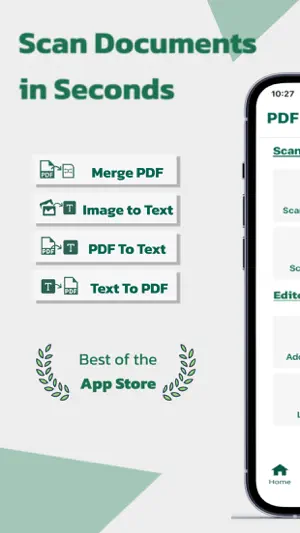
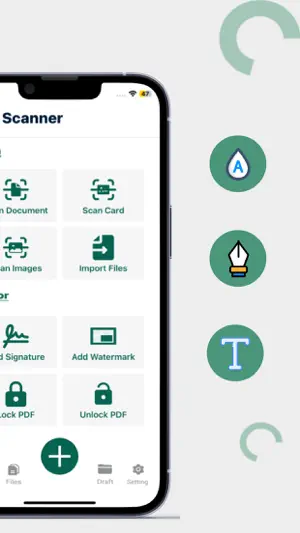
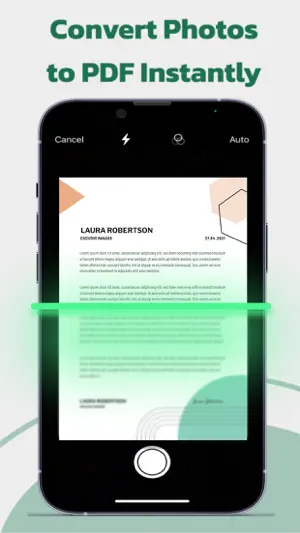
PDF Scanner_ Scan, Convert, Manage, Anytime, Anywhere. Turn your device into a powerful scanner and PDF toolkit with ease. PDF Scanner is your all-in-one solution for scanning, converting, editing, and managing documents on the go. Whether you're handling business paperwork, ID cards, images, or text files, this app streamlines your workflow with advanced tools in a simple, user-friendly interface. Key Features: Scan, convert, and edit all your documents in one place. A complete toolset for managing your PDFs on the go. PDF Scanner: Scan Documents, Cards, Images, and Import Files. Easily scan paper documents, ID cards, receipts, or images using your phone camera. You can also import files directly from your device to create PDFs in seconds. PDF Converter: Image to Text, PDF to Text, Text to PDF, Merge PDFs. Convert scanned images or PDF files into editable text using OCR technology. Create new PDFs from any text, extract text from existing documents, or merge multiple PDFs into a single file. PDF Editor: Add Signature, Watermark, Lock/Unlock PDFs, and Delete Pages. Edit your documents with professional tools. Sign PDFs digitally, add watermarks for branding or security, lock important files with passwords, unlock protected PDFs, and delete unnecessary pages easily. Why Use Our PDF Scanner? Turn your device into a powerful scanning tool. Save time, stay organized, and go paperless with ease. All-in-One Tool: Scan, convert, and edit PDFs without needing multiple apps. Fast and Reliable: High-quality scanning and accurate text recognition. Secure and Private: Lock and unlock documents with secure encryption. Paperless Workflow: Reduce clutter and manage files digitally on the go. Easy File Sharing: Export, email, or share files quickly in various formats. Stay Organized And Efficient_ Manage Your Documents With Just One Powerful App. Note: STEP 1: Payment will be charged to your iTunes account at confirmation of purchase. Your subscription will automatically renew unless auto-renew is turned off at least 24 hours before the end of the current subscription period. STEP 2: Your account will be charged for renewal within 24 hours before the end of the current subscription period. Automatic renewals will cost the same price you were originally charged for the subscription. STEP 3: You can manage your subscriptions and turn off auto-renewal by going to your Account Settings on the App Store after purchase. Read our terms of service and Privacy Policy for more information. Terms of Use: https://tstechnology.org/terms.html Privacy Policy: https://tstechnology.org/privacy.html
What’s new
Version 1.7 · Updated September 9, 2026
PDF Scanner • Improved document scanning quality • Faster PDF processing • Bug fixes & performance improvements
App privacy
The developer, TS Technology, reported these privacy practices to Apple.
Data Not Collected
The developer does not collect any data from this app.
Alternatives to Pdf scanner : Pdf converter
Looking for apps like Pdf scanner : Pdf converter? Here are 6 similar apps on the App Store.
-
 I Just Want a Good Job Tracker
-
 Bizplug Business
-
 Malipo Mtandao
-
 VibeBudget
-
 Printer App – Smart Printer
-
 PDF Scanner Fserving
| App | Rating | Price | Last updated | Compare |
|---|---|---|---|---|
| Pdf scanner : Pdf converter | 3.7 / 5 (3 ratings) | Free | September 9, 2026 | |
| I Just Want a Good Job Tracker | – | Free | Jun 28, 2025 | Compare |
| Bizplug Business | – | Free | Jun 8, 2025 | Compare |
| Malipo Mtandao | – | Free | Mar 17, 2026 | Compare |
| VibeBudget | – | Free | Jul 19, 2026 | Compare |
| Printer App – Smart Printer | – | Free | Oct 1, 2026 | Compare |
| PDF Scanner Fserving | – | Free | Jan 27, 2025 | Compare |