

QR Code Reader - QRPal
Asad Nawaz Utilities iPhoneiPadiPod touch
QR Code Reader - QRPal is a free Utilities app for iPhone and iPad by Asad Nawaz. Requires iOS 17.0. Updated July 27, 2026.
- Price
- Free
- on the App Store
- Size
- 27 MB
- Age 4+
- Updated
- Jul 27
- 2026 · v1.3.4
Screenshots
About QR Code Reader - QRPal
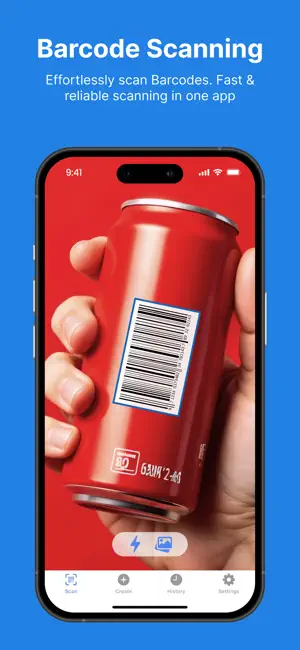
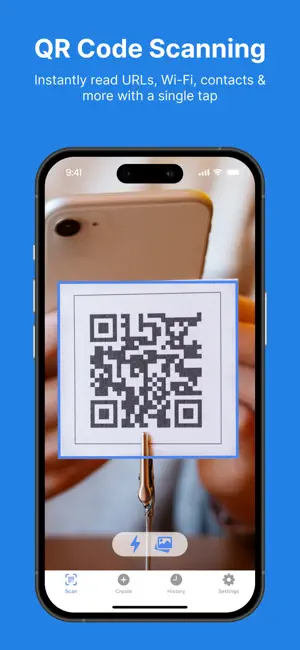
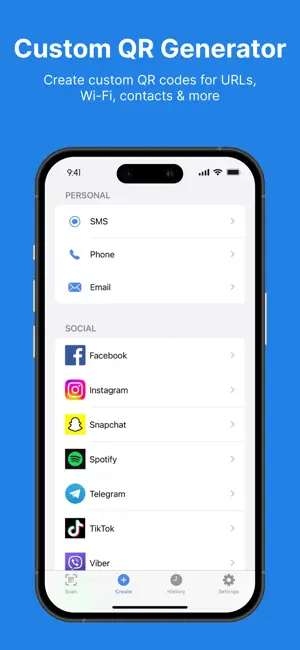
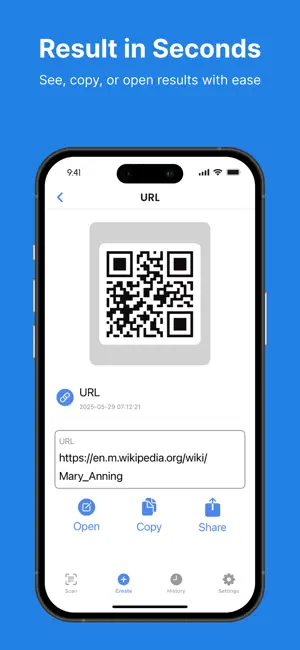
QRPal is a fast, all-in-one scanner for QR codes and barcodes — and it lets you create your own QR codes too. The interface is clean and easy to use, and scanning works offline. • Scan Scan QR codes and barcodes with your camera or from any photo in your library. The app supports QR, Aztec, PDF417, Data Matrix, EAN-13/8, UPC-E, Code 39/93/128, ITF-14, and more. After a scan, you can open the link, save the contact, connect to Wi-Fi, or look up the product on Google, Amazon, and eBay. A built-in flashlight helps in low light. Scanned links are checked on your device, so you can catch unsafe ones before you open them. With Pro, Batch Scan collects many codes in one session and exports them to a CSV file. You can also start a scan from Control Center, the Action Button, Siri, or the Share Sheet — even from a saved photo. • Create Create more than 20 types of QR code, including Wi-Fi, contact cards (vCard), calendar events, locations, email, SMS, phone, and plain text, plus links for Instagram, WhatsApp, Facebook, X, TikTok, YouTube, LinkedIn, Telegram, Snapchat, and Spotify. To make many at once, import a CSV file and generate a code for each row. • Customize Choose your own colors and gradients, adjust the dot and eye shapes, and add a logo in the center. You can also apply a ready-made style such as Neon Glow, Ocean Breeze, or Cherry Blossom with one tap. A live preview shows whether the code is still scannable. • Export Save a code as a high-resolution PNG (up to 4096 px), a scalable SVG, or a print-ready PDF. A transparent background is available for logos, posters, and packaging. • History Every code you scan or create is saved to your history. You can organize codes into folders, add notes, and search your history. Add the codes you use most to your Favorites so they're easy to find later. • Other features With Siri Shortcuts you can scan or create by voice, and your data stays on your device. Some features require an in-app purchase or subscription. Terms of Use: https://turretspire.github.io/qr-app-legal/terms-of-use.html Privacy Policy: https://turretspire.github.io/qr-app-legal/privacy-policy.html
What’s new
Version 1.3.4 · Updated July 27, 2026
This update improves the app's translations. We've polished the wording across many languages so everything reads more clearly and naturally in yours.
App privacy
The developer, Asad Nawaz, reported these privacy practices to Apple.
Data Linked to You
The following data, which may be collected and linked to your identity, may be used for the following purposes:
- Purchases: Purchase History
- Identifiers: User ID, Device ID
Used for: Developer’s Advertising or Marketing, Analytics, App Functionality
Data Not Linked to You
The following data, which may be collected but is not linked to your identity, may be used for the following purposes:
- Identifiers: Device ID
Used for: Developer’s Advertising or Marketing
Alternatives to QR Code Reader - QRPal
Looking for apps like QR Code Reader - QRPal? Here are 6 similar apps on the App Store. The highest rated is QR Code Reader & Scanner.· (4.5/5), and all 6 are free to download.
-
 QR Code Reader & Scanner.·
4.5
-
 QR Code & Barcode - Scanner
-
 QR & Barcode Scanner Expert
4.1
-
 QR Code Reader · Barcode Scans
4.3
-
 QR Code Reader ®
4.5
-
 QR Code Generator & Makerㅤ
4.5
| App | Rating | Price | Last updated | Compare |
|---|---|---|---|---|
| QR Code Reader - QRPal | – | Free | July 27, 2026 | |
| QR Code Reader & Scanner.· | 4.5 / 5 (45) | Free | Dec 18, 2025 | Compare |
| QR Code & Barcode - Scanner | – | Free | Oct 19, 2026 | Compare |
| QR & Barcode Scanner Expert | 4.1 / 5 (300) | Free | Oct 15, 2026 | Compare |
| QR Code Reader · Barcode Scans | 4.3 / 5 (141) | Free | Oct 23, 2026 | Compare |
| QR Code Reader ® | 4.5 / 5 (14,145) | Free | May 3, 2026 | Compare |
| QR Code Generator & Makerㅤ | 4.5 / 5 (136) | Free | Sep 10, 2026 | Compare |