

JPG to PDF - Nimble Scanner
Antonin Masek Business iPhoneiPadiPod touch
JPG to PDF - Nimble Scanner is a free Business app for iPhone and iPad by Antonin Masek. Requires iOS 17.0. Updated December 27, 2025.
- Price
- Free
- on the App Store
- Size
- 7 MB
- Age 4+
- Updated
- Dec 27
- 2025 · v1.0.1
Screenshots


About JPG to PDF - Nimble Scanner
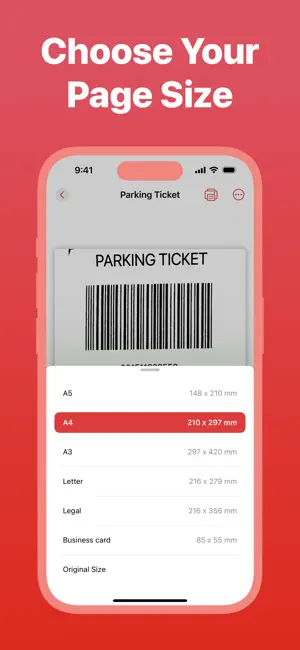
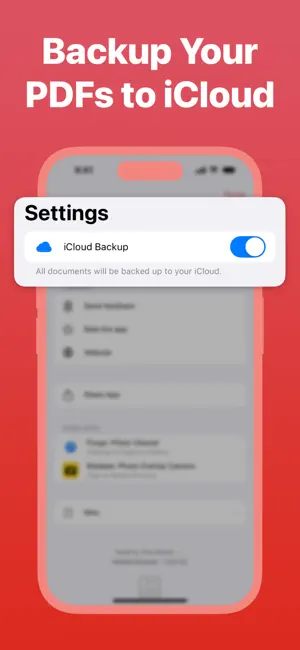
JPG to PDF - Nimble Scanner turns your phone into a powerful document scanner. Quickly convert any photo to PDF, scan documents with your camera, or digitize papers and receipts on the go. Perfect for creating organized, professional PDF files from your existing photos or new scans. SMART DOCUMENT SCANNING Scan documents using your camera or import photos from your library. Intelligent edge detection automatically finds document boundaries, making scanning fast and accurate every time. CROPPING TOOL Adjust the document area with simple to use cropping tool. Frame your documents exactly how you want them. ENHANCEMENT FILTERS Apply filters to improve document clarity and readability. Transform messy scans into clean documents with enhanced contrast, brightness, and sharpness. OCR TEXT RECOGNITION Extract and copy text from your scanned documents with built-in OCR technology. Perfect for quickly grabbing important information without retyping. DOCUMENT MANAGEMENT Add new pages, delete pages, or reorder them within your PDF documents as needed. STANDARD PAGE SIZE SUPPORT Choose from industry-standard page formats including A4, A3, Letter, Legal, and more to ensure your documents meet professional requirements. SEAMLESS PRINTING Print your documents wirelessly using AirPrint. Share physical copies instantly without leaving the app. ICLOUD BACKUP Keep your documents safe with iCloud backup. Your scanned documents can be automatically stored in your iCloud account for easy access and peace of mind. Perfect for students, professionals, and anyone who needs document scanning on the go. Download Nimble Scanner and have a reliable document scanner in your pocket. --- Privacy Policy: https://tonymasek.com/projects/nimble-scanner/privacy Terms of Use: https://tonymasek.com/projects/nimble-scanner/tos
What’s new
Version 1.0.1 · Updated December 27, 2025
• Added support for iOS 26
App privacy
The developer, Antonin Masek, reported these privacy practices to Apple.
Data Not Linked to You
The following data, which may be collected but is not linked to your identity, may be used for the following purposes:
- Usage Data: Product Interaction
- Diagnostics: Crash Data
Used for: Analytics
Alternatives to JPG to PDF - Nimble Scanner
Looking for apps like JPG to PDF - Nimble Scanner? Here are 6 similar apps on the App Store.
-
 SLU Eats Partners
-
 Entrigy Shield
-
 VoltScan: PDF Scanner Offline
-
 JPG to PDF - Scanner
-
 CleanScan: PDF Scanner & OCR
-
 My Business Profile: BizLink24
| App | Rating | Price | Last updated | Compare |
|---|---|---|---|---|
| JPG to PDF - Nimble Scanner | – | Free | December 27, 2025 | |
| SLU Eats Partners | – | Free | Nov 19, 2024 | Compare |
| Entrigy Shield | – | Free | Aug 26, 2026 | Compare |
| VoltScan: PDF Scanner Offline | – | Free | Oct 12, 2026 | Compare |
| JPG to PDF - Scanner | – | Free | Jul 15, 2025 | Compare |
| CleanScan: PDF Scanner & OCR | – | Free | Aug 5, 2026 | Compare |
| My Business Profile: BizLink24 | – | Free | Oct 29, 2026 | Compare |