

SnapSweep: Remove Junk Photos
Tomas Tauber Utilities iPhoneiPadiPod touch
SnapSweep: Remove Junk Photos is a free Utilities app for iPhone and iPad by Tomas Tauber. Rated 4.7/5 from 19 ratings. Requires iOS 18.0.
- Rating
- 4.7
- 19 ratings
- Price
- Free
- on the App Store
- Size
- 9 MB
- Age 4+
- Updated
- Aug 30
- 2026 · v1.8.2
Screenshots



About SnapSweep: Remove Junk Photos
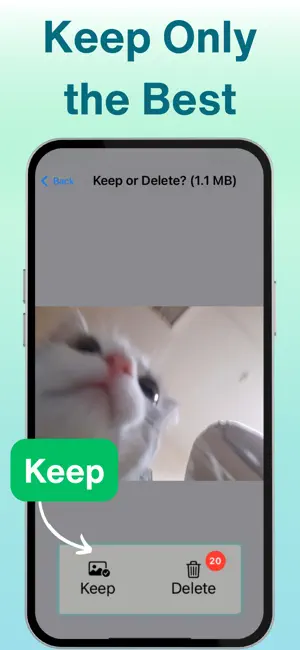
SnapSweep helps you privately clean up throwaway photos like screenshots, receipts, bills, labels, menus, and supermarket items — offline, on your device. With its local AI, all photos are scanned offline on your device, allowing you to safely decide which ones to preserve and which ones to purge. Once you confirm your selected photos for removal, you’ll simplify your photo library and regain precious phone storage space for more memorable photos. # Key Features - Super Simple: Clean up your photo gallery in just three steps: scan, review, and delete: 1) Scan: Tap a button to start scanning your photos, and review the results as they arrive. 2) Review: Tap on any photo to decide whether to keep it or delete it. If you make a mistake or change your mind, tap on the photo again in the Keep or Delete tab to correct your choice. 3) Delete: Once you confirm your selection of photos for removal, simply tap a button to purge them all. - Privacy and Security-first: All functionality is done offline and locally on your device, ensuring your data never leaves your device. - Ad-free and no user tracking: SnapSweep is free from advertisements, doesn’t track users, and doesn’t collect any personal information. - Subscription-free: SnapSweep can be used for free with a daily limit of 75 images. Unlimited usage can be unlocked with a one-time purchase. - Local AI-powered Scan: SnapSweep uses a local model to scan and detect potentially „boring“ photos, helping you free up your storage space faster than going through every single picture on your phone. - Photo detail review: use a pinch or double tap gesture to zoom in on the details. This allows you to assess whether a photo is worth keeping. - Multi-photo select: Sometimes, thumbnails can give you enough information to decide which photos to preserve. After a successful scan, tap a button to open a multi-photo selection. You can select photos by tapping on them or dragging over them. Once you complete your selection, click the corresponding button to choose whether to keep or delete all the selected photos. - Navigate by swiping: browse scan results or selected photos by swiping left or right. If you enjoyed using SnapSweep to simplify and clean up your photos, please rate it in the App Store!
Ratings & reviews
4.7
19 ratings
What’s new
Version 1.8.2 · Updated August 30, 2026
photo title UI background fix
App privacy
The developer, Tomas Tauber, reported these privacy practices to Apple.
Data Not Collected
The developer does not collect any data from this app.
Alternatives to SnapSweep: Remove Junk Photos
Looking for apps like SnapSweep: Remove Junk Photos? Here are 6 similar apps on the App Store. The highest rated is Photo Cleaner - Swipli (5.0/5), and all 6 are free to download.
-
 Pretty QR Code Generator
4.6
Pretty QR Code Generator
4.6
-
 Photo Cleaner - Swipli
5.0
Photo Cleaner - Swipli
5.0
-
 Swipe Photo Cleaner: Unroller
4.7
Swipe Photo Cleaner: Unroller
4.7
-
 Guest Mode: Lock Apps
4.6
Guest Mode: Lock Apps
4.6
-
 Gallery Tap - Clean Storage
3.8
Gallery Tap - Clean Storage
3.8
-
 Clean Links: URL Cleaner
4.9
Clean Links: URL Cleaner
4.9
| App | Rating | Price | Last updated | Compare |
|---|---|---|---|---|
| SnapSweep: Remove Junk Photos | 4.7 / 5 (19 ratings) | Free | August 30, 2026 | |
| Pretty QR Code Generator | 4.6 / 5 (10) | Free | Oct 2, 2025 | Compare |
| Photo Cleaner - Swipli | 5.0 / 5 (4) | Free | Sep 19, 2026 | Compare |
| Swipe Photo Cleaner: Unroller | 4.7 / 5 (176) | Free | Oct 13, 2026 | Compare |
| Guest Mode: Lock Apps | 4.6 / 5 (15) | Free | Sep 23, 2025 | Compare |
| Gallery Tap - Clean Storage | 3.8 / 5 (13) | Free | Mar 19, 2026 | Compare |
| Clean Links: URL Cleaner | 4.9 / 5 (77) | Free | Sep 28, 2026 | Compare |