

Spreadsheet Editor - XLSX Edit
E-PEPPLO ENTERPRISE Utilities iPhoneiPadiPod touch
Spreadsheet Editor - XLSX Edit is a free Utilities app for iPhone and iPad by E-PEPPLO ENTERPRISE. Rated 4.9/5 from 9 ratings. Requires iOS 13.0.
- Rating
- 4.9
- 9 ratings
- Price
- Free
- on the App Store
- Size
- 58 MB
- Age 4+
- Updated
- Jun 1
- 2025 · v3.0
Screenshots


About Spreadsheet Editor - XLSX Edit
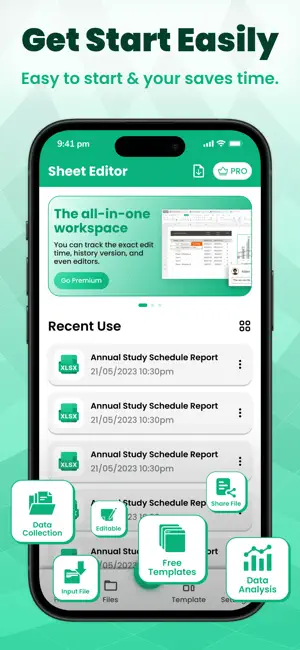
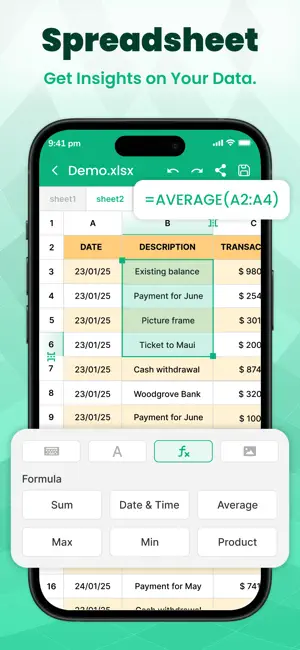
Spreadsheet Editor XLSX Edit app offers a comprehensive way to make spreadsheet management easy and efficient. With Spreadsheet Editor, you can effortlessly create, edit, and format XLSX files with various customization options, including text formatting, cell adjustments, and color selections. The XLSX Edit app provides built-in templates to streamline the creation process, making it simple to generate professional spreadsheets. Additionally, it allows for easy file organization with a My Files section, where users can access recent and saved documents. The app supports collaborative editing, enabling multiple users to work on a document simultaneously by sharing it, ensuring an easy way to manage and edit it by anyone. Spreadsheet Editor XLSX Edit app enabling you to save and access spreadsheets from anywhere. Spreadsheet Maker: You can also manage it by your choice of names or edit the name as per your convenience whenever you need. The app supports file sharing and exporting, ensuring seamless collaboration. Whether you are a professional, a student, or anyone looking to manage and create instant new spreadsheets, try this amazing Spreadsheet Editor XLSX Edit app and easily create XLSX files with ease. Features: Easily edit XLSX files to create, modify, and format spreadsheets effortlessly. Customize your spreadsheets Adjust text, cell size, and colors as needed. Use built-in templates quickly. Generate professional-looking spreadsheets. Manage files easily Access and organize documents in the My Files section. Collaborate in real time. Share and edit spreadsheets with others seamlessly. Access files anywhere. Save spreadsheets for easy access. Rename files anytime. Edit file names for better organization and convenience. Share and export easily. Send your spreadsheets with just a few taps. Perfect for all users Great for professionals, students, and everyday users. Premium Plans: - Spreadsheet Edit One Week - 4.99 $ - Spreadsheet Edit One Year - 44.99 $ This app offers auto-renewable subscription. For More Information : Privacy Policy : http://pepploapps.com/page/privacy.html Terms of Use : http://pepploapps.com/page/terms%20of%20use.html
Ratings & reviews
4.9
9 ratings
What’s new
Version 3.0 · Updated June 1, 2025
- Faster loading times and smoother animations.
App privacy
The developer, E-PEPPLO ENTERPRISE, reported these privacy practices to Apple.
Data Used to Track You
The following data may be used to track you across apps and websites owned by other companies:
- Identifiers: Device ID
- Usage Data: Advertising Data
Data Not Linked to You
The following data, which may be collected but is not linked to your identity, may be used for the following purposes:
- Identifiers: Device ID
- Usage Data: Advertising Data
- Diagnostics: Performance Data
Used for: Third-Party Advertising, Analytics
Alternatives to Spreadsheet Editor - XLSX Edit
Looking for apps like Spreadsheet Editor - XLSX Edit? Here are 6 similar apps on the App Store. The highest rated is Spreadsheet data entry (5.0/5), and all 6 are free to download.
-
 Spreadsheets - Table Memos
3.9
-
 XLS Reader PDF XLSX Converter
-
 XLSX Reader Converter XLS PDF
4.0
-
 XLS Sheet Editor
-
 Spreadsheet maker: view & edit
-
 Spreadsheet data entry
5.0
| App | Rating | Price | Last updated | Compare |
|---|---|---|---|---|
| Spreadsheet Editor - XLSX Edit | 4.9 / 5 (9 ratings) | Free | June 1, 2025 | |
| Spreadsheets - Table Memos | 3.9 / 5 (7) | Free | Oct 12, 2026 | Compare |
| XLS Reader PDF XLSX Converter | – | Free | Jan 26, 2024 | Compare |
| XLSX Reader Converter XLS PDF | 4.0 / 5 (6) | Free | Jan 23, 2024 | Compare |
| XLS Sheet Editor | – | Free | May 22, 2026 | Compare |
| Spreadsheet maker: view & edit | – | Free | Aug 27, 2026 | Compare |
| Spreadsheet data entry | 5.0 / 5 (5) | Free | Oct 7, 2026 | Compare |