

Document Scanner: PDF Scan App
Nguyen Thuy Linh Productivity iPhoneiPadiPod touch
Document Scanner: PDF Scan App is a free Productivity app for iPhone and iPad by Nguyen Thuy Linh. Rated 5.0/5 from 1 ratings. Requires iOS 15.6.
- Rating
- 5.0
- 1 ratings
- Price
- Free
- on the App Store
- Size
- 76 MB
- Age 4+
- Updated
- Oct 6
- 2026 · v1.0.5
Screenshots



About Document Scanner: PDF Scan App
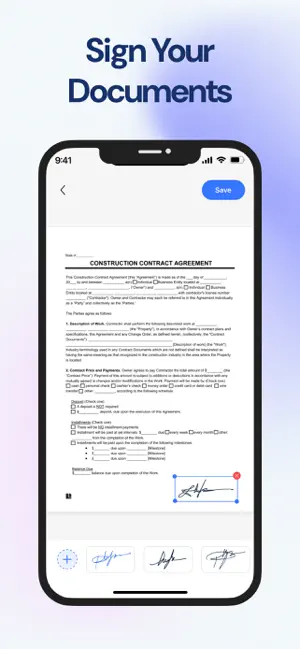
Document Scanner: PDF Scan is a document management application that integrates many useful features, helping users scan, edit, extract text and sign documents quickly and efficiently. Scan everything: ID cards, legal agreements, invoices, purchase orders, receipts, articles, bills, debit notes, business documents... - Scan documents The Document Scanner application allows users to scan paper documents into digital copies in just a few seconds. High-quality scanning, take photos of documents with the phone camera or import photos from the library. Automatic recognition: Detect document edges and intelligently crop for neat scans. - Digitize ID cards/passports Scan everything: ID cards, legal agreements, invoices, purchase orders, receipts, articles, bills, debit notes, business documents... - Edit After scanning documents, users can edit directly in the application. Crop and rotate pages: Adjust the size and orientation of the document as desired. - Signature Allow users to sign documents electronically without printing them out. Sign any scanned document with your signature. Create and save custom signatures for easy future use. Insert signature easily: Position the signature in the right place on the document. - Extract Text (OCR) The Document Scanner app integrates Optical Character Recognition (OCR) technology, allowing users to extract text from word documents easily. Convert and edit quickly. - Save and share: Save and share as PDF simply and quickly. Download Document Scanner: PDF Scan App today and enter a world where document scanning is as fast, easy, and reliable as you need it to be. Your mobile office is waiting in the palm of your hand! Privacy Policy: https://docsbizsuite.pro.vn//privacy-policy.html Term of use: https://docsbizsuite.pro.vn/termsofuse-ios-dcl.html
What’s new
Version 1.0.5 · Updated October 6, 2026
- New version 1.0.5 - Overall performance improved
App privacy
The developer, Nguyen Thuy Linh, reported these privacy practices to Apple.
Data Used to Track You
The following data may be used to track you across apps and websites owned by other companies:
- Identifiers: Device ID
- Usage Data: Advertising Data
- Diagnostics: Crash Data
Data Not Linked to You
The following data, which may be collected but is not linked to your identity, may be used for the following purposes:
- Identifiers: Device ID
- Usage Data: Product Interaction, Advertising Data
- Diagnostics: Crash Data
Used for: Third-Party Advertising, Analytics, Product Personalization
Alternatives to Document Scanner: PDF Scan App
Looking for apps like Document Scanner: PDF Scan App? Here are 6 similar apps on the App Store. The highest rated is Easy PDF Manager (5.0/5), and all 6 are free to download.
-
 PDF View-Picture Create
-
 Easy PDF Manager
5.0
Easy PDF Manager
5.0
-
 PDF Guru:Sign & Watermark
5.0
PDF Guru:Sign & Watermark
5.0
-
 AI PDF Editor: Sign, Highlight
5.0
AI PDF Editor: Sign, Highlight
5.0
-
 ScanIQ - AI Document Scanner
4.9
ScanIQ - AI Document Scanner
4.9
-
 PDF Reader&Scanner
5.0
PDF Reader&Scanner
5.0
| App | Rating | Price | Last updated | Compare |
|---|---|---|---|---|
| Document Scanner: PDF Scan App | 5.0 / 5 (1 rating) | Free | October 6, 2026 | |
| PDF View-Picture Create | – | Free | Oct 21, 2026 | Compare |
| Easy PDF Manager | 5.0 / 5 (4) | Free | Sep 14, 2026 | Compare |
| PDF Guru:Sign & Watermark | 5.0 / 5 (1) | Free | Oct 4, 2026 | Compare |
| AI PDF Editor: Sign, Highlight | 5.0 / 5 (4) | Free | Oct 12, 2026 | Compare |
| ScanIQ - AI Document Scanner | 4.9 / 5 (15) | Free | Oct 13, 2026 | Compare |
| PDF Reader&Scanner | 5.0 / 5 (1) | Free | Sep 14, 2026 | Compare |