

Doc Master: Scan & Sign PDFs
Trimbox LLC Productivity iPhoneiPadiPod touch
Doc Master: Scan & Sign PDFs is a free Productivity app for iPhone and iPad by Trimbox LLC. Rated 5.0/5 from 3 ratings. Requires iOS 15.1.
- Rating
- 5.0
- 3 ratings
- Price
- Free
- on the App Store
- Size
- 44 MB
- Age 4+
- Updated
- Apr 29
- 2025 · v1.0.4
Screenshots


About Doc Master: Scan & Sign PDFs
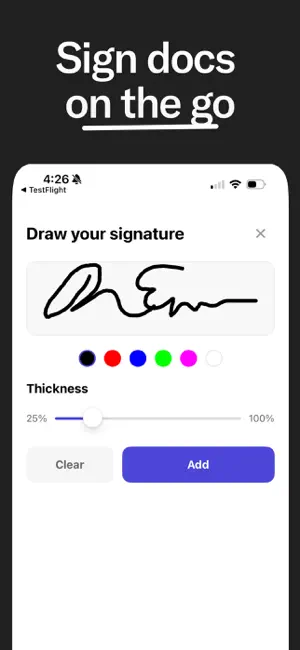
Doc Master is the fastest way to scan, sign, and manage your documents. Just scan your document using your phone camera, then sign and share it in seconds—right from your phone. Just tap "Sign" and Doc Master will instantly let you add your signature to any document. You can also scan paper documents with your camera and turn them into high-quality PDFs ready to share or store. Here’s why Doc Master is the easiest way to handle documents on the go: - Instantly scan documents using your phone's camera - Digitally sign any PDF with your saved signature - Export and share signed documents via email, AirDrop, or any app - Save scanned documents as high-quality PDFs - All your files stay secure and private on your device - Organize and access documents anytime, anywhere We know how frustrating it can be to print, scan, or track down a printer when you’re on the move. Doc Master gives you the power of a portable office, right in your pocket. Scan, sign, and send documents with just a few taps. Whether you're handling contracts, forms, receipts, or official paperwork, Doc Master makes document work feel effortless. By using Doc Master, you agree to our terms of service, as outlined by standard Apple Terms of Use (EULA): https://www.apple.com/legal/internet-services/itunes/dev/stdeula/
What’s new
Version 1.0.4 · Updated April 29, 2025
Bug fixes and various app improvements.
App privacy
The developer, Trimbox LLC, reported these privacy practices to Apple.
Data Used to Track You
The following data may be used to track you across apps and websites owned by other companies:
- Identifiers: Device ID
Data Not Linked to You
The following data, which may be collected but is not linked to your identity, may be used for the following purposes:
- Identifiers: Device ID
- Usage Data: Product Interaction
- Diagnostics: Crash Data
Used for: Developer’s Advertising or Marketing, Analytics, App Functionality
Alternatives to Doc Master: Scan & Sign PDFs
Looking for apps like Doc Master: Scan & Sign PDFs? Here are 6 similar apps on the App Store. The highest rated is Pasteboard Copy Paste Keyboard (4.6/5), and 5 of the 6 are free to download.
-
 AI Voice Clone Studio
3.8
AI Voice Clone Studio
3.8
-
 AI Note Taker – Voice to Text
-
 Passport Photo Booth: Photo ID
4.5
Passport Photo Booth: Photo ID
4.5
-
 SmartOCR: Image Text Scanner
4.0
SmartOCR: Image Text Scanner
4.0
-
 Pasteboard Copy Paste Keyboard
4.6
Pasteboard Copy Paste Keyboard
4.6
-
 Merge - Voice Memos
4.0
Merge - Voice Memos
4.0
| App | Rating | Price | Last updated | Compare |
|---|---|---|---|---|
| Doc Master: Scan & Sign PDFs | 5.0 / 5 (3 ratings) | Free | April 29, 2025 | |
| AI Voice Clone Studio | 3.8 / 5 (6) | Free | Jul 21, 2026 | Compare |
| AI Note Taker – Voice to Text | – | Free | Sep 3, 2026 | Compare |
| Passport Photo Booth: Photo ID | 4.5 / 5 (71) | Free | Oct 10, 2026 | Compare |
| SmartOCR: Image Text Scanner | 4.0 / 5 (4) | Free | Apr 9, 2025 | Compare |
| Pasteboard Copy Paste Keyboard | 4.6 / 5 (17) | Free | Nov 10, 2023 | Compare |
| Merge - Voice Memos | 4.0 / 5 (4) | 2.99 USD | Jul 18, 2025 | Compare |