

Peyara Remote Mouse
Gazi Wasif Akram Utilities iPhoneiPadiPod touch
Peyara Remote Mouse is a free Utilities app for iPhone and iPad by Gazi Wasif Akram. Requires iOS 15.1. Updated October 21, 2026.
- Price
- Free
- on the App Store
- Size
- 31 MB
- Age 4+
- Updated
- Oct 21
- 2026 · v4.6
Screenshots


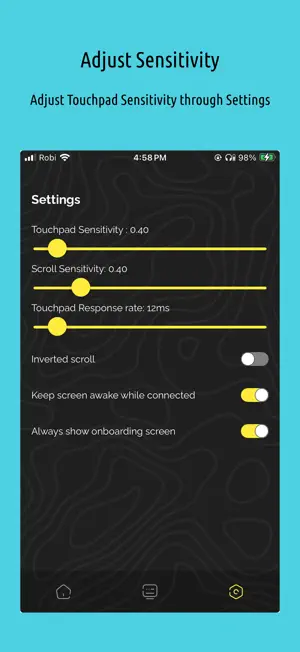
About Peyara Remote Mouse
Peyara Remote Mouse – Wireless Mouse & Keyboard Turn your iPhone into a wireless mouse and keyboard for your Windows, Linux, or macOS computer with Peyara Remote Mouse. Navigate your computer, type text, control media playback, and share clipboard content directly from your phone over a wireless connection. Easy Setup in 3 Steps 1. Download the Desktop Client Visit the official website to download the desktop client: https://peyara-remote-mouse.vercel.app/ 2. Install and Launch Install the desktop client on your computer and launch it. 3. Scan and Connect Scan the QR code displayed in the desktop client using the app on your phone. Follow the on-screen instructions to complete the connection. Key Features Wireless Connectivity Connect to your computer by scanning a QR code. Automatically detect available servers. Switch between devices with ease. Enjoy convenient wireless control of your computer. Touchpad Controls Tap to click. Double-tap support. Two-finger tap for right-click. Two-finger scrolling. Three-finger gesture for click and drag. Wireless Keyboard Type on your computer using your phone's virtual keyboard. Enter text without needing a physical keyboard connected to your computer. Media Controls Adjust media volume. Play and pause media. Stop playback. Skip to the previous or next track. Clipboard Sharing Send text from your phone to your computer. Copy URLs, notes, and text from your computer to your phone. Copy text to the clipboard with a single tap. Open-Source Project Peyara Remote Mouse is supported by open-source desktop and server components. Explore the source code: Desktop Client: https://github.com/ayonshafiul/peyara-mouse-client Rust Server: https://github.com/ayonshafiul/peyara-rust-server Simple, Convenient, Wireless Use your phone as a touchpad and keyboard to control your computer, manage media, and transfer text with Peyara Remote Mouse.
What’s new
Version 4.6 · Updated October 21, 2026
- keyboard events now send all chars properly - smaller server downloads
App privacy
The developer, Gazi Wasif Akram, reported these privacy practices to Apple.
Data Not Collected
The developer does not collect any data from this app.
Alternatives to Peyara Remote Mouse
Looking for apps like Peyara Remote Mouse? Here are 6 similar apps on the App Store. The highest rated is Tracepad - Mouse & Trackpad (4.3/5), and all 6 are free to download.
-
 Laser Mouse
3.0
Laser Mouse
3.0
-
 Mouse Link
-
 Remote App - Mouse, Keyboard
3.4
Remote App - Mouse, Keyboard
3.4
-
 Mobile Mouse Remote - Cloud
3.8
Mobile Mouse Remote - Cloud
3.8
-
 Mouse Easy
2.7
Mouse Easy
2.7
-
 Tracepad - Mouse & Trackpad
4.2
Tracepad - Mouse & Trackpad
4.2
| App | Rating | Price | Last updated | Compare |
|---|---|---|---|---|
| Peyara Remote Mouse | – | Free | October 21, 2026 | |
| Laser Mouse | 3.0 / 5 (2) | Free | Sep 16, 2026 | Compare |
| Mouse Link | – | Free | Nov 11, 2024 | Compare |
| Remote App - Mouse, Keyboard | 3.4 / 5 (19) | Free | Nov 18, 2025 | Compare |
| Mobile Mouse Remote - Cloud | 3.8 / 5 (81) | Free | Oct 21, 2026 | Compare |
| Mouse Easy | 2.7 / 5 (6) | Free | Jul 2, 2025 | Compare |
| Tracepad - Mouse & Trackpad | 4.3 / 5 (16) | Free | Sep 2, 2026 | Compare |