

BookletPro: PDF to Booklet
Fabian Thanner Utilities iPhoneiPadiPod touchMac
BookletPro: PDF to Booklet is a free Utilities app for iPhone and iPad by Fabian Thanner. Rated 5.0/5 from 3 ratings. Requires iOS 17.6.
- Rating
- 5.0
- 3 ratings
- Price
- Free
- on the App Store
- Size
- 7 MB
- Age 4+
- Updated
- Oct 24
- 2026 · v3.3
Screenshots


About BookletPro: PDF to Booklet
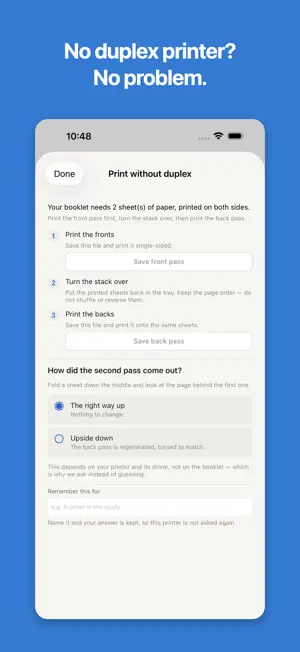
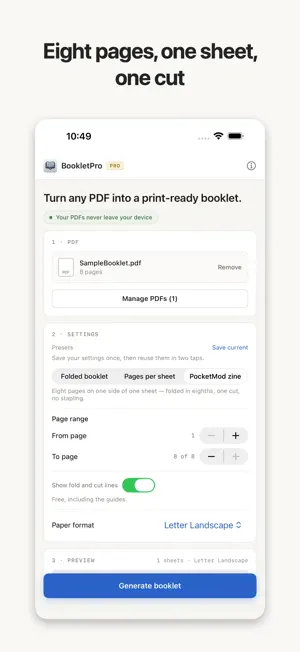
Turn any PDF into a booklet you can print, fold and staple. BookletPro reorders the pages so that a stack of printed sheets, folded down the middle, reads from front to back. That reordering — imposition — is the part that is easy to get wrong by hand and impossible to fix afterwards. Everything happens on your device. Your PDF is never uploaded, and there is no account to create before you can use it. THREE WAYS TO LAY OUT A PAGE • Folded booklet — two pages per side, ordered for the fold. The classic saddle-stitched pamphlet. • Pages per sheet — several pages tiled per sheet in reading order, with optional cutting lines. No folding. • PocketMod zine — eight pages on one side of one sheet. One cut, a few folds, and you have a pocket-sized booklet. Free, including the printed fold and cut guides. NO DUPLEX PRINTER? STILL FINE Most home printers cannot print both sides. BookletPro splits the job into two passes and walks you through it: print the fronts, turn the stack over, print the backs. It then asks how the second pass came out and remembers the answer for that printer, because whether a stack comes back upside down depends on the printer, not on the booklet. PAPER A4, A3, A5, B5, US Letter, Legal and Tabloid, portrait or landscape — plus any size you type in, in millimetres, centimetres, inches or points. If it fits in your printer, it can hold a booklet. SAVE THE SETUP A parish newsletter, a recipe zine and a concert programme each want different settings. Save them once as a preset and get them back in two taps — paper, layout mode and all. FREE, AND WHAT PRO ADDS Free covers a complete booklet: up to 32 pages from one PDF, every paper size, the back cover option, the PocketMod zine, the duplex helper and printing. PRO adds: • Combining up to 10 PDFs into one booklet • A binding margin kept clear at the fold • Printed page numbers • Choosing a page range from the source One purchase covers iPhone, iPad and Mac. PRIVACY Your PDF stays on your device. Nothing is uploaded, nothing is stored on a server, and analytics is off until you say otherwise — and can be turned back off at any time. SUBSCRIPTIONS AND TERMS PRO is available as PRO Monthly (1 month) and PRO Yearly (1 year), both auto-renewing subscriptions, or as PRO Lifetime, a one-time purchase. The price is shown in the app before you buy. Payment is charged to your Apple Account. A subscription renews automatically unless it is cancelled at least 24 hours before the end of the current period; you can manage or cancel it in your App Store account settings. Terms of Use (EULA): https://bookletpro.app/eula Privacy Policy: https://bookletpro.app/privacy
What’s new
Version 3.3 · Updated October 24, 2026
• Printing now uses your booklet's paper size, so a Tabloid or A3 booklet no longer comes out shrunk onto Letter or A4 • Booklets print two-sided on the short edge automatically, so the inside pages come out the right way up. You can still change both in the print dialog • In the US, Canada and other Letter countries, new booklets start on Letter paper instead of A4
App privacy
The developer, Fabian Thanner, reported these privacy practices to Apple.
Data Not Linked to You
The following data, which may be collected but is not linked to your identity, may be used for the following purposes:
- Usage Data: Product Interaction
- Diagnostics: Crash Data
- Identifiers: Device ID
Used for: Analytics, App Functionality