

Filter My Photos: AI Editor
Mugenyi Henry Utilities iPhoneiPadiPod touch
Filter My Photos: AI Editor is a free Utilities app for iPhone and iPad by Mugenyi Henry. Rated 5.0/5 from 3 ratings. Requires iOS 17.6.
- Rating
- 5.0
- 3 ratings
- Price
- Free
- on the App Store
- Size
- 23 MB
- Age 4+
- Updated
- Jan 22
- 2026 · v1.1
Screenshots

About Filter My Photos: AI Editor
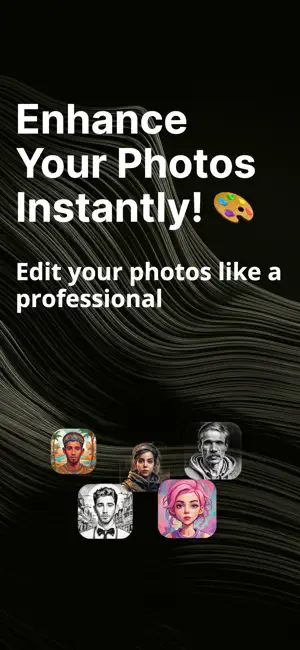
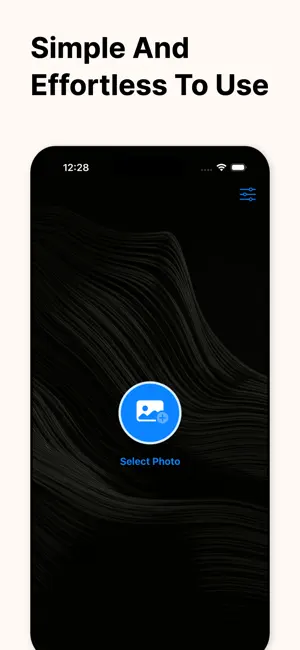
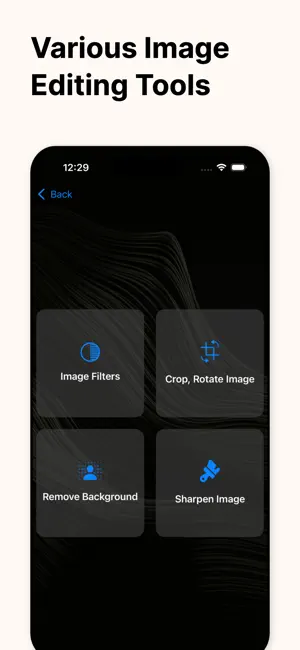
Transform your photography with Filter My Photos, the ultimate AI-powered photo editing tool designed for creators, influencers, and anyone who loves to capture moments. Why settle for generic presets when you can generate your own unique look using the power of artificial intelligence? UNLEASH YOUR CREATIVITY WITH AI PROMPTS Imagine a filter and let our AI do the rest. Simply type a prompt like “vintage 70s film,” “neon cyberpunk,” or “soft pastel morning,” and watch as our app generates a custom filter specifically for your image. It’s like having a professional colorist in your pocket, ready to turn your words into visual art. STYLE TRANSFER: CLONE THE LOOK See a photo with a color grade you absolutely love? Use our innovative Style Transfer feature to instantly apply the aesthetic of any reference image to your own photos. Whether it's a cinematic movie frame, a famous painting, or a trending Instagram post, achieving that high-end look is now just one tap away. PROFESSIONAL PRESET LIBRARY In a hurry? Choose from our extensive library of curated, ready-to-use filters. From classic analog film and moody black and white to vibrant modern aesthetics, our library is built to make your photos pop on every platform. KEY FEATURES: - AI Filter Generation: Create unique styles instantly from simple text prompts. - Style Transfer: Mimic the color and mood of any reference photo with ease. - Pro Preset Library: Access a wide variety of handcrafted filters for any occasion. - Intuitive Interface: Powerful editing tools that are easy enough for anyone to use. - High-Resolution Export: Save and share your masterpieces in stunning quality to Instagram, TikTok, and beyond. Download Filter My Photos today and start creating the aesthetic you’ve always wanted! Subscription Information: – App usage is limited and needs a subscription for unlimited access. – Subscription Length: Weekly and Yearly – Free Trial: If offered, it will automatically convert to a paid subscription unless canceled. – Payment: Charged to your Apple ID account at confirmation of purchase. – Auto-Renewal: Automatically renews unless canceled at least 24 hours before the end of the current period. – Renewal Charge: Your account will be charged within 24 hours before the end of the current period, based on the selected plan. – Managing Subscription: Users can manage subscriptions and turn off auto-renewal in Account Settings on the App Store. – Free Trial Policy: Any unused portion of a free trial will be forfeited upon purchasing a subscription. Terms of Use: https://www.apple.com/legal/internet-services/itunes/dev/stdeula/ Privacy Policy: https://whitebg.net/privacy-policy
What’s new
Version 1.1 · Updated January 22, 2026
Adds glass icon for IOS 26 & improves user experience
App privacy
The developer, Mugenyi Henry, reported these privacy practices to Apple.
Data Not Linked to You
The following data, which may be collected but is not linked to your identity, may be used for the following purposes:
- User Content: Photos or Videos
Used for: App Functionality
Alternatives to Filter My Photos: AI Editor
Looking for apps like Filter My Photos: AI Editor? Here are 6 similar apps on the App Store.
-
 AIArt :Dream Art By AI
-
 ASalcohol
-
 Voice & Camera Translator
-
 AI Infinity
-
 Cloud4UPS
-
 Redhead Heated Clothing
| App | Rating | Price | Last updated | Compare |
|---|---|---|---|---|
| Filter My Photos: AI Editor | 5.0 / 5 (3 ratings) | Free | January 22, 2026 | |
| AIArt :Dream Art By AI | – | Free | May 1, 2025 | Compare |
| ASalcohol | – | Free | Sep 14, 2026 | Compare |
| Voice & Camera Translator | – | Free | Aug 19, 2026 | Compare |
| AI Infinity | – | Free | Feb 17, 2026 | Compare |
| Cloud4UPS | – | Free | Oct 19, 2026 | Compare |
| Redhead Heated Clothing | – | Free | Feb 11, 2026 | Compare |