

App Block, Time limits: Flow
Alcaeus Development AB Productivity iPhoneiPadiPod touch
App Block, Time limits: Flow is a free Productivity app for iPhone and iPad by Alcaeus Development AB. Rated 5.0/5 from 3 ratings. Requires iOS 17.4.
- Rating
- 5.0
- 3 ratings
- Price
- Free
- on the App Store
- Size
- 119 MB
- Age 4+
- Updated
- Apr 29
- 2026 · v3.1.5
Screenshots
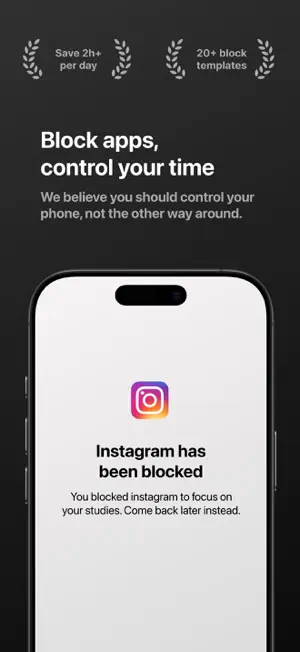


About App Block, Time limits: Flow
Flow – Take Control of Your Time Flow helps you block distractions, build better screen habits, and focus on what really matters. Whether that means finishing your work, being more present, or cutting down on endless scrolling, Flow gives you the tools to take back control. Block distractions when it counts – Scheduled blocks: Set times when specific apps and websites are automatically blocked. – Time limits: Choose how long you can use an app or website per day before it's locked. – Hard difficulty: No skipping, no turning it off—once active, the block stays in place. – Focus sessions: Block everything except the apps and websites you choose, for a fixed amount of time like 30 minutes or 1 hour. Understand your screen habits – Track your total screen time, pickups, and notifications. – See how much productive and distractive screen time you have. – Learn where your time really goes and start making changes that last. Built for real change it's a powerful, intentional tool for people who want to be more focused, more mindful, and more in control of their digital lives. SUBSCRIPTION INFORMATION* A Flow subscription is required to use and enjoy full access to features and content. Terms of use: https://github.com/alcaeusdevelopment/Fokus-Policies/blob/main/Terms-Of-Service.md
What’s new
Version 3.1.5 · Updated April 29, 2026
What's new in this version: - Minor bug fixes
App privacy
The developer, Alcaeus Development AB, reported these privacy practices to Apple.
Data Used to Track You
The following data may be used to track you across apps and websites owned by other companies:
- Purchases: Purchase History
- Identifiers: Device ID
Data Linked to You
The following data, which may be collected and linked to your identity, may be used for the following purposes:
- Identifiers: Device ID
- User Content: Customer Support
Used for: Third-Party Advertising, Analytics, App Functionality
Data Not Linked to You
The following data, which may be collected but is not linked to your identity, may be used for the following purposes:
- Purchases: Purchase History
- Usage Data: Product Interaction
- Diagnostics: Crash Data, Other Diagnostic Data
- Other Data: Other Data Types
Used for: Developer’s Advertising or Marketing, Analytics, Product Personalization, App Functionality
Alternatives to App Block, Time limits: Flow
Looking for apps like App Block, Time limits: Flow? Here are 6 similar apps on the App Store. The highest rated is Push Up Time - Block Apps (4.9/5), and all 6 are free to download.
-
 Limit – Control the Scroll
4.6
Limit – Control the Scroll
4.6
-
 Push Up Time - Block Apps
4.9
Push Up Time - Block Apps
4.9
-
 Screen Time Control - Stay Off
4.5
Screen Time Control - Stay Off
4.5
-
 No Scroll - Limit Screen Time
4.5
No Scroll - Limit Screen Time
4.5
-
 StepBloc: Screen Time Blocker
4.5
StepBloc: Screen Time Blocker
4.5
-
 Naze: Social Media Blocker
4.8
Naze: Social Media Blocker
4.8
| App | Rating | Price | Last updated | Compare |
|---|---|---|---|---|
| App Block, Time limits: Flow | 5.0 / 5 (3 ratings) | Free | April 29, 2026 | |
| Limit – Control the Scroll | 4.6 / 5 (256) | Free | May 28, 2026 | Compare |
| Push Up Time - Block Apps | 4.9 / 5 (295) | Free | Jun 7, 2026 | Compare |
| Screen Time Control - Stay Off | 4.5 / 5 (157) | Free | Jul 11, 2025 | Compare |
| No Scroll - Limit Screen Time | 4.5 / 5 (696) | Free | Sep 30, 2026 | Compare |
| StepBloc: Screen Time Blocker | 4.5 / 5 (492) | Free | Sep 15, 2026 | Compare |
| Naze: Social Media Blocker | 4.8 / 5 (413) | Free | Oct 13, 2026 | Compare |