

Add Text To Photos: Write Text
Kevin Rupareliya Photo & Video iPhoneiPadiPod touch
Add Text To Photos: Write Text is a free Photo & Video app for iPhone and iPad by Kevin Rupareliya. Requires iOS 13.0. Updated February 25, 2025.
- Price
- Free
- on the App Store
- Size
- 30 MB
- Age 4+
- Updated
- Feb 25
- 2025 · v1.0
Screenshots

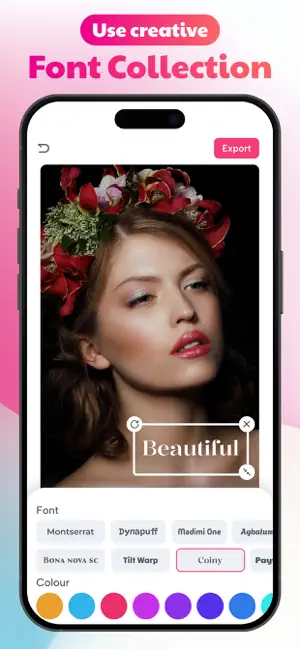

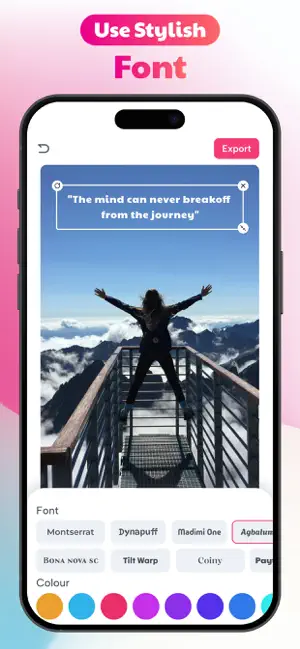
About Add Text To Photos: Write Text
Enhance your photos with stylish text and creative captions using Add Text. Choose from a wide range of fonts, colors, and customization options to transform your pictures into stunning visual creations. TEXT LAYERS : Easily add multiple text layers to your photos. Simply double-tap to create a new text element and move it anywhere on your image with a simple drag. FONTS : Access a vast collection of unique fonts to give your photos a distinctive look. All fonts are available for free. COLORS : Make your text pop with a carefully curated color palette designed to enhance your images. TEXT FORMATTING : Adjust letter spacing and line height to achieve the perfect typography style. PERSPECTIVE EFFECTS : Apply 3D transformations by rotating text in different dimensions for a dynamic appearance. SHADOW EFFECTS : Add depth to your text by applying shadows and adjusting their opacity for a subtle or bold effect. How to Use : 1 Select a background image by tapping the "Background" button. 2 Tap the "Add Text" button to insert text onto your photo. 3 Customize the text by adjusting its color, style, font size, and font type. 4 Apply an outline effect to enhance the text’s visibility. 5 Resize, rotate, and position the text freely to achieve the perfect look. What You Get with Text Art : • Expertly curated font and layout combinations for a professional look. • Unique, visually appealing text designs created instantly. • A wide selection of colors, gradients, and textures to enhance your text. • Access to millions of high-quality, free stock images. • A vast collection of inspirational quotes to use in your designs. • High-resolution export options for crisp and clear results. Privacy policy : https://addtextonphotopp.blogspot.com Terms of use : https://sites.google.com/view/kr-terms-of-use/home
App privacy
The developer, Kevin Rupareliya, reported these privacy practices to Apple.
Data Not Collected
The developer does not collect any data from this app.
Alternatives to Add Text To Photos: Write Text
Looking for apps like Add Text To Photos: Write Text? Here are 6 similar apps on the App Store. The highest rated is Add Text: Text on Photo (4.8/5), and all 6 are free to download.
-
 Text On Photo Editor, Text Art
-
 TextOn : Text Caption on Photo
-
 Text On Photo - Name On Pic
-
 Text On Photo - Text Edit
2.3
-
 Add Text: Text on Photo
4.8
-
 Text to Photos
4.8
| App | Rating | Price | Last updated | Compare |
|---|---|---|---|---|
| Add Text To Photos: Write Text | – | Free | February 25, 2025 | |
| Text On Photo Editor, Text Art | – | Free | Nov 3, 2025 | Compare |
| TextOn : Text Caption on Photo | – | Free | Jul 31, 2026 | Compare |
| Text On Photo - Name On Pic | – | Free | Feb 7, 2025 | Compare |
| Text On Photo - Text Edit | 2.3 / 5 (3) | Free | Apr 14, 2026 | Compare |
| Add Text: Text on Photo | 4.8 / 5 (13) | Free | Oct 17, 2026 | Compare |
| Text to Photos | 4.8 / 5 (23) | Free | Sep 28, 2025 | Compare |