

Kirokun: Workout & Habit Log
TAKASHI WATANABE Health & Fitness iPhoneiPadiPod touch
Kirokun: Workout & Habit Log is a free Health & Fitness app for iPhone and iPad by TAKASHI WATANABE. Requires iOS 17.2. Updated September 11, 2026.
- Price
- Free
- on the App Store
- Size
- 36 MB
- Age 4+
- Updated
- Sep 11
- 2026 · v1.1.7
Screenshots

About Kirokun: Workout & Habit Log
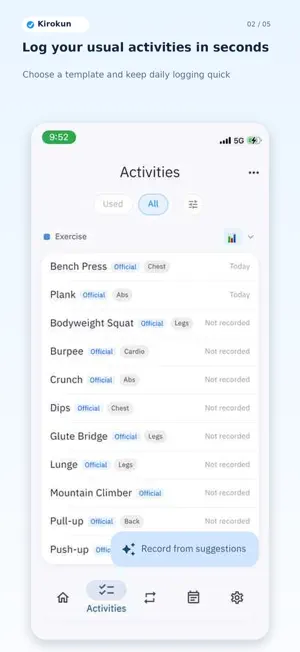
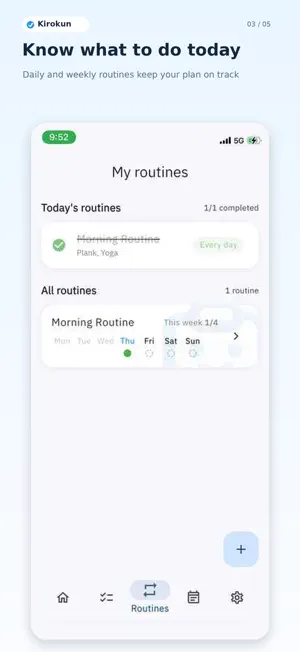
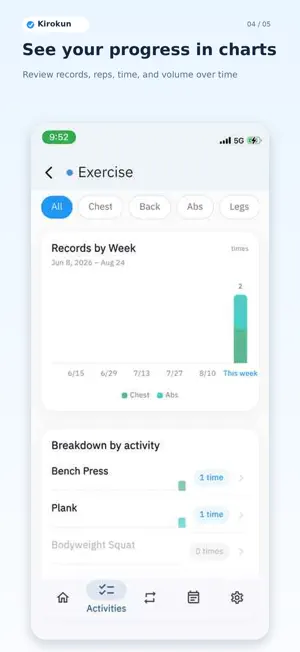
Keep track of what you want to continue—without the hassle. Kirokun is a flexible activity log for workouts, running, study, and the everyday activities that matter to you. Save the fields you use as templates to keep daily entry quick. Check today's plan with routines, then review your progress in charts and on a calendar. What You Can Do Record quickly from templates Create fields that fit each activity, including weight, reps, time, distance, ratings, checkboxes, and notes. Build routines around your week Set daily or weekday-based routines and see your progress for today and the current week. Review progress in charts Look back on counts, time, distance, and other values by day, week, or month. Browse records on a calendar See when and what you recorded, organized month by month. Share a monthly report Turn your active days, category breakdown, and routine completion into one shareable summary. Use Apple Health as helpful context If you choose to connect Apple Health, Kirokun can read weight, steps, walking and running distance, active energy, and workouts to support reflection and record suggestions. Kirokun does not currently write health data. Kirokun Is a Good Fit If You Want To - Track workouts or exercise - Build a study or everyday routine - Record only the fields you actually need - See your consistency in charts and on a calendar Recording should not feel like another task. Save today's small step with Kirokun and make your progress visible.
What’s new
Version 1.1.7 · Updated September 11, 2026
Recording and reviewing your progress is now easier. - Reuse your previous entries, including set counts and values when recording a routine, then edit them as needed. - Choose which template fields appear when recording. - Search activities by name and filter them by category or tag. - See trends across individual records and daily, weekly, or monthly totals, with easier navigation to past periods. - See each activity's share in category breakdowns with bars that match the chart colors. - Fixed missing historical chart data after field renaming and improved distance and time calculations and end-of-period records. - Preview backup contents before exporting or importing, and improved restoration of backups containing routines.
App privacy
The developer, TAKASHI WATANABE, reported these privacy practices to Apple.
Data Not Linked to You
The following data, which may be collected but is not linked to your identity, may be used for the following purposes:
- Usage Data: Product Interaction
Used for: Analytics