

PeekScan - Quick PDF Scanner
TechSpire Labs Inc Utilities iPhoneiPadiPod touch
PeekScan - Quick PDF Scanner is a free Utilities app for iPhone and iPad by TechSpire Labs Inc. Requires iOS 12.0. Updated July 7, 2025.
- Price
- Free
- on the App Store
- Size
- 114 MB
- Age 4+
- Updated
- Jul 7
- 2025 · v1.11
Screenshots

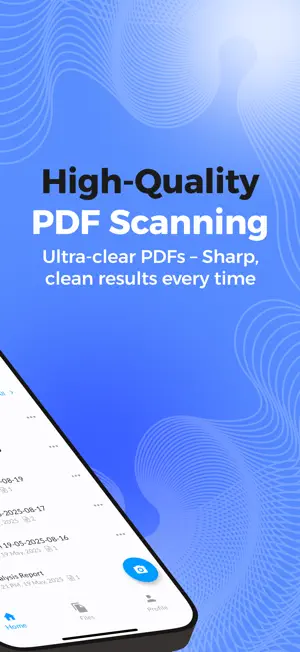


About PeekScan - Quick PDF Scanner
PeekScan Quick PDF Scanner is for All, Document Scanning, Image Processing, Document Management. Designed with simplicity and efficiency in mind. Our scanning app offers a complete solution for seamless document management. Features include high-quality scanning, OCR for editable text, automatic file organization, cloud integration, and secure sharing. Designed for businesses and individuals, it's your all-in-one tool for efficient productivity. Document Scanning Effortlessly scan documents with high precision and clarity, converting them into digital formats for easy access and sharing. Image Processing Enhance, crop, and edit images for better quality, ensuring your scanned documents are clear and professional. Document Management Organize, categorize, and manage your documents efficiently, ensuring everything is easy to find and securely stored. Cloud Storage Integration Seamlessly integrate with cloud storage google drive platforms to upload, save, and access documents from anywhere. User Authentication Ensure secure access to your app with advanced user authentication methods, gmail login keeping your documents safe. Sharing Options Share documents easily through email, messaging apps, or direct links with customizable sharing permissions. In-App Purchases Unlock premium features and tools through seamless in-app purchases to enhance your document management experience. Settings and Preferences Customize the app to your needs with adjustable settings and preferences for a personalized experience. Frequently Asked Questions: What is PeekScan? PeekScan is a powerful document scanning and management app that helps you scan, process, and organize documents seamlessly, with features like OCR, cloud storage integration, and secure sharing. Is PeekScan available to use? Yes, PeekScan is available to download and use. You can store your documents on your own device or choose from our affordable paid storage plans for additional space and features. What file formats does PeekScan support? PeekScan supports multiple file formats, including PDF, JPEG, PNG, and editable text files through OCR. How does OCR work in PeekScan? Our OCR (Optical Character Recognition) feature extracts text from scanned images or documents, allowing you to edit, search, and copy the text effortlessly. Is PeekScan compatible with cloud storage platforms? Yes, PeekScan integrates with popular cloud storage services like Google Drive, Dropbox, and OneDrive for easy saving and sharing. Is my data secure on PeekScan? Absolutely! PeekScan uses advanced encryption and secure authentication to ensure your data is safe and accessible only by you. Are there any premium features in PeekScan? Yes, PeekScan offers premium features like advanced OCR, unlimited cloud storage integration, and bulk scanning, available through affordable in-app purchases. Can I use PeekScan on multiple devices? Yes, PeekScan supports multiple devices with synchronization, so you can access your documents anywhere. How do I subscribe to updates or new features? You can subscribe to our mailing list directly in the app or on our website to stay informed about the latest updates and exclusive offers. Can I use my own storage instead of PeekScan's storage? Yes, you have the option to store your documents on your own device or link them to cloud storage like associated google drive storage services. Our storage plans offer additional convenience for users who need more secure and scalable options. Still have questions? Contact us.
What’s new
Version 1.11 · Updated July 7, 2025
Bug fixes and performance improvements
App privacy
The developer, TechSpire Labs Inc, reported these privacy practices to Apple.
Data Not Collected
The developer does not collect any data from this app.
Alternatives to PeekScan - Quick PDF Scanner
Looking for apps like PeekScan - Quick PDF Scanner? Here are 6 similar apps on the App Store. The highest rated is Bridge Inspection (BI) App (5.0/5), and all 6 are free to download.
-
 VideoSub: Auto Captions
-
 Bridge Inspection (BI) App
5.0
Bridge Inspection (BI) App
5.0
-
 EGO EV
-
 Photo To PDF: Easy Converter
-
 QR Code Scanner - scan barcode
4.4
QR Code Scanner - scan barcode
4.4
-
 Letter Scrambler!
2.8
Letter Scrambler!
2.8
| App | Rating | Price | Last updated | Compare |
|---|---|---|---|---|
| PeekScan - Quick PDF Scanner | – | Free | July 7, 2025 | |
| VideoSub: Auto Captions | – | Free | Mar 11, 2026 | Compare |
| Bridge Inspection (BI) App | 5.0 / 5 (1) | Free | Oct 17, 2026 | Compare |
| EGO EV | – | Free | Feb 21, 2026 | Compare |
| Photo To PDF: Easy Converter | – | Free | Dec 17, 2025 | Compare |
| QR Code Scanner - scan barcode | 4.4 / 5 (14) | Free | Apr 16, 2026 | Compare |
| Letter Scrambler! | 2.8 / 5 (21) | Free | Jul 12, 2026 | Compare |