

Furigana AI:OCR Study Japanese
Sho Fujimoto Education iPhoneiPadiPod touch
Furigana AI:OCR Study Japanese is a free Education app for iPhone and iPad by Sho Fujimoto. Requires iOS 16.4. Updated August 1, 2026.
- Price
- Free
- on the App Store
- Size
- 65 MB
- Age 4+
- Updated
- Aug 1
- 2026 · v3.0.5
Screenshots

About Furigana AI:OCR Study Japanese
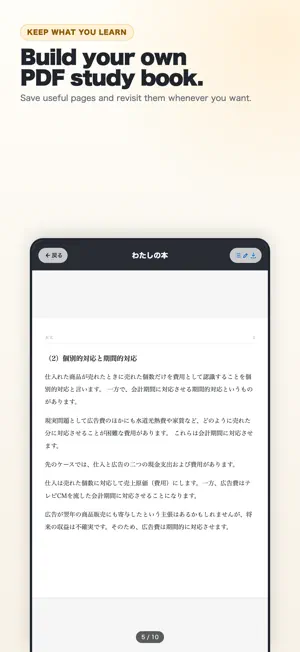
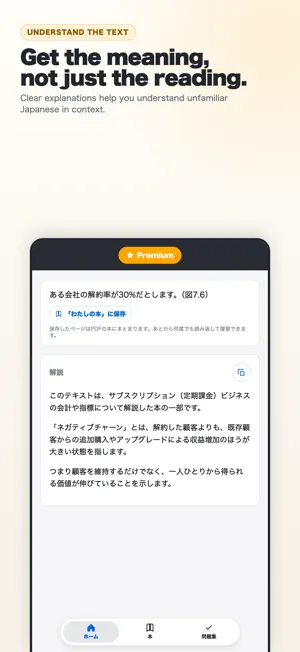
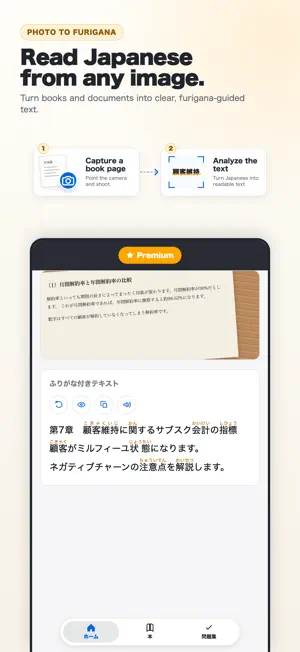
Perfect for Learning Japanese! Furigana AI Features ## Snap a Photo, Get Furigana Take a picture of any Japanese text: books, menus, documents, worksheets. AI adds furigana above the kanji, like "調(しら)べます". Pick a photo from your camera roll or shoot on the spot. Extracted text can be copied to the clipboard with one button. ## Understand It, Not Just Read It AI explains the text you scanned: the key points, the important words, and a translation in your own language. Reading is only half of it. Now you also know what the text actually says. ## Bind It Into a Book Save furigana pages and explanations into your own "book". Flip through it in PDF like a textbook and come back to it whenever you want. Jump straight to any page from the table of contents, and rename or remove pages as you go. ## Test Yourself With Problem Sets AI writes open-ended questions from the material you saved. Answer them, turn the page, and the explanation is waiting for you. ## Read Several Images at Once Analyze multiple images together. Ideal when you have a lot of text to get through. ## Voice Playback Learn through sound as well as text. Press play to hear how the Japanese is pronounced. Terms of Use: https://www.apple.com/legal/internet-services/itunes/dev/stdeula/ Privacy Policy: https://shofj.com/en/apps/furigana-ai/privacy-policy
What’s new
Version 3.0.5 · Updated August 1, 2026
Version 3.0 is our biggest update yet. Furigana AI is now a complete Japanese study app. ■ AI explanations Not just how to read it, but what it means. AI explains the text you scanned with the key points, the important words, and a translation. ■ "Books" — keep what you read Save furigana and explanations as pages and bind them into your own book. Flip through it in PDF like a textbook, as many times as you like. ■ "Problem Sets" — test yourself AI writes open-ended questions from the material you saved. Answer, turn the page, and the explanation is waiting. ■ Improved OCR More accurate recognition, especially on textbooks and printed handouts. ■ Redesigned interface A simpler, calmer screen built for studying. Thank you for using Furigana AI!
App privacy
The developer, Sho Fujimoto, reported these privacy practices to Apple.
Data Used to Track You
The following data may be used to track you across apps and websites owned by other companies:
- Location: Coarse Location
- Identifiers: Device ID
- Usage Data: Product Interaction, Advertising Data, Other Usage Data
- Diagnostics: Crash Data
Data Linked to You
The following data, which may be collected and linked to your identity, may be used for the following purposes:
- Location: Coarse Location
- Identifiers: Device ID
- Usage Data: Product Interaction, Advertising Data, Other Usage Data
- Diagnostics: Crash Data
Used for: Third-Party Advertising, Analytics
Alternatives to Furigana AI:OCR Study Japanese
Looking for apps like Furigana AI:OCR Study Japanese? Here are 6 similar apps on the App Store. The highest rated is Furigana Vision (5.0/5), and all 6 are free to download.
-
 Furigana Cam
4.0
Furigana Cam
4.0
-
 Furigana Vision
5.0
Furigana Vision
5.0
-
 ReadFurigana
-
 Furigana
3.0
Furigana
3.0
-
 Furigana Lens
5.0
Furigana Lens
5.0
-
 Immersion Reader
4.0
Immersion Reader
4.0
| App | Rating | Price | Last updated | Compare |
|---|---|---|---|---|
| Furigana AI:OCR Study Japanese | – | Free | August 1, 2026 | |
| Furigana Cam | 4.0 / 5 (1) | Free | Feb 29, 2024 | Compare |
| Furigana Vision | 5.0 / 5 (1) | Free | Jul 13, 2026 | Compare |
| ReadFurigana | – | Free | May 20, 2025 | Compare |
| Furigana | 3.0 / 5 (1) | Free | Jan 2, 2024 | Compare |
| Furigana Lens | 5.0 / 5 (6) | Free | Apr 23, 2026 | Compare |
| Immersion Reader | 4.0 / 5 (27) | Free | Apr 6, 2026 | Compare |