

QROV DASHCAM
Qrov inc Utilities iPhoneiPadiPod touch
QROV DASHCAM is a free Utilities app for iPhone and iPad by Qrov inc. Rated 1.0/5 from 1 ratings. Requires iOS 13.0. Updated July 10, 2026.
- Rating
- 1.0
- 1 ratings
- Price
- Free
- on the App Store
- Size
- 230 MB
- Age 17+
- Updated
- Jul 10
- 2026 · v1.0.4
Screenshots


About QROV DASHCAM
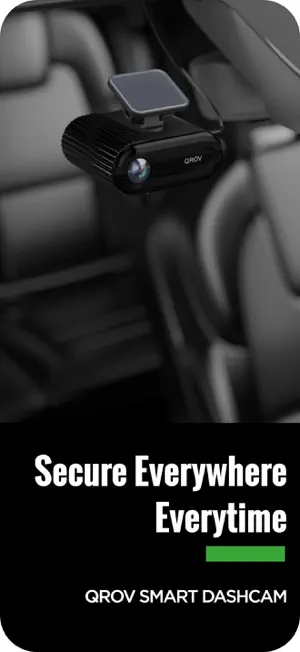
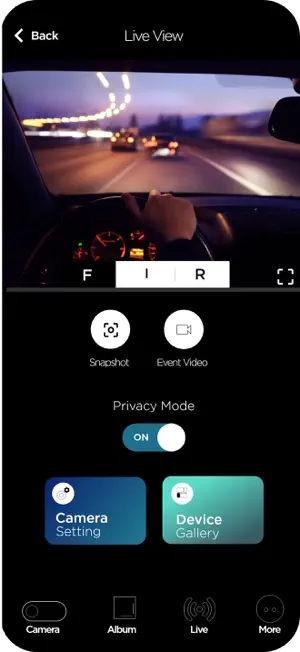
The QROV Dashcam App transforms your dashcam into a fully connected smart device—giving you complete control, live access, and effortless video management, all from your smartphone. Easily view and download recordings, share clips directly from the app, adjust your settings, and activate powerful safety features like GPS tracking and SOS alerts. To get the best experience, please ensure your dashcam firmware is updated to the latest version. Playback & Video Review: Quickly view your dashcam recordings on your phone. See GPS routes and your exact position on Google Maps™, along with G-sensor data, speed, direction, and journey stats—all in one screen. Control & Settings: Use the app to change dashcam settings remotely, update firmware, format your SD card, and switch modes—all without touching the device. Emergency SOS Alerts: In supported models, QROV's SOS system automatically alerts emergency contacts with your location and impact footage if you're involved in a serious collision and can’t respond—providing critical help when it matters most. Download & Share Instantly: Save key recordings directly to your phone and share them effortlessly with friends, family, or insurance providers—no cables, no card reader required. Compatible With: QROV Ultra 4G and QROV Core Series For your safety, please do not operate the QROV app while driving. Always park safely before accessing features on the app
What’s new
Version 1.0.4 · Updated July 10, 2026
Fixed known issues and improved app stability
App privacy
The developer, Qrov inc, reported these privacy practices to Apple.
Data Not Collected
The developer does not collect any data from this app.