

GymLock : Screen Time Focus
Ruvix Health & Fitness iPhoneiPadiPod touch
GymLock : Screen Time Focus is a free Health & Fitness app for iPhone and iPad by Ruvix. Rated 5.0/5 from 1 ratings. Requires iOS 18.0.
- Rating
- 5.0
- 1 ratings
- Price
- Free
- on the App Store
- Size
- 16 MB
- Age 4+
- Updated
- Feb 20
- 2025 · v1.0
Screenshots


About GymLock : Screen Time Focus
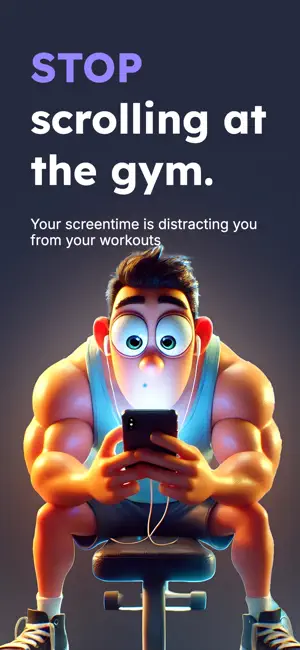
Stop scrolling and start lifting with GymLock – the ultimate distraction blocker built exclusively for gym enthusiasts. Transform your workout sessions into highly focused, gains-driven journeys by turning your smartphone from a source of distraction into your personal fitness ally. Key Features Automatic App Locking : Set your gym location once and let GymLock handle the rest. As soon as you step into your gym, the app automatically locks distracting apps, ensuring you stay focused on your workout without the temptation to check your phone. Smart Location Detection : Using advanced location services, GymLock transforms your gym into a “Focus Zone.” When you enter your designated area, your distraction shield activates instantly, empowering you to keep your eyes on the prize. Custom App Selection : Tailor the experience by choosing exactly which apps to lock during your sessions. Whether it’s social media, games, or messaging apps, you call the shots so that only what matters gets your attention. Screen Time Integration & Insights : Built on Apple’s Screen Time API, GymLock monitors your usage patterns and provides insightful metrics. Track your weekly gym visits, session durations, and progress over time—empowering you to fine-tune your habits and reach your fitness goals. Achievements & Progress Tracking : Celebrate your discipline with achievement badges and detailed statistics. As you consistently lock out distractions, unlock rewards and visual progress updates that motivate you to keep pushing your limits. Elegant, User-Friendly Interface : Enjoy a sleek dark-mode design with smooth animations and intuitive navigation that makes managing your focus effortless. GymLock’s refined UI ensures your workout remains at the forefront and clutter-free. Privacy-Focused Operation : GymLock respects your data and works discreetly in the background. It provides robust focus without compromising your privacy—so you can concentrate on what matters most, every time. Why Choose GymLock? GymLock isn’t just another app—it’s a lifestyle choice for anyone who values their workout time and is ready to reclaim productivity. Whether you’re a dedicated athlete, a busy professional, or someone who simply wants to build better gym habits, GymLock helps you eliminate distractions and build the discipline needed to achieve your goals. Ditch the digital interruptions and make every gym session count. Download GymLock today and start transforming your workouts into disciplined, results-driven experiences! Experience the perfect balance of technology and focus—because your gains deserve uninterrupted attention.
App privacy
The developer, Ruvix, reported these privacy practices to Apple.
Data Used to Track You
The following data may be used to track you across apps and websites owned by other companies:
- Usage Data: Product Interaction
Data Not Linked to You
The following data, which may be collected but is not linked to your identity, may be used for the following purposes:
- Usage Data: Product Interaction
- Location: Precise Location
Used for: Analytics, App Functionality
Alternatives to GymLock : Screen Time Focus
Looking for apps like GymLock : Screen Time Focus? Here are 6 similar apps on the App Store. The highest rated is Aurora: Cycle Syncing Wellness (4.6/5), and all 6 are free to download.
-
 GymLock: Workout Tracker
-
 Lockr: Gym Focus
-
 Aurora: Cycle Syncing Wellness
4.6
Aurora: Cycle Syncing Wellness
4.6
-
 squatscroll - exercise & focus
-
 GymMonk: Gym Focus Tracker
-
 LoadScore: Stress & HRV
| App | Rating | Price | Last updated | Compare |
|---|---|---|---|---|
| GymLock : Screen Time Focus | 5.0 / 5 (1 rating) | Free | February 20, 2025 | |
| GymLock: Workout Tracker | – | Free | Oct 5, 2026 | Compare |
| Lockr: Gym Focus | – | Free | Jan 19, 2026 | Compare |
| Aurora: Cycle Syncing Wellness | 4.6 / 5 (20) | Free | May 6, 2026 | Compare |
| squatscroll - exercise & focus | – | Free | Sep 30, 2026 | Compare |
| GymMonk: Gym Focus Tracker | – | Free | Jul 6, 2026 | Compare |
| LoadScore: Stress & HRV | – | Free | Jul 19, 2026 | Compare |