

Two Factor Authenticator 2FA
Nikung Goyani Productivity iPhoneiPadiPod touch
Two Factor Authenticator 2FA is a free Productivity app for iPhone and iPad by Nikung Goyani. Requires iOS 15.6. Updated August 24, 2026.
- Price
- Free
- on the App Store
- Size
- 120 MB
- Age 4+
- Updated
- Aug 24
- 2026 · v1.0.9
Screenshots

About Two Factor Authenticator 2FA
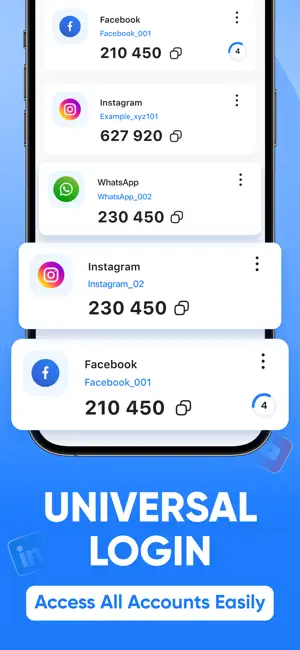
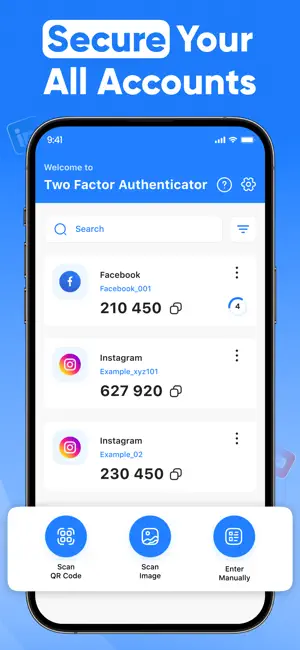
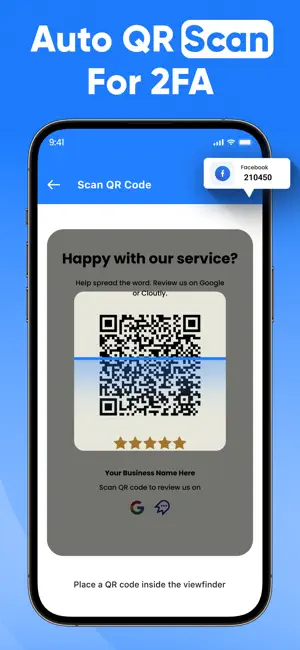
Protect your online accounts with Two Factor Authenticator, a secure, offline two-factor authentication (2FA) app that enhances account security using industry-standard TOTP (Time-Based One-Time Password) and HOTP (HMAC-Based One-Time Password) algorithms. Why Choose Two Factor Authenticator? No Internet Required – Works completely offline, keeping your data private and secure. AES-256 Encryption – All OTP secrets are stored securely on your device. Biometric & PIN Protection: For extra security, Lock the app with Face ID, Touch ID, or a PIN. Secure Backup & Restore – Export encrypted backups to keep your OTPs safe. Auto-Lock Feature – Prevent unauthorized access after inactivity. Secure Clipboard Handling – Automatically clears copied OTPs after a few seconds. Multi-Device Support – Sync OTPs securely across multiple devices. Dark Mode & Customization – Choose from different themes and customize the app to match your style. How It Works:- Scan a QR code or manually enter a secret key. Get time-based or counter-based OTPs for secure logins. Copy the OTP and use it to authenticate your accounts. Privacy First:- We do not collect, store, or share any personal data. Your OTPs never leave your device, ensuring maximum security and privacy. Stay Secure & Take Control of Your Digital Identity with Two Factor Authenticator! If you subscribe to Two Factor Authenticator 2FA via iTunes, payment will be charged to your iTunes Account at confirmation of purchase and your membership will automatically renew unless turned off at least 24 hours before the end of the current period. Subscription will be renewed within 24-hours before the end of each period at the rate of your selected plan. Turn off auto-renewal anytime through iTunes. Privacy policy: https://sites.google.com/view/splitpay-privacy-policy/home Terms of use: https://sites.google.com/view/subscription-terms-use/home
What’s new
Version 1.0.9 · Updated August 24, 2026
Thanks for staying with us! In this update, we have made bug fixes and performance improvements. Your feedback helps us to improve!
App privacy
The developer, Nikung Goyani, reported these privacy practices to Apple.
Data Used to Track You
The following data may be used to track you across apps and websites owned by other companies:
- Usage Data: Advertising Data
Data Not Linked to You
The following data, which may be collected but is not linked to your identity, may be used for the following purposes:
- Usage Data: Advertising Data, Other Usage Data
Used for: Third-Party Advertising, Analytics
Alternatives to Two Factor Authenticator 2FA
Looking for apps like Two Factor Authenticator 2FA? Here are 6 similar apps on the App Store. The highest rated is Shopping List: Simple List (5.0/5), and all 6 are free to download.
-
 Workizen: Scan, OCR & AI Chat
-
 Parrot Note - Voice to Text
-
 Shopping List: Simple List
5.0
-
 Bloom-Habit-Tracker
-
 ToDo List-Track Daily Progress
5.0
-
 Threadly : Email ∙ Client
| App | Rating | Price | Last updated | Compare |
|---|---|---|---|---|
| Two Factor Authenticator 2FA | – | Free | August 24, 2026 | |
| Workizen: Scan, OCR & AI Chat | – | Free | Aug 26, 2026 | Compare |
| Parrot Note - Voice to Text | – | Free | Jun 12, 2026 | Compare |
| Shopping List: Simple List | 5.0 / 5 (4) | Free | Sep 8, 2025 | Compare |
| Bloom-Habit-Tracker | – | Free | Jul 17, 2026 | Compare |
| ToDo List-Track Daily Progress | 5.0 / 5 (1) | Free | Dec 19, 2025 | Compare |
| Threadly : Email ∙ Client | – | Free | Feb 13, 2026 | Compare |