

AI Avatar Maker: Photo to Art
Mugenyi Henry Graphics & Design iPhoneiPadiPod touch
AI Avatar Maker: Photo to Art is a free Graphics & Design app for iPhone and iPad by Mugenyi Henry. Requires iOS 17.6. Updated January 21, 2026.
- Price
- Free
- on the App Store
- Size
- 45 MB
- Age 9+
- Updated
- Jan 21
- 2026 · v1.1
Screenshots



About AI Avatar Maker: Photo to Art
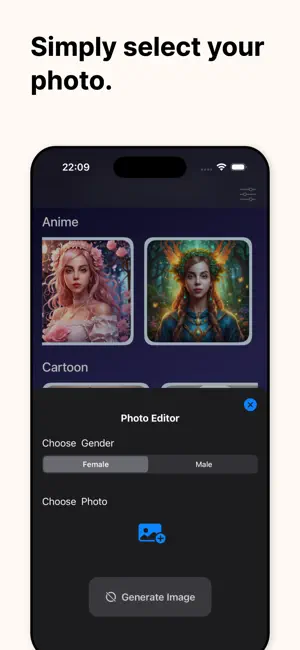
Tired of boring profile pictures? Turn your ordinary selfies into extraordinary digital art with AI Avatar Maker! Using advanced AI technology, you can transform your photos into high-quality avatars in hundreds of different styles. Whether you want to see yourself as a 3D animation character, a stunning oil painting, a futuristic cyberpunk hero, or a classic anime protagonist, our app makes it happen instantly. Key Features: - AI-Powered Generation: Simply upload your photo and let our powerful AI engine do the magic. - 100+ Unique Styles: Choose from Cartoon, Anime, 3D Render, Cyberpunk, Sketch, Oil Painting, and more. - High Resolution: Export your avatars in HD, perfect for Instagram, TikTok, Discord, and WhatsApp. - Daily Style Updates: We regularly add new art styles and trending filters to keep your look fresh. - Simple Interface: No professional design skills needed. Just tap, generate, and share. How it works: 1. Upload a clear photo of yourself or a friend. 2. Select your favorite avatar style from our library. 3. Wait a few seconds for the AI to generate your unique masterpiece. 4. Download and share your new digital identity! Perfect for creating unique social media icons, gaming avatars, or personalized digital gifts. Express your creativity and stand out from the crowd with AI Avatar Maker. Subscription Information: Unlock all premium styles, get priority processing, and enjoy an ad-free experience with our Pro Subscription. Choose from weekly, monthly, or yearly plans. Payment will be charged to your iTunes Account at confirmation of purchase. Subscriptions automatically renew unless auto-renew is turned off at least 24-hours before the end of the current period. Subscription Information: – App usage is limited and needs a subscription for unlimited access. – Subscription Length: Weekly and Yearly – Free Trial: If offered, it will automatically convert to a paid subscription unless canceled. – Payment: Charged to your Apple ID account at confirmation of purchase. – Auto-Renewal: Automatically renews unless canceled at least 24 hours before the end of the current period. – Renewal Charge: Your account will be charged within 24 hours before the end of the current period, based on the selected plan. – Managing Subscription: Users can manage subscriptions and turn off auto-renewal in Account Settings on the App Store. – Free Trial Policy: Any unused portion of a free trial will be forfeited upon purchasing a subscription. Terms of Use: https://www.apple.com/legal/internet-services/itunes/dev/stdeula/ Privacy Policy: https://whitebg.net/privacy-policy
What’s new
Version 1.1 · Updated January 21, 2026
Adds glass icon for IOS 26 & improves user experience
App privacy
The developer, Mugenyi Henry, reported these privacy practices to Apple.
Data Not Linked to You
The following data, which may be collected but is not linked to your identity, may be used for the following purposes:
- User Content: Photos or Videos
Used for: App Functionality
Alternatives to AI Avatar Maker: Photo to Art
Looking for apps like AI Avatar Maker: Photo to Art? Here are 6 similar apps on the App Store. The highest rated is Turn Photo Into Anime (5.0/5), and all 6 are free to download.
-
 Turn Photo Into Anime
5.0
Turn Photo Into Anime
5.0
-
 Turn Photo Into Cartoon
-
 ComicForge Studio
5.0
ComicForge Studio
5.0
-
 ImageAI Forge
-
 634
5.0
634
5.0
-
 포스쳐 - 가장 간편한 그림판
| App | Rating | Price | Last updated | Compare |
|---|---|---|---|---|
| AI Avatar Maker: Photo to Art | – | Free | January 21, 2026 | |
| Turn Photo Into Anime | 5.0 / 5 (5) | Free | Sep 14, 2026 | Compare |
| Turn Photo Into Cartoon | – | Free | Sep 20, 2026 | Compare |
| ComicForge Studio | 5.0 / 5 (2) | Free | Sep 2, 2026 | Compare |
| ImageAI Forge | – | Free | Jan 14, 2025 | Compare |
| 634 | 5.0 / 5 (1) | Free | Aug 3, 2026 | Compare |
| 포스쳐 - 가장 간편한 그림판 | – | Free | Aug 31, 2025 | Compare |