

ArcGIS Indoors
ESRI Productivity iPhoneiPadiPod touch
ArcGIS Indoors is a free Productivity app for iPhone and iPad by ESRI. Rated 4.7/5 from 6 ratings. Requires iOS 18.0. Updated July 29, 2026.
- Rating
- 4.7
- 6 ratings
- Price
- Free
- on the App Store
- Size
- 128 MB
- Age 4+
- Updated
- Jul 29
- 2026 · v2.3
Screenshots

About ArcGIS Indoors
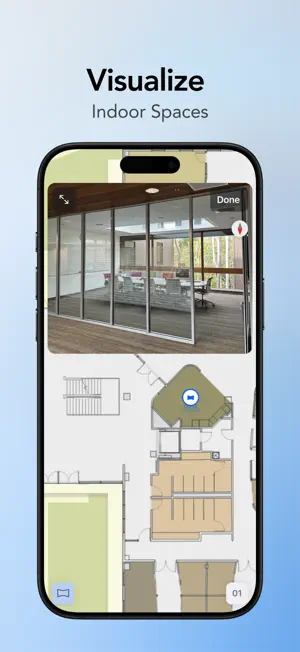
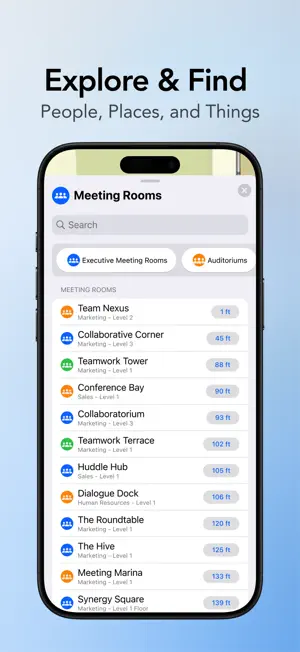
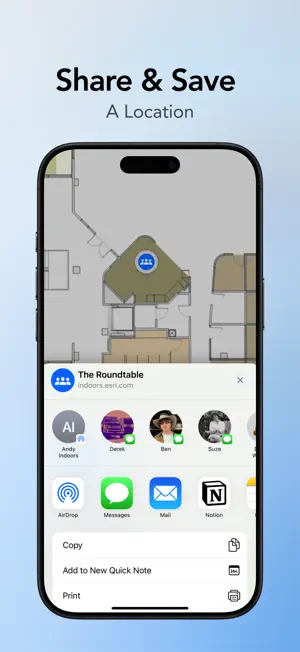
ArcGIS Indoors is Esri’s complete indoor mapping system that provides foundational data management capabilities and focused apps to gain insights, improve operations, maintenance, and safety of indoor spaces. Enhance occupant and visitor experience at your organization with ArcGIS Indoors mobile application. Quickly find and route to people, spaces, assets, and work orders. Easily reserve workspaces and meeting rooms. Explore and Search Explore, search, and quickly find people, appointments and events, offices and classrooms, and other points of interest at your organization, so you don’t have to wonder where they are located. Wayfinding and Navigation Whether you’re an occupant or a visitor, ArcGIS Indoors makes navigating complex buildings easier. Know where people, spaces, assets, work orders and calendar appointments are. If the building is equipped with Bluetooth or WiFi indoor positioning systems, ArcGIS Indoors can interface with them to show exactly where you are on an indoor map. Workspace Reservations Whether you need a meeting room, a quiet spot for focused work, or a collaborative workspace for your team, the Indoors mobile app makes it easy to reserve workspaces. Search for workspaces based on time, duration, capacity, location, and available equipment, locate and view them on an interactive indoor map. Save Favorites Save the locations of people, events, and other points of interest to My Places. Quickly find them again whenever you need to. Share Whether you’re making others aware of a location or helping them find a work order location or a point of interest, sharing that location helps them get quick directions and start navigating to their destination. The location can be shared as a hyperlink using common mobile device apps, such as email, text, or instant messaging. App Launch Smart launch other apps directly from the Indoors mobile app. You can also launch the Indoors mobile app from other configurable mobile apps. For example, mobile workers using a work order app can launch the Indoors mobile app automatically to a specific work order. Employees using a company-specific events app can launch the Indoors mobile app automatically to the location of an event or meeting to quickly get directions without the need to search in the Indoors app.
Ratings & reviews
4.7
6 ratings
What’s new
Version 2.3 · Updated July 29, 2026
- Connect 360-degree camera and capture 360-degree photos for various locations - Browse events, see where they are located, and discover featured events
App privacy
The developer, ESRI, reported these privacy practices to Apple.
Data Not Linked to You
The following data, which may be collected but is not linked to your identity, may be used for the following purposes:
- Diagnostics: Crash Data
Used for: App Functionality