

Radius On Map: Draw Circles
takeshi ogawa Productivity iPhoneiPadiPod touch
Radius On Map: Draw Circles is a free Productivity app for iPhone and iPad by takeshi ogawa. Rated 4.5/5 from 80 ratings. Requires iOS 17.6.
- Rating
- 4.5
- 80 ratings
- Price
- Free
- on the App Store
- Size
- 4 MB
- Age 4+
- Updated
- Sep 29
- 2026 · v1.0.9
Screenshots
About Radius On Map: Draw Circles
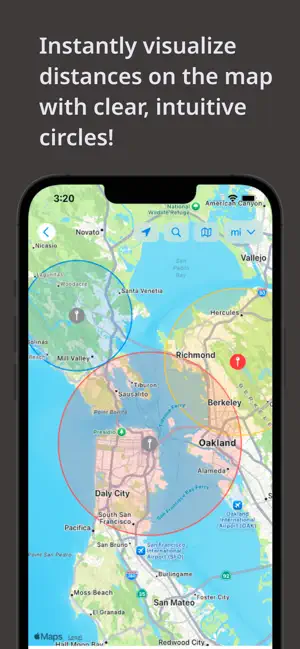
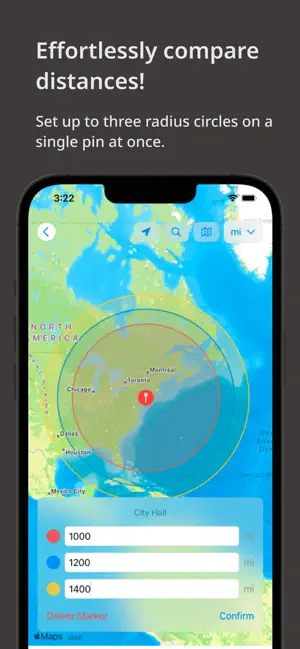
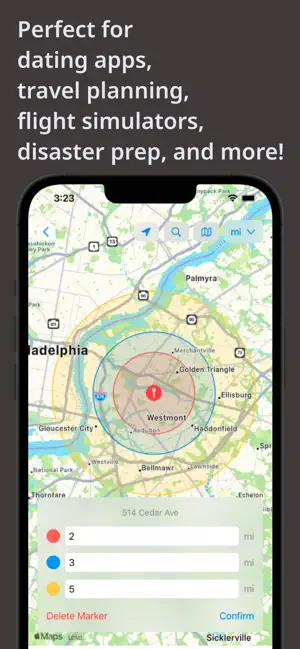
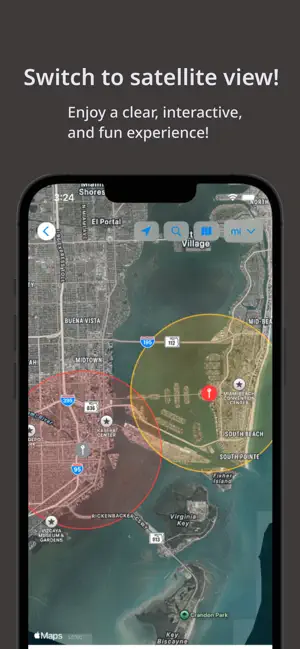
Quickly visualize a clear radius around any pin you place on the map! Features: - You can set up to three radius circles for a single pin, making it easy to compare multiple distances at the same time. - Includes location search and exploration tools, so you can instantly check what’s within a certain distance from you or any other location. - Offers both standard map views and satellite imagery for a more interactive and visually appealing experience. - Pins are saved automatically, allowing you to revisit them whenever you need. Use Cases: - When house hunting, check the distance from potential homes to schools, grocery stores, train stations, and more by placing pins and seeing the radius. - For dating apps, visualize where someone might be based on the distance shown. - Great for gamers (e.g., Airline Manager) to get a quick visual estimate of flight ranges from a hub airport. - Check compliance zones: Visualize important boundaries like delivery areas or the 150 air-mile radius for driver logs. - Plan trips by identifying tourist attractions or landmarks within a specific radius around your destination. - Use it for education, like geography or social studies projects, to explore what’s within a given range of a location. - Plan walking or jogging routes by setting a radius from your starting point. - Choose event locations easily by pinpointing areas that are central and convenient for all attendees. - During emergencies, map out evacuation zones to understand which residents fall within the range of nearby shelters. This app is perfect for simplifying exploration, planning, and decision-making!
Ratings & reviews
4.5
80 ratings
What’s new
Version 1.0.9 · Updated September 29, 2026
Fixed an issue so that your km/mi setting is now kept.
App privacy
The developer, takeshi ogawa, reported these privacy practices to Apple.
Data Used to Track You
The following data may be used to track you across apps and websites owned by other companies:
- Location: Coarse Location
- Identifiers: Device ID
- Usage Data: Product Interaction, Advertising Data
- Diagnostics: Crash Data, Performance Data
Data Linked to You
The following data, which may be collected and linked to your identity, may be used for the following purposes:
- Location: Coarse Location
- Identifiers: Device ID
- Usage Data: Product Interaction, Advertising Data
- Diagnostics: Performance Data
Used for: Third-Party Advertising
Data Not Linked to You
The following data, which may be collected but is not linked to your identity, may be used for the following purposes:
- Diagnostics: Crash Data
Used for: Third-Party Advertising
Alternatives to Radius On Map: Draw Circles
Looking for apps like Radius On Map: Draw Circles? Here are 6 similar apps on the App Store. The highest rated is Map Canvas: Draw on Maps (4.5/5), and all 6 are free to download.
-
 Radius Map
3.6
Radius Map
3.6
-
 Radius on Map : draw circle
3.1
Radius on Map : draw circle
3.1
-
 Map Canvas: Draw on Maps
4.5
Map Canvas: Draw on Maps
4.5
-
 SketchMap
-
 Prime Advantage Plus
4.5
Prime Advantage Plus
4.5
-
 Touch GIS
4.0
Touch GIS
4.0
| App | Rating | Price | Last updated | Compare |
|---|---|---|---|---|
| Radius On Map: Draw Circles | 4.5 / 5 (80 ratings) | Free | September 29, 2026 | |
| Radius Map | 3.6 / 5 (475) | Free | Sep 12, 2026 | Compare |
| Radius on Map : draw circle | 3.1 / 5 (17) | Free | Aug 14, 2026 | Compare |
| Map Canvas: Draw on Maps | 4.5 / 5 (105) | Free | Sep 27, 2026 | Compare |
| SketchMap | – | Free | Oct 10, 2026 | Compare |
| Prime Advantage Plus | 4.5 / 5 (34) | Free | Sep 15, 2026 | Compare |
| Touch GIS | 4.0 / 5 (32) | Free | Jun 21, 2026 | Compare |