

PDF Converter ‣ File Editor
Timon Scherzinger Utilities iPhoneiPadiPod touch
PDF Converter ‣ File Editor is a free Utilities app for iPhone and iPad by Timon Scherzinger. Rated 4.3/5 from 40 ratings. Requires iOS 16.0.
- Rating
- 4.3
- 40 ratings
- Price
- Free
- on the App Store
- Size
- 41 MB
- Age 4+
- Updated
- Feb 19
- 2025 · v1.0.3
Screenshots


About PDF Converter ‣ File Editor
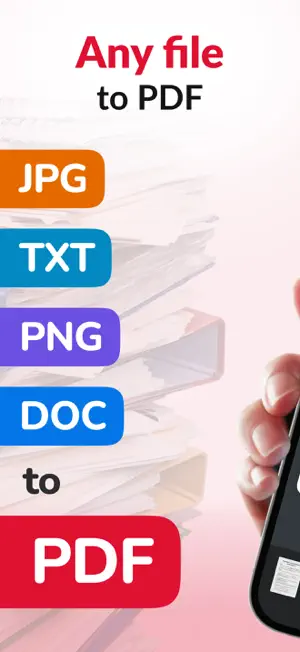
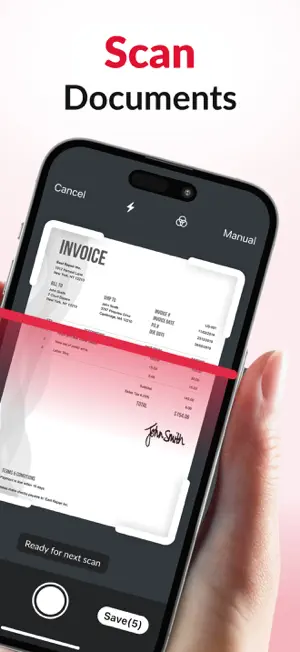
PDF Converter - Your All-in-One Tool to Search, Create, Convert, and Edit PDFs Take control of your documents with PDF Converter—the simplest way to find, generate, and manage PDF files all in one app. Quickly search for PDFs on the web, convert various document formats into PDFs, or edit and annotate existing files with ease. Whether it’s recipes, news articles, exams, or any other document, PDF Converter streamlines your workflow so you can focus on what matters most. Key Features: Smart PDF Finder Effortlessly search and discover PDF files online, directly through the app. Powerful PDF Converter Create new PDFs from websites, or convert Microsoft Word (DOC, DOCX) and PowerPoint (PPT, PPTX) files into secure PDF documents. Bulk PDF Downloader Download multiple PDF files at once, saving time and ensuring you never miss important documents. Intuitive PDF Editor Open, read, and annotate PDFs with highlights, notes, and other essential editing tools. Integrated File Manager Easily organize, delete, or transfer your saved PDFs across devices. Keep everything neat and accessible at your fingertips. Why PDF Converter? - Versatile Usage. Convert anything from news articles and blog posts to exam materials into convenient PDF files. - Easy Sharing & Collaboration. Highlight text, add comments, and share annotated documents with colleagues, friends, or classmates. - Time-Saving. No need to switch between different apps - find, download, convert, edit, and manage PDFs all in one place. Subscription Information Some features may require an auto-renewable subscription. - Subscription automatically renews unless auto-renew is turned off at least 24 hours before the end of the current period. - Payment will be charged to your iTunes Account at confirmation of purchase. - You can manage your subscription and turn off auto-renewal by going to your Account Settings after purchase. - Any unused portion of a free trial period, if offered, will be forfeited when you purchase a subscription. Start simplifying your document tasks today with PDF Converter - the right choice for fast, reliable PDF handling. Read more about our Privacy Policy and Terms of Use: - https://docs.google.com/document/d/1ZvP8FYKJ1rLznbwRu2ov-1pTGwxVFieIIgi55s8L4eo/edit?usp=sharing - https://docs.google.com/document/d/1uRyYV1GDhuQBUxIkBd-KC5Nz-Y4VyDrXvLqRtow2wzs/edit?usp=sharing
Ratings & reviews
4.3
40 ratings
What’s new
Version 1.0.3 · Updated February 19, 2025
Minor Bug Fixes
App privacy
The developer, Timon Scherzinger, reported these privacy practices to Apple.
Data Not Linked to You
The following data, which may be collected but is not linked to your identity, may be used for the following purposes:
- Diagnostics: Crash Data
- Identifiers: User ID
Used for: Analytics, App Functionality
Alternatives to PDF Converter ‣ File Editor
Looking for apps like PDF Converter ‣ File Editor? Here are 6 similar apps on the App Store. The highest rated is Images to PDF Files Convert (4.8/5), and all 6 are free to download.
-
 Picture to PDF Files Converter
4.5
Picture to PDF Files Converter
4.5
-
 Images to PDF Files Convert
4.8
Images to PDF Files Convert
4.8
-
 PDF Maker: Editor & Converter
4.5
PDF Maker: Editor & Converter
4.5
-
 Authenticator: Secure 2FA, MFA
4.5
Authenticator: Secure 2FA, MFA
4.5
-
 PDF Editor-Converter & Viewer
4.6
PDF Editor-Converter & Viewer
4.6
-
 PDF Scanner: Editor & Reader
4.4
PDF Scanner: Editor & Reader
4.4
| App | Rating | Price | Last updated | Compare |
|---|---|---|---|---|
| PDF Converter ‣ File Editor | 4.3 / 5 (40 ratings) | Free | February 19, 2025 | |
| Picture to PDF Files Converter | 4.5 / 5 (45) | Free | Sep 22, 2025 | Compare |
| Images to PDF Files Convert | 4.8 / 5 (38) | Free | Dec 29, 2024 | Compare |
| PDF Maker: Editor & Converter | 4.5 / 5 (394) | Free | Oct 12, 2026 | Compare |
| Authenticator: Secure 2FA, MFA | 4.5 / 5 (61) | Free | Apr 30, 2026 | Compare |
| PDF Editor-Converter & Viewer | 4.6 / 5 (449) | Free | Oct 8, 2026 | Compare |
| PDF Scanner: Editor & Reader | 4.4 / 5 (245) | Free | Oct 8, 2026 | Compare |