

Smart Print and Scan
CRYPTO FINANCIAL SOLUTION SOFTWARE COMPANY LIMITED Productivity iPhoneiPadiPod touch
Smart Print and Scan is a free Productivity app for iPhone and iPad by CRYPTO FINANCIAL SOLUTION SOFTWARE COMPANY LIMITED. Requires iOS 15.0.
- Price
- Free
- on the App Store
- Size
- 161 MB
- Age 17+
- Updated
- Jan 21
- 2025 · v1.0.1
Screenshots

About Smart Print and Scan
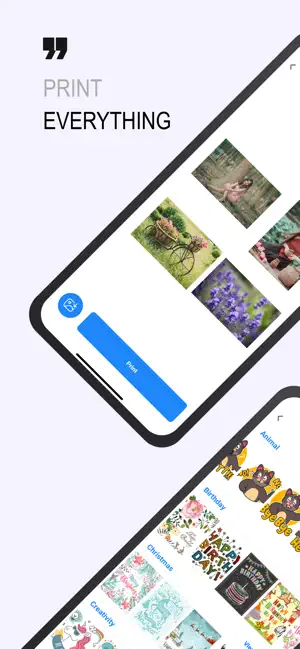
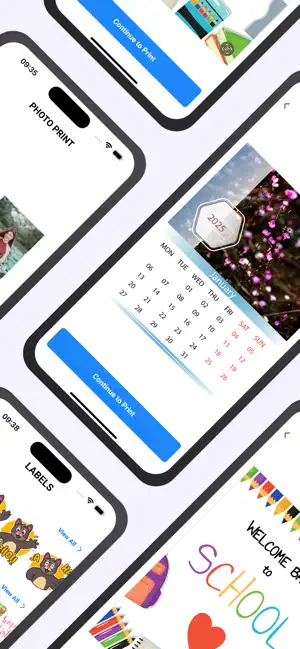
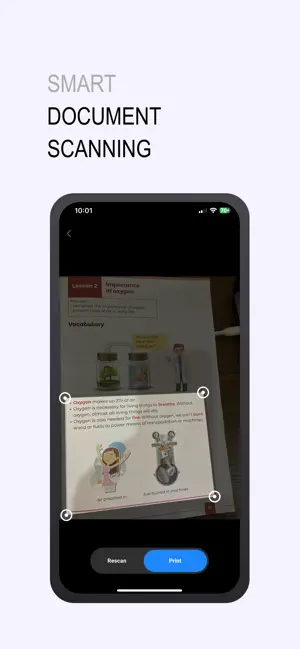
Smart Print and Scan - The Ultimate Printing & Scanning Solution Effortlessly print and scan documents, photos, and more with Smart Print and Scan—your all-in-one printing app for both modern printers and classic IPPrint devices. Whether you're printing a single photo, scanning important documents, or creating custom greeting cards, this app offers powerful tools for high-quality printing with speed and reliability. Key Features: Universal Printer Support: Print seamlessly with both modern printers and classic IPPrint devices using IP addresses. Smart Document Scanning: Auto-detects paper area for fast, precise scans of documents. Versatile Photo Printing: Print single photos, multiple images, posters, and even create custom photo frames. Create & Print More: Print calendars, labels, and personalized greeting cards for any occasion. Rich Text Editor: Edit and customize text documents directly in the app and print them with ease. Web Printing: Browse websites and print pages directly from the app. Save for Later: Save print jobs to queue them for later—ideal for batch printing. Cross-App Printing: Easily print from other apps by sharing files directly with Smart Print and Scan. Cloud Integration: Connect your GoogleDrive, OneDrive, Dropbox, and Files app to print your stored documents on the go. High-Quality Output: Enjoy superior printing quality with fast, stable, and reliable performance. Take control of all your printing and scanning needs in one easy-to-use app. Download Smart Print and Scan today! Payment will be charged to iTunesAccount at confirmation of purchase. Subscription automatically renews unless auto-renew is turned off at least 24-hours before the end of the current period. Account will be charged for renewal within 24-hours prior to the end of the current period. Subscriptions may be managed by the user and auto-renewal may be turned off by going to the user's Account Settings after purchase. Privacy policy is at: https://cryptofinancialsolution.com/smartprint/privacy Terms of Use at: https://cryptofinancialsolution.com/smartprint/terms
What’s new
Version 1.0.1 · Updated January 21, 2025
Minor UI improvements
App privacy
The developer, CRYPTO FINANCIAL SOLUTION SOFTWARE COMPANY LIMITED, reported these privacy practices to Apple.
Data Used to Track You
The following data may be used to track you across apps and websites owned by other companies:
- Identifiers: Device ID
Data Not Linked to You
The following data, which may be collected but is not linked to your identity, may be used for the following purposes:
- Identifiers: Device ID
Used for: Third-Party Advertising
Alternatives to Smart Print and Scan
Looking for apps like Smart Print and Scan? Here are 6 similar apps on the App Store. The highest rated is USB Disk Pro (4.5/5), and 5 of the 6 are free to download.
-
 PDF Studio Forge
-
 Planix - Daily Planner
-
 Human RHD
-
 USB Disk Pro
4.5
-
 DMS Preah Vihear
-
 Promta: Prompt Manager & Vault
| App | Rating | Price | Last updated | Compare |
|---|---|---|---|---|
| Smart Print and Scan | – | Free | January 21, 2025 | |
| PDF Studio Forge | – | Free | Aug 30, 2026 | Compare |
| Planix - Daily Planner | – | Free | Jul 10, 2025 | Compare |
| Human RHD | – | Free | Oct 26, 2026 | Compare |
| USB Disk Pro | 4.5 / 5 (142) | 99.99 USD | Oct 23, 2026 | Compare |
| DMS Preah Vihear | – | Free | Apr 7, 2025 | Compare |
| Promta: Prompt Manager & Vault | – | Free | Oct 29, 2026 | Compare |