

hsbView
hsbcad Utilities iPad
hsbView is a free Utilities app for iPad by hsbcad. Requires iOS 14.2. Updated May 4, 2026.
- Price
- Free
- on the App Store
- Size
- 181 MB
- Age 4+
- Updated
- May 4
- 2026 · v1.1.10
Screenshots

About hsbView
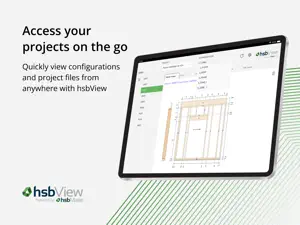
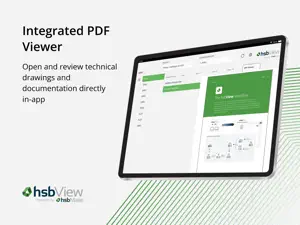
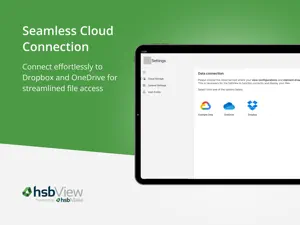
hsbView: your shop drawings, anywhere. For optimal performance, we recommend using an iPad (10th generation or newer). Devices with a 10-inch screen or larger provide the best experience. Leave your stacks of printed shop drawings behind. With hsbView, you can instantly access the latest digital shop drawings and project data for your offsite construction projects, right from your tablet. Whether you’re on the factory floor, in the design office, or on the go, hsbView puts your project files in your hands. Designed for offsite manufacturers (with efficiency gains for operators and designers), hsbView connects seamlessly to your cloud storage, giving you live, accurate information whenever you need it. No more outdated plans. No more wasted time. Key Features: - Instant access to shop drawings: View the most up-to-date technical information from anywhere. - Integrated PDF viewer: Open and review designer-created PDF files directly within the app. - Cloud storage integration: Connect effortlessly to Dropbox and OneDrive for streamlined file access. - Element navigation: Explore project components such as walls, floors, and roofs with ease. - Project-wide visibility – Access all your projects and configurations from a single place. - No desktop required – All you need is your tablet, Wi-Fi connection, and an hsbView license. Why hsbView? - Boost efficiency: Reduce errors and delays caused by outdated printed drawings. - Save time: With hsbView, designers don’t have to spend time creating manufacturing drawings. - Stay connected: Operators can access and view the same live data as the design office from the factory. How It Works: - Log in with your myhsbcad account. - Connect to your preferred cloud provider (Dropbox or OneDrive). - Open hsbView to see all your projects and configurations. - View, navigate, and zoom in on technical elements and PDF documents instantly. Perfect for: - Offsite factory operators needing up-to-date shop drawings. - Designers and engineers collaborating with production teams. - Teams looking to transition to a fully digital workflow. Subscription An active hsbView license is required to use the app. To request a license, please visit https://www.hsbcad.com/contact. With hsbView, your shop drawing data is always at your fingertips. Download today and step into a faster, smarter, paper-free way of working.
What’s new
Version 1.1.10 · Updated May 4, 2026
- Refreshed look for licensing screens. - Improved Dropbox sign-in (now uses OAuth 2.0 with refresh tokens for longer-lasting sessions). - Stability and performance improvements.
App privacy
The developer, hsbcad, reported these privacy practices to Apple.
Data Linked to You
The following data, which may be collected and linked to your identity, may be used for the following purposes:
- Contact Info: Email Address
- Identifiers: User ID
Used for: Analytics, App Functionality
Alternatives to hsbView
Looking for apps like hsbView? Here are 6 similar apps on the App Store. The highest rated is PDF to CAD Converter (5.0/5), and all 6 are free to download.
-
 DXF Viewer: CAD File Reader
3.0
-
 HVAC Calculator: BTU & AC Load
-
 PDF to CAD Converter
5.0
-
 Ag Fence Pro
4.3
-
 Dashkit - Personal Dashboards
4.0
-
 HDashboards
| App | Rating | Price | Last updated | Compare |
|---|---|---|---|---|
| hsbView | – | Free | May 4, 2026 | |
| DXF Viewer: CAD File Reader | 3.0 / 5 (1) | Free | Aug 6, 2026 | Compare |
| HVAC Calculator: BTU & AC Load | – | Free | Aug 26, 2026 | Compare |
| PDF to CAD Converter | 5.0 / 5 (1) | Free | Nov 7, 2025 | Compare |
| Ag Fence Pro | 4.3 / 5 (6) | Free | Jun 2, 2026 | Compare |
| Dashkit - Personal Dashboards | 4.0 / 5 (31) | Free | Apr 29, 2026 | Compare |
| HDashboards | – | Free | Oct 25, 2026 | Compare |
Compare hsbView with the top alternatives: ratings, updates, ASO score and keyword gaps →