

Links - Save your links
Manuel Carrillo Almoguera Productivity iPhoneiPadiPod touch
Links - Save your links is a free Productivity app for iPhone and iPad by Manuel Carrillo Almoguera. Rated 5.0/5 from 2 ratings. Requires iOS 18.0.
- Rating
- 5.0
- 2 ratings
- Price
- Free
- on the App Store
- Size
- 16 MB
- Age 17+
- Updated
- Jan 2
- 2026 · v2.1.1
Screenshots



About Links - Save your links
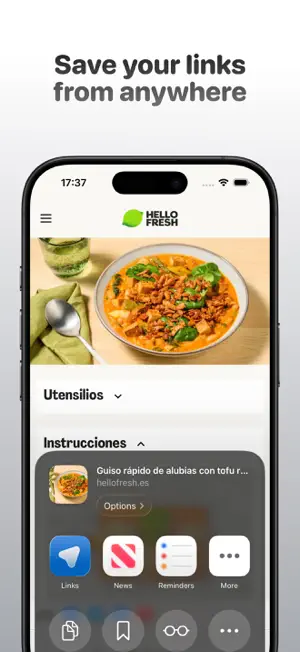
Links is the simplest and fastest way to save, organise, and find all your links from any device. The app syncs automatically with iCloud, with no accounts, no sign-ups, and no data sharing. Your link library stays completely private and fully under your control. Links now also includes AI features designed to help you organise and understand your links better, always with privacy in mind. Save any webpage in seconds, organise it into collections, add tags, write notes, and find everything instantly with fast and accurate search. With AI assistance, you’ll get smart tag and collection suggestions when creating a link, generate automatic content summaries, and chat with your own links to get quick, contextual answers. Everything is built with a clean, minimalist design that feels perfectly at home on iOS. What you can do with Links: • Private iCloud sync. Your links are stored only on your devices, with no accounts or external services. • Save from any app. Add links from Safari, Chrome, or any app using the share extension. • Custom collections and tags. Organise your links in a way that works for you. • AI-powered organisation. Smart tag and collection suggestions when saving links. • AI summaries. Get clear, concise summaries of any saved link. • Chat with your links. Ask questions and get answers based on your own saved content. • Ultra-fast search. Find links, tags, or notes in seconds. • Notes and favourites. Add context to your links and keep the most important ones close at hand. • Private collections with Face ID or Touch ID. Protect sensitive links with biometric lock. • Visual customisation. Choose accent colours and themes to match your style. • Real privacy. No tracking, no analytics, no data selling. Your links are yours, and only yours. Links is perfect for saving articles, videos, recipes, tools, ideas, or resources you want to come back to later. It works just as well for work, study, or personal use. The app is free, with a Pro version that unlocks unlimited collections, advanced tags, biometric protection, AI features, and more customisation options. Available as a monthly or annual subscription, cancel anytime through the App Store. Download Links and discover a faster, smarter, and more organised way to save and find your links. Privacy Policy: https://www.getlinksapp.com/privacidad Terms of Use: https://www.getlinksapp.com/terminos
What’s new
Version 2.1.1 · Updated January 2, 2026
Fixed a UI issue affecting users who use a white accent color. Thanks for using Links.
App privacy
The developer, Manuel Carrillo Almoguera, reported these privacy practices to Apple.
Data Not Linked to You
The following data, which may be collected but is not linked to your identity, may be used for the following purposes:
- Purchases: Purchase History
Used for: Analytics, App Functionality
Alternatives to Links - Save your links
Looking for apps like Links - Save your links? Here are 6 similar apps on the App Store. The highest rated is Pixel Bookmarks (5.0/5), and all 6 are free to download.
-
 Pixel Bookmarks
5.0
-
 FlickNote: Voice to Action
5.0
-
 Gempod - Bookmarks
1.0
-
 Links - Save Links Easily
4.4
-
 Nutbox: bookmarks, screenshots
4.3
-
 LastPage: Save Links with AI
5.0
| App | Rating | Price | Last updated | Compare |
|---|---|---|---|---|
| Links - Save your links | 5.0 / 5 (2 ratings) | Free | January 2, 2026 | |
| Pixel Bookmarks | 5.0 / 5 (2) | Free | Sep 13, 2026 | Compare |
| FlickNote: Voice to Action | 5.0 / 5 (3) | Free | Oct 12, 2026 | Compare |
| Gempod - Bookmarks | 1.0 / 5 (1) | Free | Nov 14, 2025 | Compare |
| Links - Save Links Easily | 4.4 / 5 (26) | Free | Sep 22, 2025 | Compare |
| Nutbox: bookmarks, screenshots | 4.3 / 5 (6) | Free | Sep 14, 2026 | Compare |
| LastPage: Save Links with AI | 5.0 / 5 (2) | Free | Apr 16, 2026 | Compare |