

FX Lot
ELSTREN INC. Productivity iPhoneiPadiPod touch
FX Lot is a free Productivity app for iPhone and iPad by ELSTREN INC. Requires iOS 17.5. Updated February 10, 2025.
- Price
- Free
- on the App Store
- Size
- 1 MB
- Age 4+
- Updated
- Feb 10
- 2025 · v1.1
Screenshots

About FX Lot
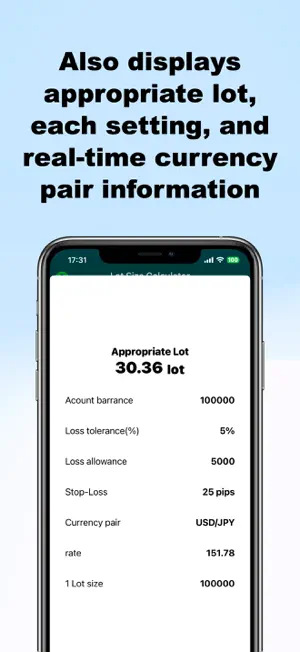
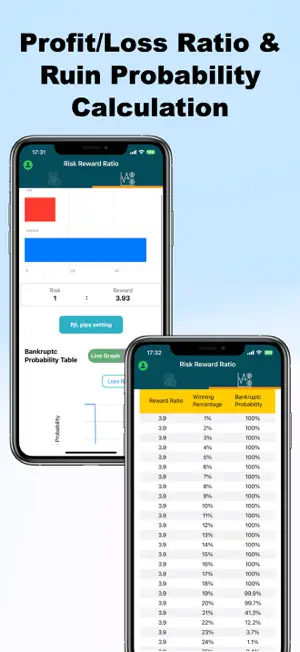
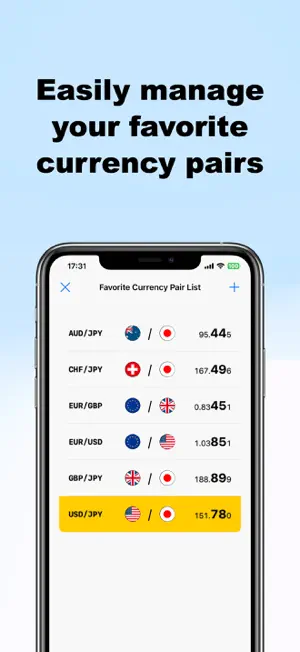
How to use the app Lot calculation tool You can calculate the appropriate lot when entering FX (holding a position). 1. Set the currency pair 2. Enter the margin (account balance) 3. Set the loss tolerance as a percentage of the margin 4. Finally, enter the stop loss 5. Tap the calculate button to display the appropriate lot. Profit and loss ratio tool 1. Set the profit lock pips (take profit) 2. Set the loss tolerance pips (stop loss) 3. Automatically display risk reward 3. Display bankruptcy probability table Settings Regarding the currency of 1 lot, please check the information of your trading company and set it. The default is set to 10,000 currency per lot. The loss tolerance (%) can be changed to the % set when the app is launched. The currency pair at launch can be changed to the currency pair set when the app is launched. The currency pair list can be listed as you like. The only currency pairs available in the free version are USD/JPY and EUR/USD/GBP/JPY. If you want to calculate lots for other currency pairs, you will need to upgrade. After upgrading, you will be able to use all currency pairs without any charge.
App privacy
The developer, ELSTREN INC., reported these privacy practices to Apple.
Data Not Collected
The developer does not collect any data from this app.
Alternatives to FX Lot
Looking for apps like FX Lot? Here are 6 similar apps on the App Store.
-
 ADHD Notes
-
 with notes_view notes wherever
-
 勝率記録ノート
-
 GlanceCal
-
 Forepause: Adult Phone Limits
-
 Dueit: AI-Deadlines & Habits
| App | Rating | Price | Last updated | Compare |
|---|---|---|---|---|
| FX Lot | – | Free | February 10, 2025 | |
| ADHD Notes | – | Free | Jun 9, 2026 | Compare |
| with notes_view notes wherever | – | Free | Jul 4, 2025 | Compare |
| 勝率記録ノート | – | Free | Nov 26, 2024 | Compare |
| GlanceCal | – | Free | Oct 11, 2026 | Compare |
| Forepause: Adult Phone Limits | – | Free | Sep 22, 2026 | Compare |
| Dueit: AI-Deadlines & Habits | – | Free | Feb 18, 2026 | Compare |
Compare FX Lot with the top alternatives: ratings, updates, ASO score and keyword gaps →