

Video to Audio Converter ◌
Kartika Ardiani Photo & Video iPhoneiPadiPod touch
Video to Audio Converter ◌ is a free Photo & Video app for iPhone and iPad by Kartika Ardiani. Rated 4.6/5 from 122 ratings. Requires iOS 16.0.
- Rating
- 4.6
- 122 ratings
- Price
- Free
- on the App Store
- Size
- 31 MB
- Age 4+
- Updated
- Feb 26
- 2025 · v1.0
Screenshots
About Video to Audio Converter ◌
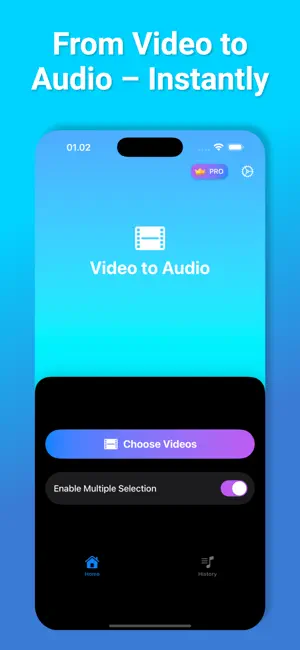
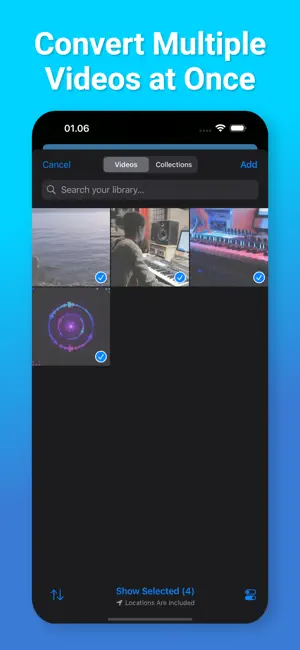
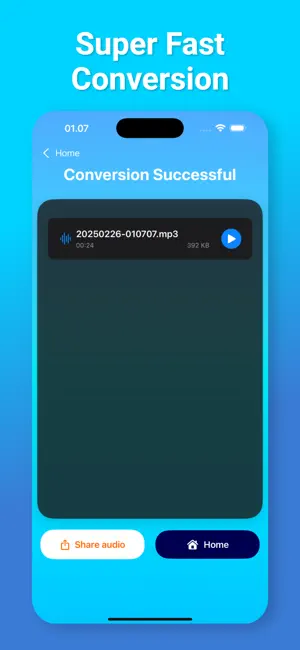
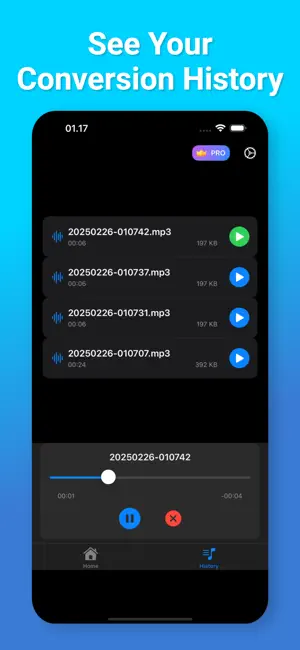
Need to turn a video into audio? With Video to Audio Extractor, it’s easy and fast! You can quickly change any video file into an audio file in just a few seconds. Whether it’s a song, a speech, or any video sound you want to keep, this app helps you get it with no hassle. Key Features: • Convert Video to Audio: Pick any video, and get the audio in seconds. • Convert Many Videos at Once: Choose many videos, and convert them all together to save time. • Save to Files: Keep your audio files safely in your phone storage. • Share Easily: Send your audio files to friends or apps with one tap. • History List: See all your past conversions and access your files anytime. • Fast and Simple: The app works in seconds, so you don’t have to wait. How to Use: 1. Open the app. 2. Select one or more videos from your phone. 3. Press Convert – your audio will be ready in seconds. 4. Save or share your audio with just one tap! No need to struggle with difficult tools. With Video to Audio Extractor, converting video to audio is quick and easy for everyone! Video to Audio Extractor app is free. You can use it forever, at no cost. However, Video to Audio Extractor does offer premium features for its subscribers. If you decide to purchase an upgrade, you will unlock additional features. Terms of Use: https://olivetapp.github.io/Video-to-Audio/term-of-use Privacy Policy: https://olivetapp.github.io/Video-to-Audio/privacy-policy
Ratings & reviews
4.6
122 ratings
App privacy
The developer, Kartika Ardiani, reported these privacy practices to Apple.
Data Used to Track You
The following data may be used to track you across apps and websites owned by other companies:
- Purchases: Purchase History
- Identifiers: Device ID
- Usage Data: Advertising Data
- Diagnostics: Crash Data
Data Not Linked to You
The following data, which may be collected but is not linked to your identity, may be used for the following purposes:
- Identifiers: Device ID
- Usage Data: Advertising Data
- Purchases: Purchase History
- Diagnostics: Crash Data
Used for: Third-Party Advertising, Analytics, App Functionality
Alternatives to Video to Audio Converter ◌
Looking for apps like Video to Audio Converter ◌? Here are 6 similar apps on the App Store. The highest rated is Video Volume Booster: Louder (4.6/5), and all 6 are free to download.
-
 Auto Captions, Video Subtitles
4.5
Auto Captions, Video Subtitles
4.5
-
 Movie Maker with Music: MixVid
4.5
Movie Maker with Music: MixVid
4.5
-
 Secret Photo Vault: App Lock
4.5
Secret Photo Vault: App Lock
4.5
-
 Video Volume Booster: Louder
4.6
Video Volume Booster: Louder
4.6
-
 Boomerang Video Loop Maker
4.6
Boomerang Video Loop Maker
4.6
-
 Text Behind Image - Tebi
4.6
Text Behind Image - Tebi
4.6
| App | Rating | Price | Last updated | Compare |
|---|---|---|---|---|
| Video to Audio Converter ◌ | 4.6 / 5 (122 ratings) | Free | February 26, 2025 | |
| Auto Captions, Video Subtitles | 4.5 / 5 (510) | Free | Oct 30, 2026 | Compare |
| Movie Maker with Music: MixVid | 4.5 / 5 (229) | Free | Jul 14, 2026 | Compare |
| Secret Photo Vault: App Lock | 4.5 / 5 (85) | Free | Jul 31, 2026 | Compare |
| Video Volume Booster: Louder | 4.6 / 5 (130) | Free | Sep 24, 2026 | Compare |
| Boomerang Video Loop Maker | 4.6 / 5 (587) | Free | Nov 16, 2025 | Compare |
| Text Behind Image - Tebi | 4.6 / 5 (188) | Free | May 23, 2026 | Compare |