

AI Image Translator
Ahmad Sattar Productivity iPhoneiPadiPod touch
AI Image Translator is a free Productivity app for iPhone and iPad by Ahmad Sattar. Rated 3.8/5 from 4 ratings. Requires iOS 15.6. Updated March 30, 2026.
- Rating
- 3.8
- 4 ratings
- Price
- Free
- on the App Store
- Size
- 83 MB
- Age 4+
- Updated
- Mar 30
- 2026 · v2.1.2
Screenshots



About AI Image Translator
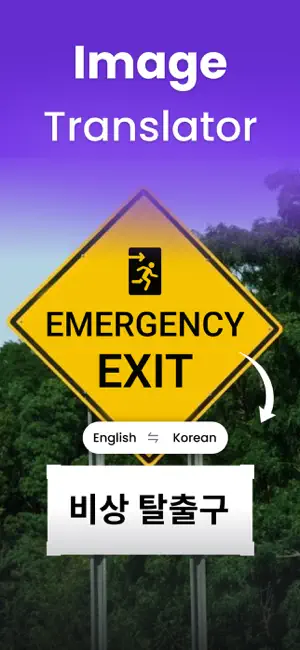
Our Image Translator app is designed to automatically translate text written on photos into a wide range of languages. This photo translator uses modern technology for accurate image recognition & translation. Plus, it translates photos without disrupting their pixels, margins, colors, or overall quality. Whether traveling abroad, communicating with foreign clients, or translating images for multilingual websites, the picture translator app is the perfect solution. How to Use the Photo Translator App? Follow the below listed simple steps to translate photos using our free image translator; 1. Download & Open the photo translator app. There you’ll see two options: “Camera” & Gallery. 2. Upload the image either from “Gallery” or capture the image using the “Camera” option. 3. Crop images to skip unnecessary parts of your image. 4. Pick the original language of the image and the language in which you want to translate it. 5. Click the “Translate” button and our picture translator app will quickly translate your photo. 6. Finally, you can “Copy” or “Download” the translated image. Key Features of the Picture Translator Below are the standout features of our free photo translator app; * Advanced Technology The photo translator app uses advanced and powerful technology to accurately recognize and translate text on images. You can confidentiality translate photos of product menus, billboards, posters, packaging, etc. * Fast Translator Whether it is a screenshot, scanned document, or image, our app can instantly translate it into your desired language. * Clean & Simple UI This translator app offers a sleek and easier-to-understand interface, for a smooth user experience. Everyone can effortlessly upload photos, select languages, and do translations. * Image Crop Our image translator app offers an “Image Crop” feature to let you remove unnecessary sections of the image. This way, you can achieve more precise and focused translation. * High-Quality Translation The app always does high-quality image translation. It maintains the original context, layout, and font of the text. Plus, it doesn’t change the image color or pixels. *Wide Range of Languages This image translator app supports a wide range of languages, allowing you to confidently translate images to and from multiple languages. * History Option Another key feature of the picture translator app is the “History” option. It allows you to revisit the previously translated images. It saves both original and translated images in the history. Who Can Use Our Photo Translator App? ● Travelers can use our translator app to translate signs, menus, documents, etc. in foreign countries. ● The image translator app is helpful for business professionals to bridge language gaps in international meetings or deals. ● Students and educators can also use this image translator app to translate academic materials to access and understand important information. ● Social media users and marketers can use this app to translate messages and social media posts. Our image translator app is designed to remove language barriers. Download and install the app and enjoy seamless photo translation for work, study, or travel purposes. Note: Your privacy is important to us. We never store, share, or use your personal data or uploaded images — the app is completely safe to use. For any questions or issues, contact us anytime. Your feedback helps us improve the app. Subscriptions: Payment will be charged to your iTunes account upon purchase. Subscriptions auto-renew unless turned off at least 24 hours before renewal. Manage or cancel anytime in your App Store account settings. Terms of Use: https://www.imagetotext.info/terms-of-services.php Privacy Policy: https://www.imagetotext.info/image-translator/mobile-application/privacy-policy
What’s new
Version 2.1.2 · Updated March 30, 2026
Stop struggling with language barriers! Use our fast Photo Translator app to translate photos, screenshots, or documents seamlessly.
App privacy
The developer, Ahmad Sattar, reported these privacy practices to Apple.
Data Not Collected
The developer does not collect any data from this app.
Alternatives to AI Image Translator
Looking for apps like AI Image Translator? Here are 6 similar apps on the App Store. The highest rated is Checklist Widget - Check Me (4.7/5), and all 6 are free to download.
-
 Verum Mail
3.5
-
 Checklist Widget - Check Me
4.7
-
 Countdown Timer Planner
4.6
-
 TwiBlock
4.7
-
 AI Writer: Essay, Story, Email
4.1
-
 Passport Photo Booth: Photo ID
4.5
| App | Rating | Price | Last updated | Compare |
|---|---|---|---|---|
| AI Image Translator | 3.8 / 5 (4 ratings) | Free | March 30, 2026 | |
| Verum Mail | 3.5 / 5 (4) | Free | Oct 12, 2026 | Compare |
| Checklist Widget - Check Me | 4.7 / 5 (339) | Free | Oct 14, 2026 | Compare |
| Countdown Timer Planner | 4.6 / 5 (9) | Free | May 11, 2026 | Compare |
| TwiBlock | 4.7 / 5 (3) | Free | Oct 1, 2024 | Compare |
| AI Writer: Essay, Story, Email | 4.1 / 5 (7) | Free | Sep 25, 2026 | Compare |
| Passport Photo Booth: Photo ID | 4.5 / 5 (72) | Free | Oct 10, 2026 | Compare |