

AnyTranslator: AI Translate
Shiny Technology Co., Ltd. Productivity iPhoneiPadiPod touch
AnyTranslator: AI Translate is a free Productivity app for iPhone and iPad by Shiny Technology Co., Ltd. Rated 4.4/5 from 5 ratings. Requires iOS 16.0.
- Rating
- 4.4
- 5 ratings
- Price
- Free
- on the App Store
- Size
- 95 MB
- Age 4+
- Updated
- Oct 20
- 2026 · v2.1.2
Screenshots



About AnyTranslator: AI Translate
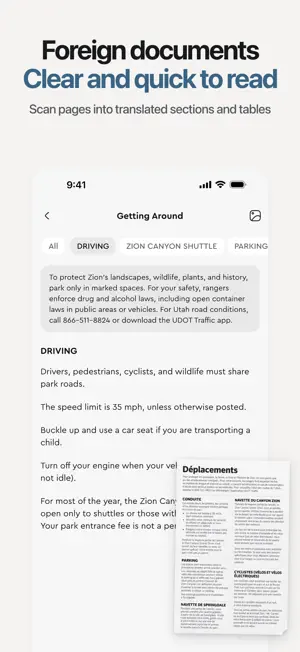
Can't read it? Take a photo. Can't say it? Just speak. AnyTranslator brings translation to your camera, voice, chats, and keyboard, so you can keep moving while traveling, working, or replying to messages. From widely used languages to many that are less commonly supported, translations are designed to preserve context and sound natural—not just swap words. SEE IT, TRANSLATE IT • Take a photo or import an image to translate menus, signs, documents, screenshots, and packaging. • Process multiple text regions together, show completed results first, and change languages without selecting the image again. • Ask AI to summarize, explain, or polish image content. SPEAK AND CONNECT • Speak to get a translation and hear the target-language pronunciation. • Clear recording and processing states help with travel, dining, meetings, directions, and face-to-face conversations. REPLY WITHOUT SWITCHING APPS • Use AnyTranslator Keyboard in chats, search, email, and other apps. • Choose a polite, casual, formal, or humorous tone, and use Chat Translation to understand context and write a natural reply. LEARN FROM EVERY TRANSLATION • Explore pronunciation, romanization, grammar, examples, synonyms, and real-world usage. • Review words and phrases with Home Screen and Lock Screen widgets, with topics and difficulty you choose. YOUR DATA, YOUR CHOICE • Find useful translations in History and Favorites. • Start free without creating an AnyTranslator account. • Clear translation history, favorites, chats, and support conversations at any time. See it, hear it, or need a reply? Let AnyTranslator help you communicate. Terms of Use (EULA): https://www.apple.com/legal/internet-services/itunes/dev/stdeula/
Ratings & reviews
4.4
5 ratings
What’s new
Version 2.1.2 · Updated October 20, 2026
New in 2.1.2: • Pinch to zoom in the camera. • Scan results and original photos are saved more reliably. • Clearer guidance to retake or upload another photo when no text is recognized.
App privacy
The developer, Shiny Technology Co., Ltd., reported these privacy practices to Apple.
Data Used to Track You
The following data may be used to track you across apps and websites owned by other companies:
- Diagnostics: Other Diagnostic Data
Data Linked to You
The following data, which may be collected and linked to your identity, may be used for the following purposes:
- Purchases: Purchase History
- Location: Coarse Location
- User Content: Emails or Text Messages, Photos or Videos, Audio Data, Customer Support, Other User Content
- Identifiers: Device ID
- Usage Data: Product Interaction, Other Usage Data
- Diagnostics: Crash Data, Performance Data, Other Diagnostic Data
Used for: Analytics, App Functionality
Alternatives to AnyTranslator: AI Translate
Looking for apps like AnyTranslator: AI Translate? Here are 6 similar apps on the App Store. The highest rated is papry – Document Organizer (5.0/5), and 4 of the 6 are free to download.
-
 papry – Document Organizer
5.0
-
 Vibe Reader: AI Summary Cards
5.0
-
 Any Translator with AI
1.0
-
 NextNote: Notes & AI Writing
-
 Smart Highlighter AI Reader
-
 CubeLV: Let AI Build Your Team
4.9
| App | Rating | Price | Last updated | Compare |
|---|---|---|---|---|
| AnyTranslator: AI Translate | 4.4 / 5 (5 ratings) | Free | October 20, 2026 | |
| papry – Document Organizer | 5.0 / 5 (3) | Free | Oct 9, 2026 | Compare |
| Vibe Reader: AI Summary Cards | 5.0 / 5 (1) | Free | Sep 25, 2026 | Compare |
| Any Translator with AI | 1.0 / 5 (1) | Free | Jun 11, 2025 | Compare |
| NextNote: Notes & AI Writing | – | 5.99 USD | Oct 12, 2026 | Compare |
| Smart Highlighter AI Reader | – | 4.99 USD | Jul 9, 2026 | Compare |
| CubeLV: Let AI Build Your Team | 4.9 / 5 (8) | Free | Oct 21, 2026 | Compare |