

SmartTV+ Remote for Samsung
Youness Zaouda Entertainment iPhoneiPadiPod touch
SmartTV+ Remote for Samsung is a free Entertainment app for iPhone and iPad by Youness Zaouda. Requires iOS 15.1. Updated December 5, 2024.
- Price
- Free
- on the App Store
- Size
- 31 MB
- Age 4+
- Updated
- Dec 5
- 2024 · v1.0.3
Screenshots


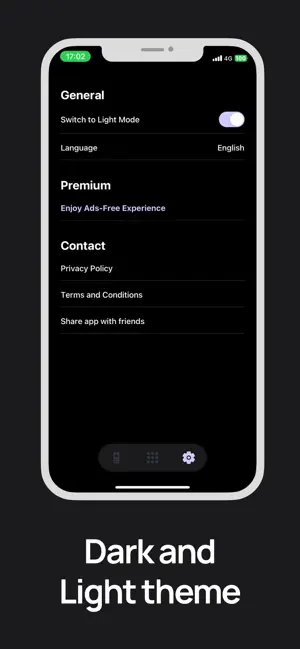
About SmartTV+ Remote for Samsung
Transform your smartphone into a universal Samsung TV remote! Quick setup, seamless control, and an intuitive design. Download now for ultimate convenience! Samsung SmartTV+ Remote Control provides the perfect solution for remote controlling your Samsung TV. The sleek multi-button design ensures an intuitive, simple, and comfortable experience, giving you unparalleled control at your fingertips. We’re seamlessly transforming your smartphone into a powerful remote control! Watch your favourite TV shows and movies using our unique streaming buttons for Netflix, Prime Video, and YouTube. Samsung SmartTV+ Remote Control makes it easier to watch what you love, browse online, and access your favourite content. Let us simplify your TV experience with the new Samsung smart remote. This app is designed for users who want quick and easy access to control their Samsung TV from their mobile device. This app gives you complete control over your Samsung Smart TV, including all the features of your old physical remote control, plus some additional intelligent functions. To use Samsung SmartTV+ Remote Control, connect your mobile device and Smart TV to the same Wi-Fi network and start using it. BUTTONS: - Turn ON and OFF the TV - Home button - Return button - Change channels (next and previous) - Adjust volume (can also be controlled using phone side buttons) - Mute the sound (silent mode) - 4 favourite buttons (Up / Down / Left / Right + center "OK" button) - Play / Pause / Rewind / Fast Forward - Netflix, Amazon Prime, Youtube and more applications - Settings button With just a few taps, you can unleash the power of Samsung SmartTV+ Remote Control and take full control of your TV viewing. Simplify your TV control! Subscription Details: After your free trial, payment will be charged to your iTunes account at confirmation of purchase. Subscriptions will automatically renew unless canceled at least 24 hours before the end of the current period. Manage your subscription anytime through iTunes settings. Terms of use: https://sites.google.com/view/smarttv-plus-tv-remote/terms-and-conditions Privacy Policy: https://sites.google.com/view/smarttv-plus-tv-remote/privacy-and-policy Disclaimer: This app is NOT an official Samsung application, nor is it affiliated with any other trademark. We are not associated with Samsung Electronics in any way.
What’s new
Version 1.0.3 · Updated December 5, 2024
This version includes a minor bug fix when selecting a language.
App privacy
The developer, Youness Zaouda, reported these privacy practices to Apple.
Data Used to Track You
The following data may be used to track you across apps and websites owned by other companies:
- Usage Data: Advertising Data
Data Not Linked to You
The following data, which may be collected but is not linked to your identity, may be used for the following purposes:
- Usage Data: Advertising Data
Used for: Third-Party Advertising
Alternatives to SmartTV+ Remote for Samsung
Looking for apps like SmartTV+ Remote for Samsung? Here are 6 similar apps on the App Store. The highest rated is La Voz de la Esperanza (5.0/5), and all 6 are free to download.
-
 Sticker Maker & Emoji Maker
-
 StreamHub
3.0
-
 La Voz de la Esperanza
5.0
-
 Lumo Player
-
 Chances Colombia
-
 Xtream Pro IPTV Player
| App | Rating | Price | Last updated | Compare |
|---|---|---|---|---|
| SmartTV+ Remote for Samsung | – | Free | December 5, 2024 | |
| Sticker Maker & Emoji Maker | – | Free | Aug 13, 2024 | Compare |
| StreamHub | 3.0 / 5 (1) | Free | Mar 10, 2026 | Compare |
| La Voz de la Esperanza | 5.0 / 5 (11) | Free | Feb 21, 2024 | Compare |
| Lumo Player | – | Free | Oct 21, 2026 | Compare |
| Chances Colombia | – | Free | Jul 3, 2024 | Compare |
| Xtream Pro IPTV Player | – | Free | Nov 1, 2026 | Compare |