

StockEase Inventory
绩松 梁 Productivity iPhoneiPadiPod touch
StockEase Inventory is a free Productivity app for iPhone and iPad by 绩松 梁. Requires iOS 13.0. Updated February 26, 2025.
- Price
- Free
- on the App Store
- Size
- 45 MB
- Age 4+
- Updated
- Feb 26
- 2025 · v2.1
Screenshots
About StockEase Inventory
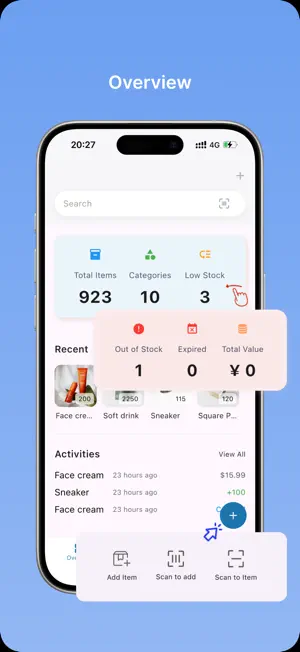
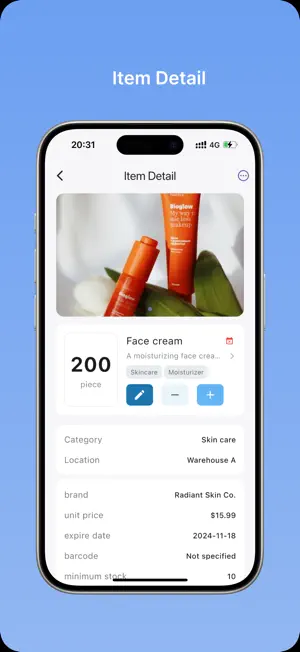
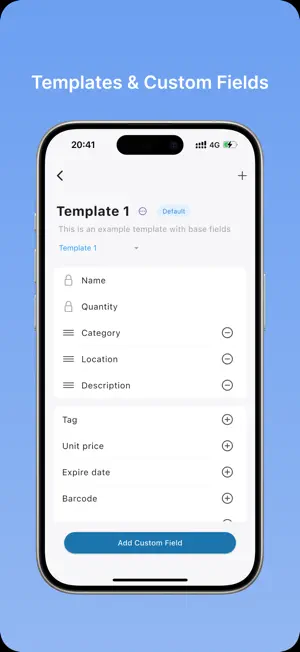
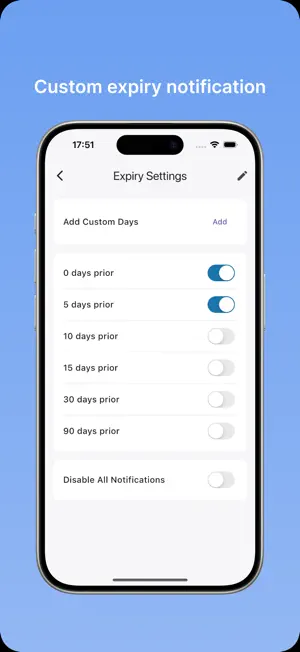
Take Charge of Your Home Inventory with StockEase! StockEase is the ultimate tool for anyone looking to organize and simplify their home inventory. Whether you're keeping track of groceries, household essentials, or personal collections, StockEase has you covered. Plus, you can add up to **400 items for free** to get started right away! KEY FEATURES - Stay Alert: Receive timely notifications for low stock, out-of-stock items, and approaching expiry dates. - Effortless Barcode Scanning: Quickly add and manage items by scanning barcodes. - Access Anywhere: Manage your inventory seamlessly from any device. - Customizable Options: Use custom templates and fields tailored to your needs. - Quick Search and Filter: Find items instantly using advanced search and filtering options. - Streamlined Import & Export: Transfer your inventory data with ease. Smart Inventory Management - Effortlessly add and organize multiple items. - Categorize items by location, tags, and more. - Upload images for quick and easy identification. - Track inventory across multiple devices. - Use barcode scanning for fast and accurate updates. **Expiry Date Tracking** - Stay on top of product expiration dates. - Reduce waste and optimize stock usage. Comprehensive Overview - Get a complete view of your inventory at a glance. - Track total item counts, categories, and inventory value in real-time. - Access instant insights to make smarter decisions. User-Friendly Interface - Clean, intuitive design for smooth navigation. - Quick access to essential features and information. Perfect For: - Home inventory management - Small businesses - Personal collections - Product stockrooms - Small manufacturers Take the stress out of organizing your home and start managing your inventory like a pro. [Terms of Use](https://jayden-liang.github.io/stockease-doc/terms_of_service.html)
What’s new
Version 2.1 · Updated February 26, 2025
We’re excited to bring you a smoother, more accessible experience with this update! Here’s what’s new: Offline Mode Activated! The app now works completely offline! Access all core features anytime, anywhere—no internet connection required. Perfect for travel, commutes, or spotty service areas. No Login Required! Say goodbye to mandatory sign-ins! Start using the app instantly—no account or email needed. Your privacy matters, so your data stays securely on your device. Faster & Smoother Performance We’ve turbocharged the app for quicker load times, smoother navigation, and reduced lag. Enjoy a snappier experience with every interaction!
App privacy
The developer, 绩松 梁, reported these privacy practices to Apple.
Data Linked to You
The following data, which may be collected and linked to your identity, may be used for the following purposes:
- Purchases: Purchase History
- Contact Info: Email Address
- User Content: Photos or Videos
- Identifiers: Device ID
Used for: App Functionality
Data Not Linked to You
The following data, which may be collected but is not linked to your identity, may be used for the following purposes:
- Contact Info: Name, Other User Contact Info
- Identifiers: User ID
- Usage Data: Product Interaction
- Diagnostics: Crash Data
Used for: App Functionality