

Visual Intent - Schedule by AI
明 旷 Productivity iPhone
Visual Intent - Schedule by AI is a free Productivity app for iPhone by 明 旷. Rated 3.0/5 from 2 ratings. Requires iOS 17.0. Updated April 24, 2025.
- Rating
- 3.0
- 2 ratings
- Price
- Free
- on the App Store
- Size
- 13 MB
- Age 17+
- Updated
- Apr 24
- 2025 · v1.0.5
Screenshots
About Visual Intent - Schedule by AI
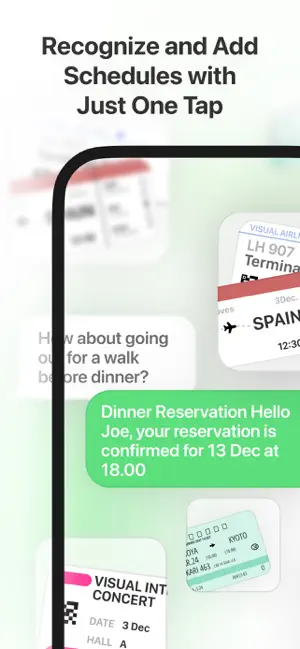
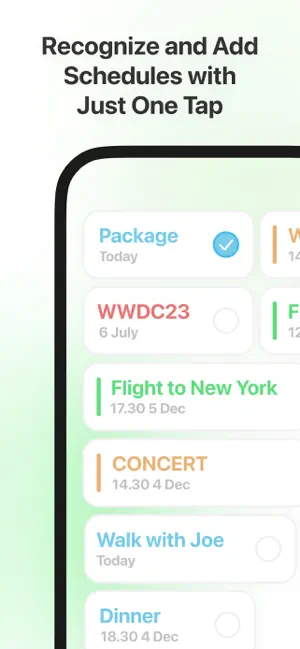
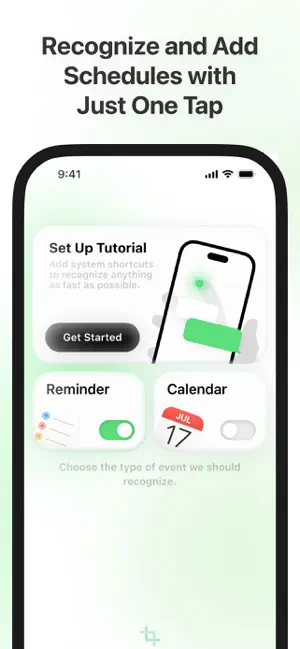
Tired of manually adding events to your calendar? Meet Visual Intent, the ultimate productivity tool that makes scheduling as simple as a double tap. With Visual Intent, you can instantly capture and add events from your screen to your calendar without typing a single word. How It Works: 1. Double Tap the back of your iPhone to trigger the shortcut. 2. Visual Intent takes a screenshot of your screen. 3. Our powerful AI technology scans the screenshot, identifies event details (like date, time, and location), and prepares them for your calendar. 4. One Tap to confirm, and the event is added to your calendar. Key Features: 1. AI-Powered Event Recognition: Automatically detects dates, times, and event details from your screen. (In-app purchase required) 2. Seamless Integration: Works with your iPhone’s native calendar app. 3. Time-Saving Shortcut: No more typing or copying event details manually. 4. Privacy First: Your data stays on your device—no cloud processing required. 5. Whether it’s a meeting, a concert, or a dinner plan, Visual Intent makes scheduling fast, easy, and stress-free. Membership service: - Membership includes several auto-renewable subscription types. - Your subscription will be charged to your iTunes account at confirmation of purchase and will automatically renew (at the duration selected) unless auto-renew is turned off at least 24 hours before the end of the current period. - Current subscription may not be cancelled during the active subscription period; however, you can manage your subscription and/or turn off auto-renewal by visiting your iTunes Account Settings after purchase. - You can choose whether to renew the subscription or not, if you want to cancel, please cancel in the AppleID settings 24 hours before the subscription expires. Terms of Use & Privacy Policy: - Terms of Use: https://keithbird.notion.site/END-USER-LICENSE-AGREEMENT-153b7f5df31680d1a7f1c8c4d01e607d?pvs=4 - Privacy Policy: https://keithbird.notion.site/PRIVACY-POLICY-153b7f5df31680769e56e1ad29bc84ad?pvs=4
What’s new
Version 1.0.5 · Updated April 24, 2025
Adapt to iOS 18.4
App privacy
The developer, 明 旷, reported these privacy practices to Apple.
Data Not Collected
The developer does not collect any data from this app.
Alternatives to Visual Intent - Schedule by AI
Looking for apps like Visual Intent - Schedule by AI? Here are 6 similar apps on the App Store. The highest rated is Flipo - Minimalist Pomodoro (4.8/5), and all 6 are free to download.
-
 EventScan: Picture to Calendar
3.8
EventScan: Picture to Calendar
3.8
-
 Smart Calendars AI – Scheduler
4.5
Smart Calendars AI – Scheduler
4.5
-
 FocusFour - Eisenhower Matrix
4.5
FocusFour - Eisenhower Matrix
4.5
-
 Flipo - Minimalist Pomodoro
4.8
Flipo - Minimalist Pomodoro
4.8
-
 NoFeed
4.8
NoFeed
4.8
-
 MyerList
4.1
MyerList
4.1
| App | Rating | Price | Last updated | Compare |
|---|---|---|---|---|
| Visual Intent - Schedule by AI | 3.0 / 5 (2 ratings) | Free | April 24, 2025 | |
| EventScan: Picture to Calendar | 3.8 / 5 (14) | Free | Oct 6, 2026 | Compare |
| Smart Calendars AI – Scheduler | 4.5 / 5 (11) | Free | Oct 4, 2026 | Compare |
| FocusFour - Eisenhower Matrix | 4.5 / 5 (22) | Free | Jun 30, 2026 | Compare |
| Flipo - Minimalist Pomodoro | 4.8 / 5 (15) | Free | Jun 26, 2025 | Compare |
| NoFeed | 4.8 / 5 (17) | Free | Jun 7, 2025 | Compare |
| MyerList | 4.1 / 5 (7) | Free | Oct 10, 2025 | Compare |