

ILW Light Mapper
Stuart Griese Photo & Video iPhoneiPadiPod touch
ILW Light Mapper is a free Photo & Video app for iPhone and iPad by Stuart Griese. Rated 4.3/5 from 7 ratings. Requires iOS 15.0. Updated June 10, 2026.
- Rating
- 4.3
- 7 ratings
- Price
- Free
- on the App Store
- Size
- 364 MB
- Age 4+
- Updated
- Jun 10
- 2026 · v1.5.43
Screenshots


About ILW Light Mapper
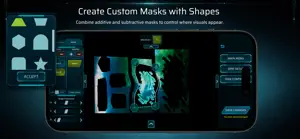
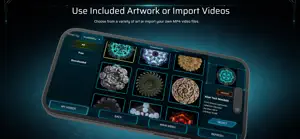
LightMapper is a beginner-friendly projection mapping tool designed for artists, creators, and anyone exploring light-based art. Select from a library of artwork or import your own videos, calibrate your projection with intuitive controls, and transform any surface with animated light. You can save your setups so everything is ready exactly how you left it each time you return. LightMapper includes a growing library of downloadable visuals, with new artwork added over time. FEATURES CONTENT & LIBRARY • Import your own videos (.mp4 / H.264) • Browse and download projection visuals directly in the app SETUP & CALIBRATION • Multiple grids for complex projection setups • Four-point corner adjustment for precise alignment • Global offset control for quick positioning • Scale and rotation touch controls CREATIVE TOOLS • Warp Painting – apply localized distortion to match surfaces • Masking – additive and subtractive masking tools (use shapes or import images) • Color Controls – adjust hue, saturation, and brightness (per-grid or global) • Speed Controls – slow down or speed up visuals (per-grid or global) • Transparent Backgrounds – set black to be transparent for layering (per-grid or global) WORKFLOW & CONTROL • Simple two-step process • Timeline scrubbing for video playback (per-grid or global) • Undo support while editing • Grid overlay for alignment PROJECT MANAGEMENT • Multiple save slots — create, rename, duplicate, and delete your setups • Easily switch between saved projects PERFORMANCE & SETTINGS • Edge smoothing toggle for softer or sharper visuals • Video quality control for performance vs resolution INTERFACE • Clean, sci-fi inspired UI designed for creative workflows
Ratings & reviews
4.3
7 ratings
What’s new
Version 1.5.43 · Updated June 10, 2026
• Added Audio Playback & Volume Controls • Added Advanced Color Key Background Removal • Improved Edit Undo functionality • Fixed grid calibration and aspect ratio issues • Fixed media playback issues • Various bug fixes and UI improvements
App privacy
The developer, Stuart Griese, reported these privacy practices to Apple.
Data Not Linked to You
The following data, which may be collected but is not linked to your identity, may be used for the following purposes:
- Contact Info: Email Address
Used for: Developer’s Advertising or Marketing
Alternatives to ILW Light Mapper
Looking for apps like ILW Light Mapper? Here are 6 similar apps on the App Store. The highest rated is Immersal Mapper (5.0/5), and all 6 are free to download.
-
 Viso - Projection Mapping
3.6
-
 HappyMapper
3.9
-
 Lightcraft Jetset
4.3
-
 Immersal Mapper
5.0
-
 SoleGraphic - DJ Video Maker
5.0
-
 Gaussian SplatKing
4.3
| App | Rating | Price | Last updated | Compare |
|---|---|---|---|---|
| ILW Light Mapper | 4.3 / 5 (7 ratings) | Free | June 10, 2026 | |
| Viso - Projection Mapping | 3.6 / 5 (11) | Free | Sep 1, 2026 | Compare |
| HappyMapper | 3.9 / 5 (7) | Free | Jul 23, 2026 | Compare |
| Lightcraft Jetset | 4.3 / 5 (26) | Free | Oct 19, 2026 | Compare |
| Immersal Mapper | 5.0 / 5 (1) | Free | Oct 8, 2026 | Compare |
| SoleGraphic - DJ Video Maker | 5.0 / 5 (8) | Free | Jul 8, 2026 | Compare |
| Gaussian SplatKing | 4.3 / 5 (12) | Free | Oct 22, 2026 | Compare |
Compare ILW Light Mapper with the top alternatives: ratings, updates, ASO score and keyword gaps →