

Blank Black Screen
Morten Punnerud Productivity iPhoneiPadiPod touch
Blank Black Screen is a free Productivity app for iPhone and iPad by Morten Punnerud. Rated 4.6/5 from 19 ratings. Requires iOS 15.1.
- Rating
- 4.6
- 19 ratings
- Price
- Free
- on the App Store
- Size
- 10 MB
- Age 4+
- Updated
- Oct 21
- 2026 · v2.8
Screenshots



About Blank Black Screen
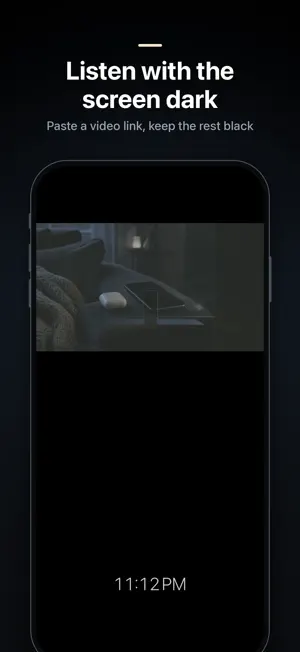
Blank Black Screen turns your iPhone or iPad into a true black screen that stays on. Use it to rest your eyes, keep a video playing in the dark, or as a calm clock on your nightstand. TWO MODES, ONE TAP • Black: a dark screen for video, Picture in Picture or just resting your eyes. • Nightstand: a large, dim clock that keeps the screen on all night. Keep it charging. Swipe up on the dark screen to switch between them. ON THE BLACK SCREEN • Swipe left or right to dim the screen • Swipe down to exit • Drag the clock to move it, or hide it • Clock color: white, amber or red (red and amber are easier on the eyes at night) • Full screen hides the status bar and home indicator • The clock shifts slightly now and then to protect the display On OLED iPhones and iPads black pixels are switched off, so the black screen uses very little power. LOCK OUT ACCIDENTAL TAPS Turn on Screen lock and a lock icon appears. When locked, touches are ignored until you tap the lock a few times in a row. LISTEN WITH THE SCREEN DARK Paste a YouTube link and play the video on the black screen, with the rest of the screen kept dark. Picture in Picture works too, using the button in the video controls. WAKE-UP ALARM AND SUNRISE LIGHT (iOS 26 OR LATER) On iOS 26 or later you can set a wake-up alarm in Nightstand mode. It is a real iOS alarm: it rings even when the app is closed, the phone is locked or on silent. With the sunrise light, the screen slowly glows from red to warm white over the 30 minutes before your alarm. The sunrise light only works while the app is open on screen in Nightstand mode, so keep your phone charging overnight. It is a gentle light, much dimmer than a wake-up lamp. The wake-up alarm and sunrise light are not available on iOS versions earlier than 26. FREE • Black and Nightstand modes • Swipe to dim, movable clock, clock color, full screen • Screen lock • Play a YouTube link, Picture in Picture • Wake-up alarm (iOS 26 or later), with your first sunrise morning free PREMIUM • Sunrise wake-up light every morning (iOS 26 or later) • Remembered brightness: the level you dim to is used every time, or set a fixed brightness. Also in Nightstand. • Custom clock size and clock brightness • Faster unlock of the locked screen • Nothing else on the black screen: no "Blank Black Screen" text and no upgrade prompts Premium is available as a monthly or yearly subscription, or as a one-time lifetime purchase. Premium includes a free trial for new subscribers on the yearly plan where offered. Prices are shown in the app before you buy. Payment is charged to your Apple Account when you confirm the purchase. Subscriptions renew automatically unless cancelled at least 24 hours before the end of the current period. Your account is charged for renewal within 24 hours before the end of the current period. You can manage and cancel your subscription in your Apple Account settings after purchase. If a free trial is offered, any unused part of it is forfeited when you buy a subscription. Terms of Use: https://www.apple.com/legal/internet-services/itunes/dev/stdeula/ Privacy Policy: https://punnerud.github.io/info_blankscreen/privacy-policy/
Ratings & reviews
4.6
19 ratings
What’s new
Version 2.8 · Updated October 21, 2026
• Pull any screen down: the top third can stay empty, for example under a video in picture-in-picture. • Start bar: the big Start button is on the right, and the small button on the left switches between Black and Nightstand settings. • Brightness swipe works smoothly all the way, also in Nightstand. • A clock dragged off screen glides back. • Tap the dark screen: Timer and Customize now show in the middle, not behind a video at the top. • Clock style: smaller preview with more room for settings, and Back and Done at the bottom. • iOS 26 or later: – Clearer help when alarms are turned off, with a shortcut to Settings. – Customize automations right from the clock style, with Back and Save at the bottom. • Bug fixes and improvements.
App privacy
The developer, Morten Punnerud, reported these privacy practices to Apple.
Data Not Linked to You
The following data, which may be collected but is not linked to your identity, may be used for the following purposes:
- Usage Data: Product Interaction
Used for: Analytics, App Functionality
Alternatives to Blank Black Screen
Looking for apps like Blank Black Screen? Here are 6 similar apps on the App Store. The highest rated is Temp Email-Anonymous Temp Mail (4.6/5), and all 6 are free to download.
-
 MindMap - MindMapper
-
 YT Minia: Thumbnails from URL
3.8
YT Minia: Thumbnails from URL
3.8
-
 AI Keyboard & Grammar Checker
3.6
AI Keyboard & Grammar Checker
3.6
-
 Private AI : Nivon
3.8
Private AI : Nivon
3.8
-
 Craft PDF-Editor and Reader
-
 Temp Email-Anonymous Temp Mail
4.6
Temp Email-Anonymous Temp Mail
4.6
| App | Rating | Price | Last updated | Compare |
|---|---|---|---|---|
| Blank Black Screen | 4.6 / 5 (19 ratings) | Free | October 21, 2026 | |
| MindMap - MindMapper | – | Free | Oct 10, 2026 | Compare |
| YT Minia: Thumbnails from URL | 3.8 / 5 (5) | Free | Nov 26, 2024 | Compare |
| AI Keyboard & Grammar Checker | 3.6 / 5 (220) | Free | Jan 3, 2025 | Compare |
| Private AI : Nivon | 3.8 / 5 (22) | Free | Sep 14, 2026 | Compare |
| Craft PDF-Editor and Reader | – | Free | Oct 18, 2024 | Compare |
| Temp Email-Anonymous Temp Mail | 4.6 / 5 (133) | Free | Aug 19, 2026 | Compare |
Compare Blank Black Screen with the top alternatives: ratings, updates, ASO score and keyword gaps →