

SnapMemo - Organize photo memo
Kazuya Tomita Productivity iPhoneiPadiPod touch
SnapMemo - Organize photo memo is a free Productivity app for iPhone and iPad by Kazuya Tomita. Requires iOS 18.0. Updated August 11, 2025.
- Price
- Free
- on the App Store
- Size
- 8 MB
- Age 4+
- Updated
- Aug 11
- 2025 · v3.0.0
Screenshots
About SnapMemo - Organize photo memo
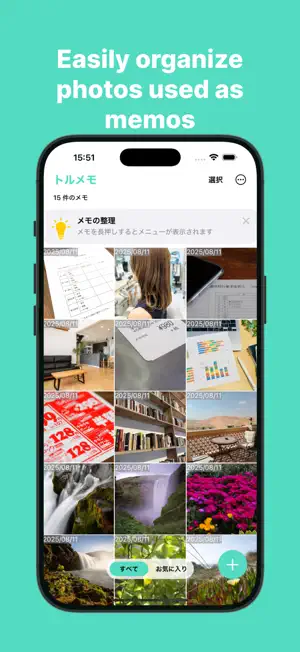
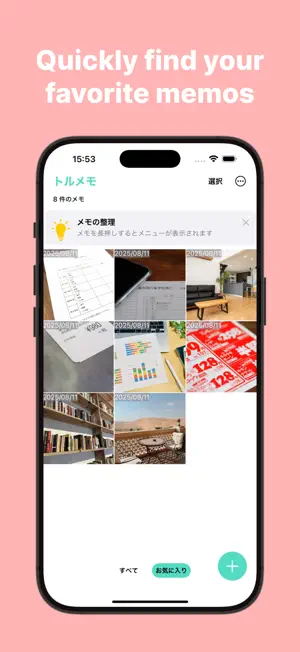
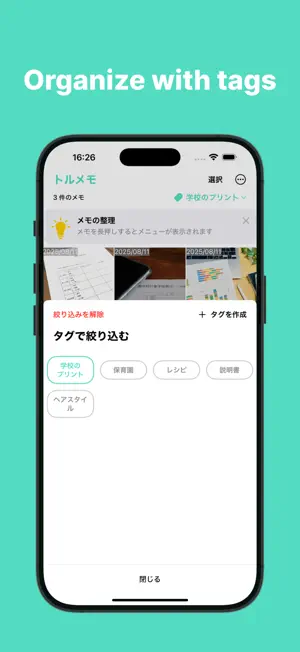
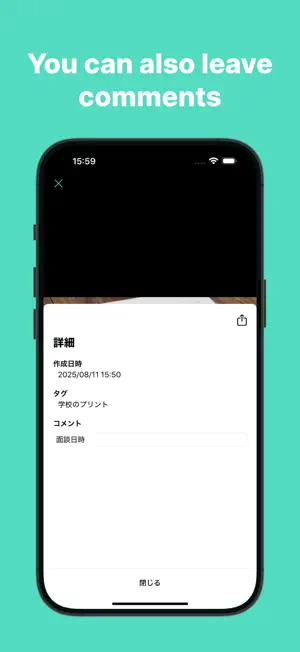
Do you take photos of school notices or your favorite product packages and use them as memos? Later, when you try to find them, is your photo library too cluttered to locate them easily? That's where Snap Memo comes in! It's an app that lets you efficiently and neatly manage photos used as memos. ◇◆Main Features◆◇ ▼ Easily Create Memos Simply launch the built-in camera and take a photo to create a memo. Photos are saved within the app, so they won’t clutter your photo library. (*) If needed, photos saved in the app can be exported to your photo library. You can also add memos from your photo library, allowing you to create memos from screenshots or past photos. ▼ Organize Memos with Favorites Mark memos as favorites. Favorited memos will appear in the Favorites tab for quick and easy access. ▼ Organize Memos with Tags Create custom tags to organize your memos. You can name the tags freely, making it easy to organize memos according to your needs. ▼ Instant Access to Your Favorite Tab From the settings, you can choose which tab is displayed by default when restarting the app. Selecting a frequently used tab or the Favorites tab saves you the effort of switching tabs every time. ▼ Add Comments You can add comments to memos after creating them. ▼ Quickly delete unwanted memos Memos left untouched for over a week are automatically listed as unnecessary and marked for deletion. You can keep your memos tidy anytime just by pressing the delete button. ◇◆ Widget Support ◆◇ ▼ Lock Screen Widgets Add the following two types of widgets to your lock screen for easy access: ・ Launch the app ・ Create a memo (camera capture) ▼ Control Widgets (iOS 18 and above) Access Snap Memo’s features from the Control Center, lock screen, or Action Button. ・ Create a memo (camera capture) Download now and enjoy a seamless Snap Memo experience!
What’s new
Version 3.0.0 · Updated August 11, 2025
The layout has been completely revamped! Please continue to enjoy a comfortable "Snap Memo experience!
App privacy
The developer, Kazuya Tomita, reported these privacy practices to Apple.
Data Used to Track You
The following data may be used to track you across apps and websites owned by other companies:
- Identifiers: User ID
Data Linked to You
The following data, which may be collected and linked to your identity, may be used for the following purposes:
- Identifiers: User ID
- Usage Data: Product Interaction, Advertising Data
Used for: Third-Party Advertising
Data Not Linked to You
The following data, which may be collected but is not linked to your identity, may be used for the following purposes:
- Location: Coarse Location
- Diagnostics: Crash Data, Performance Data, Other Diagnostic Data
- User Content: Photos or Videos
Used for: Third-Party Advertising, Analytics, App Functionality
Alternatives to SnapMemo - Organize photo memo
Looking for apps like SnapMemo - Organize photo memo? Here are 6 similar apps on the App Store.
-
 PhotoMemo-写真からメモを作成-
-
 Easy Memo & Picture App CAPMO
-
 Later.
-
 すぐノート - ノート・メモ帳・日記
-
 SandyNote
-
 DayMap - カレンダー×Todo×アイデアをひとつに
| App | Rating | Price | Last updated | Compare |
|---|---|---|---|---|
| SnapMemo - Organize photo memo | – | Free | August 11, 2025 | |
| PhotoMemo-写真からメモを作成- | – | Free | Nov 15, 2025 | Compare |
| Easy Memo & Picture App CAPMO | – | Free | Aug 22, 2026 | Compare |
| Later. | – | Free | Feb 9, 2026 | Compare |
| すぐノート - ノート・メモ帳・日記 | – | Free | Jan 15, 2024 | Compare |
| SandyNote | – | Free | Mar 24, 2026 | Compare |
| DayMap - カレンダー×Todo×アイデアをひとつに | – | Free | Aug 17, 2026 | Compare |