

AIVidly - AI Video Maker
Duc Lai Photo & Video iPhoneiPadiPod touch
AIVidly - AI Video Maker is a free Photo & Video app for iPhone and iPad by Duc Lai. Rated 4.6/5 from 37 ratings. Requires iOS 15.1.
- Rating
- 4.6
- 37 ratings
- Price
- Free
- on the App Store
- Size
- 388 MB
- Age 9+
- Updated
- Nov 4
- 2026 · v2.4.6
Screenshots


About AIVidly - AI Video Maker
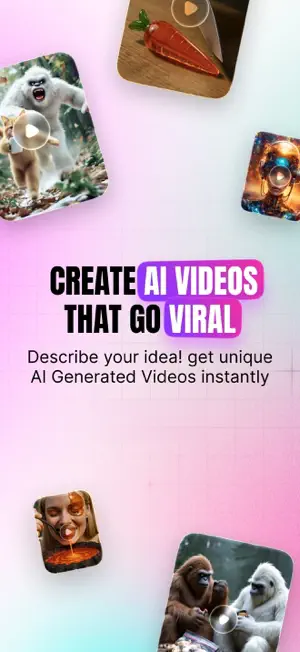
AIVidly helps anyone make awesome videos in just a few minutes. You don’t need editing skills, a camera, or a microphone. Just type your idea, and AIVidly turns it into a real video with pictures, scenes, and a natural-sounding voice. AIVidly uses the latest VideoAI, Sora 2, Kling AI effects, and more. It can make videos for TikTok, YouTube Shorts, Instagram Reels, school projects, business posts, and anything else you want to share. What You Can Make with AIVidly 1. Full Videos from Text Write a short idea like “Why stars shine” or “Tips for studying better,” and AIVidly builds the whole video for you. It writes the script, creates scenes, adds visuals, and reads the narration for you. 2. Text to Video Paste any text, and AIVidly turns it into a clean, scene-by-scene video with pictures, animations, and subtitles timed correctly. 3. AI Voiceovers Choose from 30+ natural voices in many languages. Change the tone, speed, and style so it fits your lesson, brand, or story. 4. Videos with AI Narration No recording needed. AIVidly adds a clear, professional voice to your video instantly. 5. Photos to Moving Video Take any picture—old photos, drawings, portraits—and AIVidly adds smooth motion to bring them to life. 6. Ready for TikTok, Reels, and Shorts AIVidly makes videos in the perfect 9:16 format, with automatic subtitles so your content works everywhere. 7. Special AI Video Effects Make your videos stand out with unique AI effects like Squish, Expansion, Fuzzy, and more powered by Kling AI. 8. AI Image Maker and Editor AIVidly includes a powerful AI image editor for creating thumbnails, characters, backgrounds, and product images. • One-tap templates for fast results • Realistic portraits powered by Nano Banana Pro • Creative scene styles using the Kontext model • Artistic visuals with the Flux model Who Uses AIVidly • Creators and Influencers Make short, fun, eye-catching videos without expensive equipment. • Teachers and Students Turn lessons, homework, or explanations into clear videos with voice and subtitles. • Businesses and Agencies Turn blog posts, product descriptions, or social media ideas into videos that get more views and engagement. • Anyone Curious About AI Explore modern tools that make video creation faster and easier. Why AIVidly • Very easy to use. Just type your idea. • Everything in one app: script, images, voice, music, effects, and subtitles. • Over 30 voices in many languages. • Create videos for any platform in minutes. • High-quality templates and AI models for images and videos. Subscription - AIVidly offers optional subscription plans for people who want to create more videos and unlock extra features. - Available Plans: Weekly, Monthly, or Annual - Paid plans give you access to more video generations, faster processing, higher quality modes, advanced AI effects, and other upgraded tools. AIVidly also offers one-time purchase packs if you want to create videos without subscribing. - Payment will be charged to your Apple ID account at the time of purchase. - Your subscription renews automatically unless you cancel at least 24 hours before the renewal date. - You can manage or cancel your subscription anytime in your App Store account settings. If a free trial is offered, it will automatically renew into a paid plan unless you cancel before the trial ends. Terms of Use: https://www.apple.com/legal/internet-services/itunes/dev/stdeula/
Ratings & reviews
4.6
37 ratings
What’s new
Version 2.4.6 · Updated November 4, 2026
• Video Effects now focuses on fun, family-friendly looks you can apply to a photo in one tap. • Pick a motion look on Home or in Video Effects and start creating faster. • Generation and preview stay reliable from start to share.
App privacy
The developer, Duc Lai, reported these privacy practices to Apple.
Data Used to Track You
The following data may be used to track you across apps and websites owned by other companies:
- Identifiers: User ID, Device ID
- Usage Data: Advertising Data
Data Linked to You
The following data, which may be collected and linked to your identity, may be used for the following purposes:
- Usage Data: Advertising Data
- Contact Info: Email Address, Name
- Identifiers: User ID, Device ID
- Purchases: Purchase History
- User Content: Photos or Videos, Audio Data, Other User Content
Used for: Developer’s Advertising or Marketing, Analytics, Product Personalization, App Functionality
Data Not Linked to You
The following data, which may be collected but is not linked to your identity, may be used for the following purposes:
- Usage Data: Product Interaction
- Diagnostics: Crash Data, Performance Data
Used for: Analytics, App Functionality
Alternatives to AIVidly - AI Video Maker
Looking for apps like AIVidly - AI Video Maker? Here are 6 similar apps on the App Store. The highest rated is MyZesty:AI Video Editor, Maker (4.8/5), and all 6 are free to download.
-
 AI Video Generator - CineMaker
4.7
-
 MyZesty:AI Video Editor, Maker
4.8
-
 AI Video Generator - Sorix AI
3.8
-
 AI Video Generator - Make
4.6
-
 Vidora: AI Video Generator
4.0
-
 AI Video Creator - Generator
4.6
| App | Rating | Price | Last updated | Compare |
|---|---|---|---|---|
| AIVidly - AI Video Maker | 4.6 / 5 (37 ratings) | Free | November 4, 2026 | |
| AI Video Generator - CineMaker | 4.7 / 5 (58) | Free | Jan 19, 2026 | Compare |
| MyZesty:AI Video Editor, Maker | 4.8 / 5 (20) | Free | Nov 8, 2026 | Compare |
| AI Video Generator - Sorix AI | 3.8 / 5 (36) | Free | Dec 1, 2025 | Compare |
| AI Video Generator - Make | 4.6 / 5 (18) | Free | Sep 3, 2025 | Compare |
| Vidora: AI Video Generator | 4.0 / 5 (5) | Free | Sep 2, 2025 | Compare |
| AI Video Creator - Generator | 4.6 / 5 (14) | Free | Mar 4, 2025 | Compare |