

WiFi Analyzer: AR Toolkit
xita apps Utilities iPhoneiPadiPod touch
WiFi Analyzer: AR Toolkit is a free Utilities app for iPhone and iPad by xita apps. Rated 5.0/5 from 3 ratings. Requires iOS 16.6.
- Rating
- 5.0
- 3 ratings
- Price
- Free
- on the App Store
- Size
- 71 MB
- Age 12+
- Updated
- Sep 29
- 2026 · v1.9
Screenshots


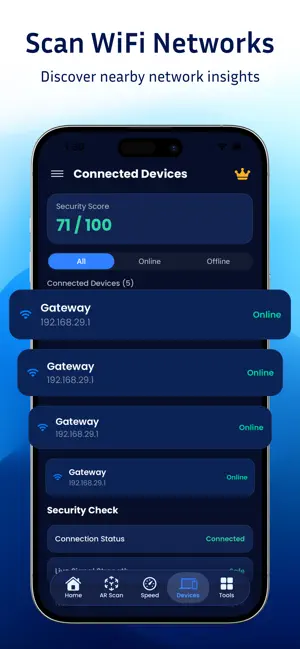

About WiFi Analyzer: AR Toolkit
Turn your iPhone into a smart WiFi and network analyzer. Check WiFi signal strength, test internet speed, scan nearby networks, monitor ping and latency, and visualize WiFi coverage with AR—all in one toolkit. SMART WIFI ANALYZER Understand your wireless connection with clear network insights. Check WiFi signal strength in real time and identify areas where your connection may be weaker. AR WIFI VISUALIZATION Visualize WiFi signal distribution around you using augmented reality. Walk through your home, office, or other spaces to explore stronger and weaker signal areas with an interactive AR experience. WIFI SIGNAL CHECK Monitor WiFi strength and find better locations for connectivity. Identify weak coverage areas and get a clearer view of your wireless network. INTERNET SPEED TEST Measure your internet performance with download speed, upload speed, ping, and latency results. Quickly check how your connection performs and identify potential performance issues. NETWORK SCANNER Scan available WiFi networks and explore useful connection information. Get a clearer view of the wireless networks around you and better understand your network environment. NETWORK INSIGHTS View connection details, WiFi performance information, and network data in one place. Use these insights to understand your connectivity and make better decisions about your network setup. FIND WEAK WIFI AREAS Move around your space and use AR visualization to identify areas with weaker WiFi coverage. Find stronger signal locations and better understand how your network performs throughout the area. KEY FEATURES • WiFi signal strength analysis • AR WiFi visualization • WiFi network scanning • Internet speed testing • Download and upload speed results • Ping and latency information • WiFi coverage analysis • Network and connection details • Connected network insights • AR camera visualization • 3D network visualization • WiFi security information Whether you're troubleshooting a slow connection, checking WiFi coverage, testing internet performance, or exploring nearby networks, AR WiFi Toolkit gives you the tools to understand your connection. Check your WiFi signal. Test your internet speed. Scan your network. Visualize coverage with AR. Find stronger WiFi spots and get a clearer picture of your network performance—all from your iPhone. Download AR WiFi Toolkit and take control of your WiFi experience. Privacy Policy : https://sites.google.com/view/arwifitoolkit/home Apple Terms of Use : https://www.apple.com/legal/internet-services/itunes/dev/stdeula/
What’s new
Version 1.9 · Updated September 29, 2026
What’s New * Refreshed the app with the latest improvements. * Enhanced performance and overall app stability. * Improved user experience and smoother navigation. * Optimized app functionality and responsiveness. * Fixed minor issues and bugs. * Various improvements for a more reliable experience.
App privacy
The developer, xita apps, reported these privacy practices to Apple.
Data Used to Track You
The following data may be used to track you across apps and websites owned by other companies:
- Usage Data: Advertising Data
Data Not Linked to You
The following data, which may be collected but is not linked to your identity, may be used for the following purposes:
- Usage Data: Advertising Data
Used for: Third-Party Advertising