

DeepSign Desk
DeepCloud AG Utilities iPhoneiPadiPod touch
DeepSign Desk is a free Utilities app for iPhone and iPad by DeepCloud AG. Requires iOS 17.0. Updated September 16, 2026.
- Price
- Free
- on the App Store
- Size
- 33 MB
- Age 4+
- Updated
- Sep 16
- 2026 · v1.0.6
Screenshots



About DeepSign Desk
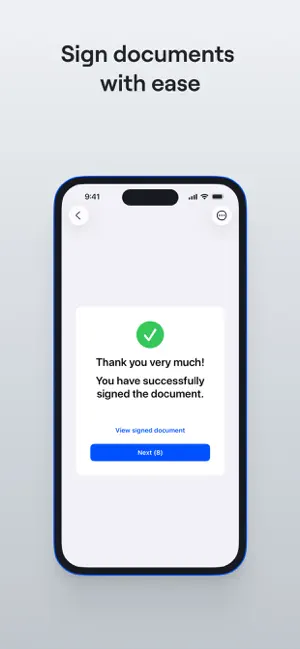
DeepSign Desk is the ideal solution for companies that need to sign documents quickly and efficiently using a visual signature directly on site. Designed specifically for iPads, it enables counter customers to sign documents with a visual signature on the iPad, where the counter staff can seamlessly send documents from DeepSign or other business applications. With the Branding feature, the signing experience can be tailored to reflect your company identity throughout the entire process. In addition to the visual signature, the document is provided with a qualified time stamp. Before and after signing, customers can view the document and add their visual signature to other outstanding documents. If there are no additional documents required for signing, the app automatically switches to the energy-saving standby mode. EASY SETUP VIA SERVICE USER To connect the DeepSign Desk app to your organisation, log in once with your DeepCloud account. The app automatically creates a service user to connect the iPad to your organisation. Documents sent to the service user will appear on the iPad and can be signed with a visual signature. FEATURES • Intuitive handling for counter customers with clear instructions and a user-friendly signature process • Easy setup via service user • Branded signing process • Automatic standby mode SECURE DATA STORAGE IN SWITZERLAND • Your data is processed through our ISO 27001:2013-certified cloud solution. • Your confidential documents are securely stored in Switzerland-based data centres. LEGAL NOTICE The visual signature created in the DeepSign Desk App is a visual ‘signature mark’ on the document including the organisation's time stamp. It is not a qualified electronic signature, which would be equivalent to a handwritten signature. Customers are responsible for establishing if the DeepSign Desk App is suitable for their specific case of use and if it provides the intended legal effects. SUPPORT Need help with your DeepSign Desk app? Get in touch at [email protected].
What’s new
Version 1.0.6 · Updated September 16, 2026
• Bug fixes and minor improvements
App privacy
The developer, DeepCloud AG, reported these privacy practices to Apple.
Data Linked to You
The following data, which may be collected and linked to your identity, may be used for the following purposes:
- Contact Info: Email Address
- Identifiers: User ID
Used for: App Functionality
Data Not Linked to You
The following data, which may be collected but is not linked to your identity, may be used for the following purposes:
- Diagnostics: Crash Data, Performance Data, Other Diagnostic Data
Used for: Analytics, App Functionality
Alternatives to DeepSign Desk
Looking for apps like DeepSign Desk? Here are 6 similar apps on the App Store. The highest rated is Signature Maker: Sign Document (4.3/5), and all 6 are free to download.
-
 DeepCloud: Cloud Storage
-
 loxoneklick
-
 PROPbase - Übergabeprotokoll
-
 Signature Maker: Sign Document
4.3
Signature Maker: Sign Document
4.3
-
 AFS-Ticketsystem
-
 RITAPP
| App | Rating | Price | Last updated | Compare |
|---|---|---|---|---|
| DeepSign Desk | – | Free | September 16, 2026 | |
| DeepCloud: Cloud Storage | – | Free | Jun 18, 2026 | Compare |
| loxoneklick | – | Free | Apr 18, 2026 | Compare |
| PROPbase - Übergabeprotokoll | – | Free | Jul 16, 2026 | Compare |
| Signature Maker: Sign Document | 4.3 / 5 (3) | Free | Sep 18, 2026 | Compare |
| AFS-Ticketsystem | – | Free | Jun 15, 2026 | Compare |
| RITAPP | – | Free | Apr 22, 2024 | Compare |
Compare DeepSign Desk with the top alternatives: ratings, updates, ASO score and keyword gaps →