

OrbitNote
Everway Opco Ltd. Education iPhoneiPadiPod touch
OrbitNote is a free Education app for iPhone and iPad by Everway Opco Ltd. Rated 4.7/5 from 60 ratings. Requires iOS 15.5. Updated October 8, 2026.
- Rating
- 4.7
- 60 ratings
- Price
- Free
- on the App Store
- Size
- 252 MB
- Age 4+
- Updated
- Oct 8
- 2026 · v5.1.4
Screenshots


About OrbitNote
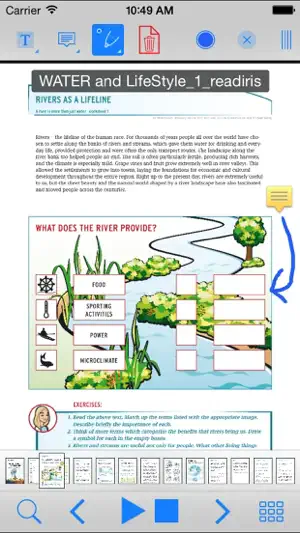
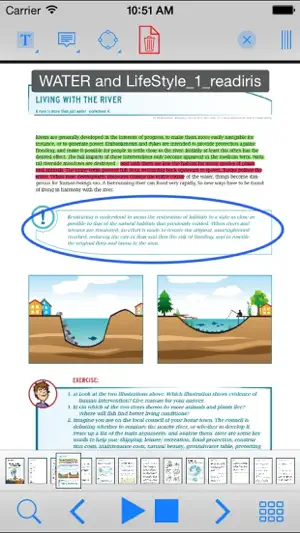
OrbitNote is an accessible, reading and study PDF tool for all. Annotate, mark up, listen to and save PDF files which are then still fully compatible with other popular PDF apps. Have accessible text PDF files spoken back to you with human quality voice & synchronised highlighting. PDF image files or photographs of text can be converted to accessible, searchable PDF files and read in the app. + Speech, Productivity and Accessibility Alongside the full range of iOS system voices, OrbitNote comes with a range of high-quality voices in different languages. A ‘Speak in Background’ option lets you listen to a PDF while viewing another app - great for proofreading PDF files while you’re working in other apps. The ‘Speak on tap’ and ‘Stop on tap’ options make speech easy to control. + OrbitNote allows the background colour of the PDF to be changed, and text colour inverted, to enhance readability. OrbitNote fully supports VoiceOver. + Annotations, Notes and Comments OrbitNote includes a powerful Annotation toolbar that lets you add notes and other comments. These are fully interchangeable with most other popular PDF apps, so your OrbitNote comments will still be there if you open the PDF on another device. Annotations created in another PDF app can also be viewed and edited. Annotation features include: highlight; underscore; strikeout; notes; free text (type straight into the PDF); free line draw; shapes (circle, square, line - with many options); images (you can even insert photos from your iPad camera or photo library into the PDF file); audio and video. + Photos and Image PDF to Text PDF Conversion You can convert photos and other images to fully accessible text PDF files that can be spoken, searched, copied and highlighted. As well as converting photos, you can also convert any PDF Image file into a fully accessible Text PDF file. Along with making these PDF files accessible and searchable, it will also compress them, reducing file size. Further credit can be purchased in app. Photos and Image PDF to Text PDF Conversion in OrbitNote requires an internet connection. + Managing PDF Files PDF files can be opened in OrbitNote from all other apps, including Mail and Safari. All opened PDF files will be placed in the OrbitNote Documents List for later viewing. You can also open files from Google Drive, OneDrive, or import directly from your device. PDF files can be saved into OrbitNote Documents, OneDrive or Google Drive, sent by email, or opened in other apps that support PDF files. + Sync with iCloud You can sync ClaroPDF with your iCloud account. This lets you store and synchronise your PDF files and annotations across multiple devices. Sync with iCloud can also act as a document backup so you can keep your documents safe. + Switch Accessibility OrbitNote responds to switch or Bluetooth keyboard commands: 1 (~1) Start speech 2 (~2) Stop speech 3 (~3) Turn to previous page 4 (~4) Turn to next page + Fullscreen mode Allows the full document to be seen without toolbars in view. Ideal for smaller screens!
Ratings & reviews
4.7
60 ratings
What’s new
Version 5.1.4 · Updated October 8, 2026
An overhauled language and voice settings menu to make it easier to select and manage your current language and voices. Added a new language: Gaelic Sottish with a new Cereproc voice, Ceitidh. Added pictures to the dictionary window for supported languages. Improves Google Drive saving by giving users the option to overwrite files. Fixes various localisation issues.
App privacy
The developer, Everway Opco Ltd., reported these privacy practices to Apple.
Data Not Linked to You
The following data, which may be collected but is not linked to your identity, may be used for the following purposes:
- User Content: Other User Content
Used for: Analytics, App Functionality
Alternatives to OrbitNote
Looking for apps like OrbitNote? Here are 6 similar apps on the App Store. The highest rated is Modmath: Math Graph Paper (5.0/5), and 5 of the 6 are free to download.
-
 ClaroSpeak - Literacy Support
2.0
ClaroSpeak - Literacy Support
2.0
-
 Claro ScanPen Premium
4.6
Claro ScanPen Premium
4.6
-
 Helperbird
4.5
Helperbird
4.5
-
 Modmath: Math Graph Paper
5.0
Modmath: Math Graph Paper
5.0
-
 SnapType Pro 2
4.4
SnapType Pro 2
4.4
-
 Snap&Read Universal
2.7
Snap&Read Universal
2.7
| App | Rating | Price | Last updated | Compare |
|---|---|---|---|---|
| OrbitNote | 4.7 / 5 (60 ratings) | Free | October 8, 2026 | |
| ClaroSpeak - Literacy Support | 2.0 / 5 (4) | Free | May 7, 2024 | Compare |
| Claro ScanPen Premium | 4.6 / 5 (33) | Free | Feb 24, 2025 | Compare |
| Helperbird | 4.5 / 5 (8) | Free | Oct 12, 2026 | Compare |
| Modmath: Math Graph Paper | 5.0 / 5 (1) | Free | Sep 7, 2026 | Compare |
| SnapType Pro 2 | 4.4 / 5 (35) | 49.99 USD | Nov 21, 2025 | Compare |
| Snap&Read Universal | 2.7 / 5 (10) | Free | Mar 13, 2024 | Compare |
Compare OrbitNote with the top alternatives: ratings, updates, ASO score and keyword gaps →