

PDFAI Scan - Document Scanner
Duc Lai Productivity iPhoneiPadiPod touch
PDFAI Scan - Document Scanner is a free Productivity app for iPhone and iPad by Duc Lai. Rated 5.0/5 from 7 ratings. Requires iOS 16.0.
- Rating
- 5.0
- 7 ratings
- Price
- Free
- on the App Store
- Size
- 69 MB
- Age 4+
- Updated
- Sep 16
- 2026 · v2.4.1
Screenshots


About PDFAI Scan - Document Scanner
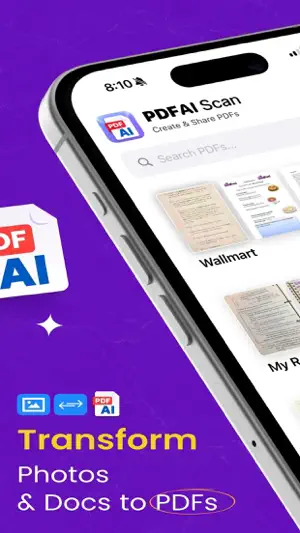
“PDFAI Scan - Document Scanner” turns your iPhone and iPad into a smart document scanner with AI-powered study tools. Take a photo, import from your gallery, or open any PDF. The app makes your documents clearer and helps you learn from them. ◆ Easy Scanning ‣ Snap photos with your camera or choose images from your gallery ‣ Automatic document edge detection ‣ Scan single pages or multi-page documents ‣ Import PDFs, Word documents, and PowerPoint slides ◆ Photo to PDF ‣ Convert photos (JPG, PNG) into clean, high-quality PDF documents ‣ Enhance text and images for better readability ‣ Extract text from scans in 26+ languages (OCR) ‣ Smart naming automatically gives your documents helpful titles ◆ AI Study Tools ‣ AI Summary – Get key points from any document in seconds ‣ AI Flashcards – Automatically create study cards from your notes ‣ AI Quiz – Test yourself with questions generated from your documents ‣ Chat with PDF – Ask questions and get answers from any document ‣ Fun Mode – Add jokes and humor to make studying more enjoyable ‣ Earn XP and badges as you learn ◆ Listen & Read ‣ Text-to-Speech – Listen to any document read aloud ‣ 150+ voices in many languages ‣ Highlight words as they are read ‣ Great for learning on the go or when your eyes are tired ◆ Save & Share ‣ Export as PDF, Word (DOCX), Text, or images (PNG, JPG) ‣ Save audio files (M4A) to listen to later ‣ Share flashcards in Anki format ‣ Challenge friends with shared quizzes ‣ iCloud sync across iPhone, iPad, and Mac ◆ Premium Features ‣ No watermarks on your files ‣ Unlimited AI summaries, flashcards, and quizzes ‣ More accurate text recognition ‣ Work with multiple files at once ‣ Access to all voices and export options ‣ Priority customer support ◆ Works Everywhere ‣ Supports 32+ languages including English, Spanish, French, German, Chinese, Japanese, Korean, Vietnamese, Arabic, Hindi, and more ‣ Supports right-to-left languages like Arabic and Hebrew ‣ Optimized for iPad with sidebar navigation ‣ Supports VoiceOver, larger text, and haptic feedback ◆ Privacy First ‣ Scanning and text recognition happen on your device ‣ AI features ask for your permission before use ‣ Your documents remain private ‣ Location tagging is optional Perfect for receipts, homework, notes, forms, books, and important documents. Whether for school, work, or home, “Photo to PDF: PDFAI Scan” makes scanning and studying simple. Download “PDFAI Scan - Document Scanner” today and turn any document into a powerful learning tool. PDFAI Premium ‣ Weekly $3.99 · Monthly $4.99 · Annual $39.99 (save up to 80%) ‣ 7-day free trial with the monthly plan ‣ Prices are in USD and may vary by country ‣ Subscriptions automatically renew unless cancelled at least 24 hours before the end of the current period ‣ Payment is charged to your Apple ID upon confirmation of purchase ‣ Manage or cancel your subscription anytime in Account Settings ‣ Any unused portion of a free trial will be forfeited when you purchase a subscription ‣ EULA: https://www.apple.com/legal/internet-services/itunes/dev/stdeula/
Ratings & reviews
5.0
7 ratings
What’s new
Version 2.4.1 · Updated September 16, 2026
• Updated Home, Library, and Tools for scanning, finding, and opening documents. • Improved PDF reading, search, zoom, annotations, and scan or import recovery. • Clearer AI errors, better large text support, and stability improvements.
App privacy
The developer, Duc Lai, reported these privacy practices to Apple.
Data Used to Track You
The following data may be used to track you across apps and websites owned by other companies:
- Purchases: Purchase History
- Identifiers: User ID, Device ID
- Usage Data: Product Interaction, Advertising Data
Data Linked to You
The following data, which may be collected and linked to your identity, may be used for the following purposes:
- Purchases: Purchase History
- Identifiers: User ID, Device ID
- Usage Data: Product Interaction, Advertising Data
Used for: Developer’s Advertising or Marketing, Analytics, App Functionality
Data Not Linked to You
The following data, which may be collected but is not linked to your identity, may be used for the following purposes:
- Diagnostics: Performance Data, Crash Data
- User Content: Photos or Videos
Used for: Analytics, App Functionality
Alternatives to PDFAI Scan - Document Scanner
Looking for apps like PDFAI Scan - Document Scanner? Here are 6 similar apps on the App Store. The highest rated is XLSX to PDF Converter (4.9/5), and 4 of the 6 are free to download.
-
 Transcriptor
2.0
Transcriptor
2.0
-
 SoundNote Pro - Voice Memos
4.3
SoundNote Pro - Voice Memos
4.3
-
 XLSX to PDF Converter
4.9
XLSX to PDF Converter
4.9
-
 Private AI : Nivon
3.8
Private AI : Nivon
3.8
-
 AI Summary
-
 Phone Security & Secret Vault
4.2
Phone Security & Secret Vault
4.2
| App | Rating | Price | Last updated | Compare |
|---|---|---|---|---|
| PDFAI Scan - Document Scanner | 5.0 / 5 (7 ratings) | Free | September 16, 2026 | |
| Transcriptor | 2.0 / 5 (1) | 5.99 USD | Feb 18, 2025 | Compare |
| SoundNote Pro - Voice Memos | 4.3 / 5 (352) | 6.99 USD | May 17, 2026 | Compare |
| XLSX to PDF Converter | 4.9 / 5 (8) | Free | Feb 3, 2025 | Compare |
| Private AI : Nivon | 3.8 / 5 (22) | Free | Sep 14, 2026 | Compare |
| AI Summary | – | Free | Mar 17, 2026 | Compare |
| Phone Security & Secret Vault | 4.2 / 5 (16) | Free | Jun 9, 2024 | Compare |