

NEXT-BIM Explorer
NEXT-BIM Productivity iPhoneiPad
NEXT-BIM Explorer is a free Productivity app for iPhone and iPad by NEXT-BIM. Requires iOS 17.0. Updated June 11, 2026.
- Price
- Free
- on the App Store
- Size
- 112 MB
- Age 4+
- Updated
- Jun 11
- 2026 · v2026.1.3
Screenshots


About NEXT-BIM Explorer
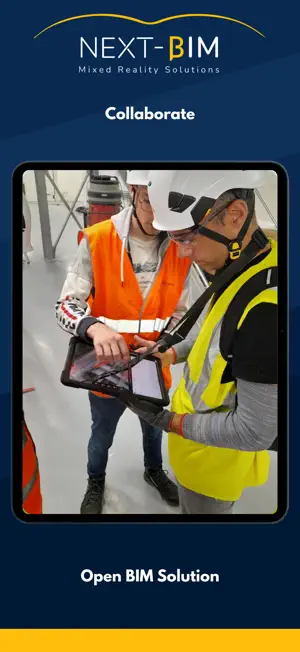
NEXT-BIM is a professional augmented reality solution designed to visualize BIM models on-site or off-site with unmatched precision and no drift. NEXT-BIM Explorer is the augmented reality application designed for construction, engineering, and project management professionals. View your 3D models at a 1:1 scale on site, check work in progress, quickly identify discrepancies, and make decisions faster, directly in the field. Thanks to automatic and continous alignement and offline operation, NEXT-BIM Explorer can be used anywhere—even in areas without a network connection. The model becomes a real control, audit, and monitoring tool, accessible to everyone, even without technical skills. Compatible with iPad Pro. Main Features: Automatic and continuous alignment of 3D models to the physical environment Smooth navigation in both AR and VR modes, even with complex models Support for large 3D files (several GBs – IFC Compatible BIM Files ( IFC, Navisworks Plugin…) Offline usage for disconnected job sites Annotations, photos, measures and reports exportable in BCF, PDF or Excel Multilingual interface and intuitive user experience By offering an immersive mixed reality experience and a drift-free AR engine, NEXT-BIM empowers field teams with better decision-making, improved coordination, and reduced execution errors.
What’s new
Version 2026.1.3 · Updated June 11, 2026
What’s New in the NEXT-BIM Version This new NEXT-BIM version introduces several functional, technical and usability improvements designed to enhance field operations, improve reporting quality, and support BIM, BCF and OCR workflows more efficiently. Integrations and APIs A new ACC API for BCF has been added to improve interoperability with collaborative BIM environments and simplify the management of issues within project workflows. A Libal API has also been integrated to extend NEXT-BIM’s connection capabilities with external tools and environments. Report Improvements The report generation system has been improved to provide clearer, more complete and more useful exports for field users and project teams. The Excel export has also been enhanced with a dedicated column related to the new OCR features and verified information tracking. New BCF Features Users can now draw directly on photos attached to BCF annotations. This makes it easier to highlight issues, field observations or specific elements that need to be shared with project teams. Photo orientation in Tabletop mode has also been improved to ensure better visual consistency when capturing and reviewing images. Alignment Improvements A new 3-point plane alignment method has been added. This feature provides greater flexibility when positioning the model in contexts where standard alignment methods are not suitable or when only limited references are available on site. OCR Improvements The OCR module has been updated to support new on-site identification and verification workflows. The main improvements include: display of the property to be verified; green or red highlighting to indicate whether the detected match is correct; use of the “valid state” when only one criterion is checked, allowing the annotation or checklist status to be updated automatically; a dedicated button to activate OCR only when needed; the ability to use OCR without a checklist, directly in annotation mode; definition of a specific OCR capture area; the ability to manually edit the retrieved OCR result; additional OCR-related information in the Excel export. A bug causing mesh loss after using OCR has also been fixed. Progress Tracking This version introduces improvements to progress tracking, making it easier to visualize, control and document the status of elements verified on site. Object Highlighting Object highlighting has been improved, including enhancements to the object stabilization/highlighting system. A bounding box can now be used as a visual equivalent to help users identify the relevant objects more easily within the model. Available Languages NEXT-BIM is now available in German and Spanish, in addition to the existing languages. This improvement supports the deployment of the solution across international teams and new markets. Fixes and Optimizations Several bugs have been fixed, including issues related to pie charts, close-up views and various display or field-tool behaviours. This version strengthens the overall stability of NEXT-BIM and improves the user experience across the full workflow, from model preparation to on-site data exploitation.
App privacy
The developer, NEXT-BIM, reported these privacy practices to Apple.
Data Not Collected
The developer does not collect any data from this app.
Alternatives to NEXT-BIM Explorer
Looking for apps like NEXT-BIM Explorer? Here are 6 similar apps on the App Store. The highest rated is FieldAR (5.0/5), and all 6 are free to download.
-
 FieldAR
5.0
-
 Argyle Build
5.0
-
 Teleworker AR
-
 FunBIM
-
 Dimensions - AR for BIM
-
 ViewCAD:2D/3D CAD Model Viewer
| App | Rating | Price | Last updated | Compare |
|---|---|---|---|---|
| NEXT-BIM Explorer | – | Free | June 11, 2026 | |
| FieldAR | 5.0 / 5 (1) | Free | Oct 14, 2026 | Compare |
| Argyle Build | 5.0 / 5 (1) | Free | Sep 15, 2026 | Compare |
| Teleworker AR | – | Free | Jun 10, 2026 | Compare |
| FunBIM | – | Free | Oct 13, 2026 | Compare |
| Dimensions - AR for BIM | – | Free | May 16, 2024 | Compare |
| ViewCAD:2D/3D CAD Model Viewer | – | Free | Dec 23, 2025 | Compare |
Compare NEXT-BIM Explorer with the top alternatives: ratings, updates, ASO score and keyword gaps →