

My Steps Walking
The To Way My Heart Inc Medical iPhoneiPadiPod touch
My Steps Walking is a free Medical app for iPhone and iPad by The To Way My Heart Inc. Rated 5.0/5 from 2 ratings. Requires iOS 15.0.
- Rating
- 5.0
- 2 ratings
- Price
- Free
- on the App Store
- Size
- 25 MB
- Age 12+
- Updated
- Oct 17
- 2026 · v1.3.1
Screenshots

About My Steps Walking
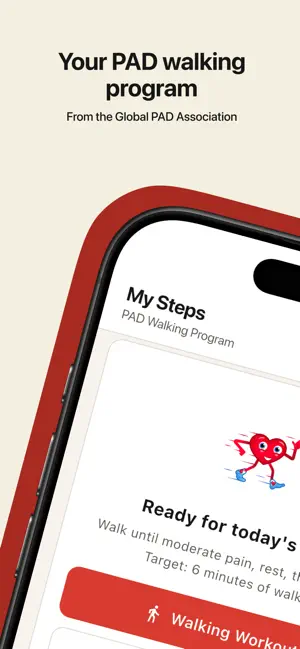
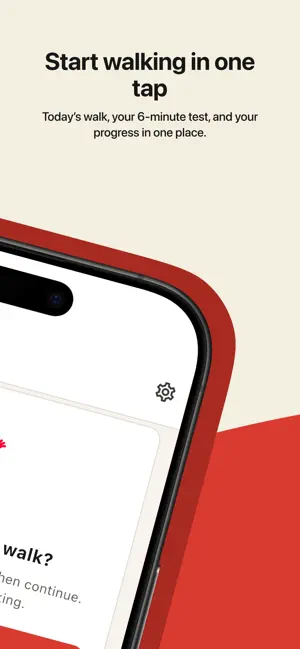
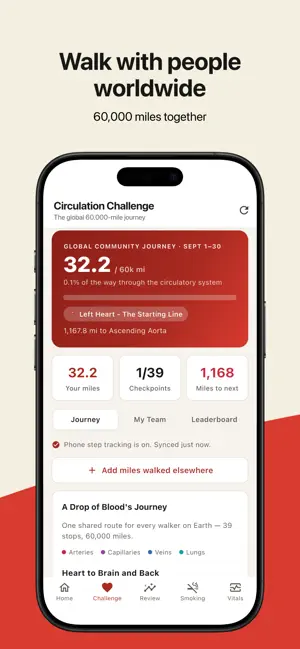
My Steps Walking supports a structured walking program for people living with peripheral artery disease (PAD), from the Global PAD Association. Walking is central to living well with PAD, and this app is built to make each session easy to record and easy to share with your care team. RECORD EVERY WALK Start a session and the app keeps time while you walk. Mark when discomfort begins, rest when you need to, then continue — the app tracks each part of the cycle so you can see the full picture of your session. SEE YOUR PROGRESS After each walk, review your steps, session time, time spent walking, time at rest, and how long you walked through discomfort. Over weeks, your history builds into a record you and your clinician can look at together. THE 6-MINUTE WALKING TEST Take the standard 6-minute walk on your own schedule, whenever you and your care team want a checkpoint. Stop any time — your walk still counts. NOTE HOW YOU FELT Tap to record symptoms after a session — calf cramping, thigh pain, foot numbness, heaviness, and more — or add a note in your own words. TRACK SMOKING Log each cigarette and, if you like, what triggered it. Set your own daily limit and see your patterns over time. Your log is shared with your care team so they can support you. THE GREAT CIRCULATION CHALLENGE Every September, walkers around the world combine their steps into a single 60,000-mile journey through the circulatory system. Between Challenges, walk toward your own milestones, from your first 5 miles to 1,000. Other walkers see you by your first name and last initial. CONNECT YOUR STEPS Link the Health app and steps you take outside a session count toward the Challenge automatically. We read step counts only — no other health data — and you can disconnect at any time. PRIVACY Your walking history and smoking log are visible to you and your own care team. We never sell your information, we show no ads, and the app does not collect your location. ABOUT My Steps Walking is provided by the Global PAD Association, a patient advocacy organization. This app records and displays your own activity. It is not a medical device, does not provide medical advice, diagnosis, or treatment, and is not a substitute for care from your clinician. Always follow the guidance of your own care team, and seek medical attention for any concerning symptoms.
What’s new
Version 1.3.1 · Updated October 17, 2026
Security update. Your sign-in is now tied to a secure session on your own phone. Nothing changes for you: stay signed in and keep walking. If you are ever asked to sign in again, use your current password, or choose Forgot password. Deleting your account in Settings now permanently removes your information.
App privacy
The developer, The To Way My Heart Inc, reported these privacy practices to Apple.
Data Used to Track You
The following data may be used to track you across apps and websites owned by other companies:
- Location: Coarse Location
Data Linked to You
The following data, which may be collected and linked to your identity, may be used for the following purposes:
- Health & Fitness: Health, Fitness
- Contact Info: Physical Address, Email Address, Name, Phone Number
- User Content: Other User Content
Used for: App Functionality
Alternatives to My Steps Walking
Looking for apps like My Steps Walking? Here are 6 similar apps on the App Store. The highest rated is UofU U-STEP (5.0/5), and all 6 are free to download.
-
 Ucardia – Longevity & Wellness
4.4
Ucardia – Longevity & Wellness
4.4
-
 PAD Rehab Exercise Log
-
 UofU U-STEP
5.0
UofU U-STEP
5.0
-
 Philips Arterial IVUS Tutor
-
 PEO – Medical Education
-
 WAM Events
5.0
WAM Events
5.0
| App | Rating | Price | Last updated | Compare |
|---|---|---|---|---|
| My Steps Walking | 5.0 / 5 (2 ratings) | Free | October 17, 2026 | |
| Ucardia – Longevity & Wellness | 4.4 / 5 (13) | Free | Oct 10, 2026 | Compare |
| PAD Rehab Exercise Log | – | Free | Oct 7, 2025 | Compare |
| UofU U-STEP | 5.0 / 5 (1) | Free | Dec 12, 2024 | Compare |
| Philips Arterial IVUS Tutor | – | Free | Nov 3, 2025 | Compare |
| PEO – Medical Education | – | Free | Oct 15, 2026 | Compare |
| WAM Events | 5.0 / 5 (1) | Free | Mar 4, 2026 | Compare |
Compare My Steps Walking with the top alternatives: ratings, updates, ASO score and keyword gaps →