

Cledara
Cledara Business iPhoneiPadiPod touch
Cledara is a free Business app for iPhone and iPad by Cledara. Requires iOS 15.1. Updated April 27, 2026.
- Price
- Free
- on the App Store
- Size
- 66 MB
- Age 4+
- Updated
- Apr 27
- 2026 · v1.3.1
Screenshots


About Cledara
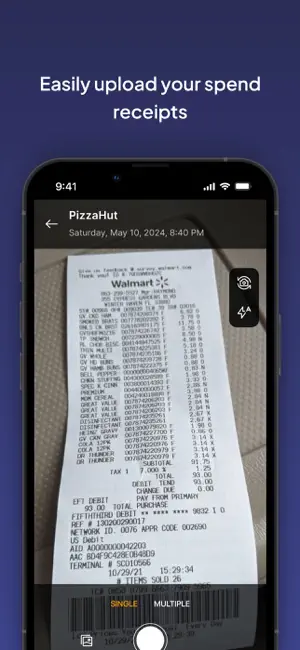
Cledara Mobile App: Manage Your Business Spend with Ease Take full control of your business spend with the Cledara Mobile App—the powerful tool designed to simplify how you manage both SaaS and real-world business spend. With our new physical card, you can easily track, manage, and optimize all your company’s spending from one convenient place. Key Features: - Full Control Over Cards Manage your Cledara Cards in real-time. Activate new cards, block or enable them for added security, and stay informed about all transactions, whether physical or virtual. - Effortless Receipt Submission Easily snap a picture of your receipts for any transaction. With just a few taps, attach them to the corresponding purchase and streamline your spend management. - Track Transactions in Real-Time Monitor all of your business spending with full visibility. See transaction details for all your Cledara cards in one app—anytime, anywhere. - Enhanced Security Features Stay in control by enabling or disabling your cards instantly. Protect your business from unauthorized usage with these simple security settings. Why Cledara? For years, Cledara has helped businesses manage SaaS spend with ease. Now, with our new physical card, you can also manage all your real-world business spend in the same great platform. Empower your team, maintain financial control, and avoid the hassle of juggling multiple spend management systems. Say Goodbye to Traditional Spend Management: - No more paper receipts or manual uploads—Cledara simplifies the process with built-in receipt submission. - Ensure complete control over your spend with real-time notifications and the ability to block or unblock cards. - Monitor card balances, view PIN codes, and track every transaction across your team. Whether you're approving transactions, managing budgets, or tracking team expenses, the Cledara Mobile App is your all-in-one solution to make business spend simple, efficient, and secure.
What’s new
Version 1.3.1 · Updated April 27, 2026
You can now add or update your phone number from the app. Other updates include improved receipt capture and other stability improvements.
App privacy
The developer, Cledara, reported these privacy practices to Apple.
Data Linked to You
The following data, which may be collected and linked to your identity, may be used for the following purposes:
- Location: Coarse Location
- Usage Data: Product Interaction
- Diagnostics: Crash Data
- User Content: Customer Support
- Identifiers: User ID, Device ID
Used for: Analytics, App Functionality
Alternatives to Cledara
Looking for apps like Cledara? Here are 6 similar apps on the App Store.


| App | Rating | Price | Last updated | Compare |
|---|---|---|---|---|
| Cledara | – | Free | April 27, 2026 | |
| Kota | – | Free | Oct 28, 2026 | Compare |
| Ventla Labs | – | Free | Oct 20, 2026 | Compare |
| Happl | – | Free | Oct 29, 2026 | Compare |
| Turing Fest Summit | – | Free | Sep 15, 2026 | Compare |
| Sparados | – | Free | Jul 6, 2026 | Compare |
| Light Inc | – | Free | Oct 28, 2026 | Compare |
Compare Cledara with the top alternatives: ratings, updates, ASO score and keyword gaps →