

TimeGuard – Stop Doomscroll
RMGO Productivity iPhoneiPadiPod touch
TimeGuard – Stop Doomscroll is a free Productivity app for iPhone and iPad by RMGO. Rated 4.6/5 from 7 ratings. Requires iOS 16.0. Updated December 18, 2025.
- Rating
- 4.6
- 7 ratings
- Price
- Free
- on the App Store
- Size
- 113 MB
- Age 4+
- Updated
- Dec 18
- 2025 · v1.2.1
Screenshots

About TimeGuard – Stop Doomscroll
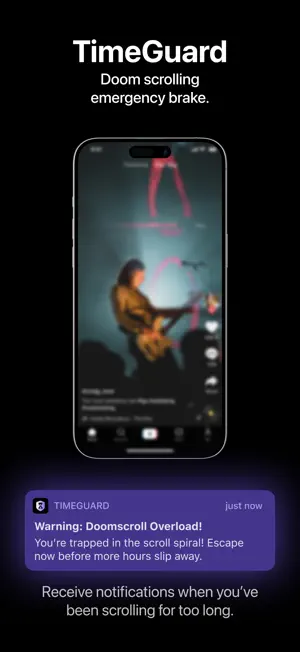
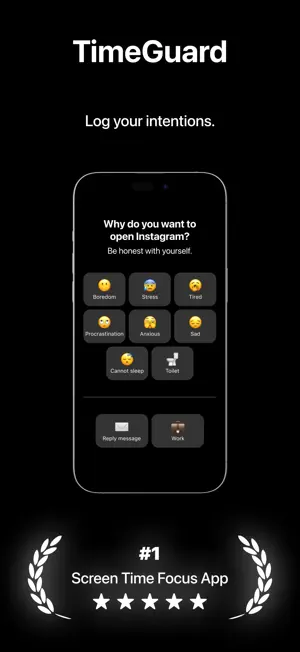
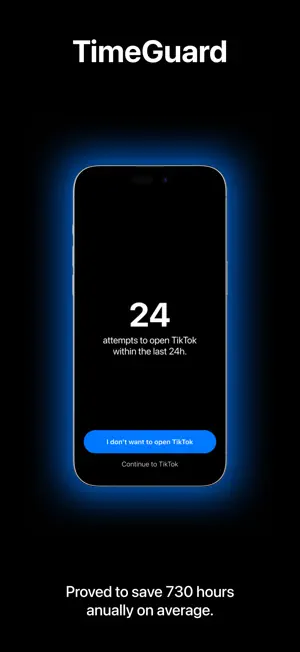
TimeGuard: Regain Control of Your Time, Stay Focused, and Be Productive Imagine having the power to optimize your day with less time spent scrolling through distractions. TimeGuard helps you do just that by providing real-time app-blocking, personalized screen time reports, and smart reminders, allowing you to achieve your goals with clarity. With TimeGuard, you can: • Maximize Focus: Block social media and other distractions during critical hours or whenever you need deep concentration. • Smart Sessions: Schedule focus sessions throughout your day with timed blocking of specific apps and websites, so you stay on track without temptation. • Daily Reports: Track your screen time, measure your productivity, and compare progress with insightful reports. • Stay Mindful: With TimeGuard’s prompts, get reminded of your intention each time you try to access a blocked app. • Unplug and Reconnect: Set dedicated hours for family, work, or personal time without interruptions from your device. TimeGuard is trusted by users who want to reclaim hours of their day, reduce stress, and improve their overall focus. Whether you’re working on personal projects or simply trying to reduce mindless scrolling, TimeGuard empowers you to stay in control. Features: • Custom Block Sessions: Tailor specific time slots where apps or websites are blocked, perfect for work or downtime. • Detailed Focus Insights: Get personalized statistics on your screen usage, with actionable insights to help you adjust your habits. • Deep Focus Mode: Need a serious break from distractions? Use TimeGuard’s strict focus mode to lock yourself out of certain apps completely. • Rewards & Milestones: Unlock rewards as you hit focus milestones, boosting your motivation to reduce screen time. • Community Challenges: Compete with peers on a leaderboard to see who maintains the best focus. Take back control of your time, improve your mental clarity, and achieve more with TimeGuard. Whether you’re battling procrastination, managing ADHD, or just want to use your phone more mindfully, TimeGuard has the tools to help. Enjoy all features with a subscription for the best experience. Terms of Service (EULA): https://www.mindfusion.app/tos Privacy Policy: https://www.mindfusion.app/privacy
Ratings & reviews
4.6
7 ratings
What’s new
Version 1.2.1 · Updated December 18, 2025
Update UX
App privacy
The developer, RMGO, reported these privacy practices to Apple.
Data Used to Track You
The following data may be used to track you across apps and websites owned by other companies:
- Usage Data: Advertising Data
Data Not Linked to You
The following data, which may be collected but is not linked to your identity, may be used for the following purposes:
- Location: Coarse Location
- Identifiers: Device ID
- Usage Data: Product Interaction, Advertising Data
- Diagnostics: Performance Data
Used for: Third-Party Advertising, Analytics
Alternatives to TimeGuard – Stop Doomscroll
Looking for apps like TimeGuard – Stop Doomscroll? Here are 6 similar apps on the App Store. The highest rated is BePresent: Screen Time Control (4.8/5), and all 6 are free to download.
-
 Detox: Digital Detox
4.6
-
 Minimalist Launcher
4.7
-
 TimeBloc - Daily Planner
4.3
-
 Focus Hero: Goals & Habits
4.5
-
 BlockerX:Adult Content Blocker
4.4
-
 BePresent: Screen Time Control
4.8
| App | Rating | Price | Last updated | Compare |
|---|---|---|---|---|
| TimeGuard – Stop Doomscroll | 4.6 / 5 (7 ratings) | Free | December 18, 2025 | |
| Detox: Digital Detox | 4.6 / 5 (453) | Free | Sep 2, 2026 | Compare |
| Minimalist Launcher | 4.7 / 5 (3,600) | Free | Jul 29, 2026 | Compare |
| TimeBloc - Daily Planner | 4.3 / 5 (7,401) | Free | Sep 29, 2026 | Compare |
| Focus Hero: Goals & Habits | 4.5 / 5 (3,229) | Free | Sep 21, 2026 | Compare |
| BlockerX:Adult Content Blocker | 4.4 / 5 (8,345) | Free | Sep 11, 2026 | Compare |
| BePresent: Screen Time Control | 4.8 / 5 (68,449) | Free | Oct 15, 2026 | Compare |