

Quick PDF Enchanter
Fuxin Technology Business iPhoneiPadiPod touch
Quick PDF Enchanter is a free Business app for iPhone and iPad by Fuxin Technology. Rated 4.5/5 from 27 ratings. Requires iOS 13.0. Updated March 2, 2026.
- Rating
- 4.5
- 27 ratings
- Price
- Free
- on the App Store
- Size
- 44 MB
- Age 4+
- Updated
- Mar 2
- 2026 · v1.1.7
Screenshots

About Quick PDF Enchanter
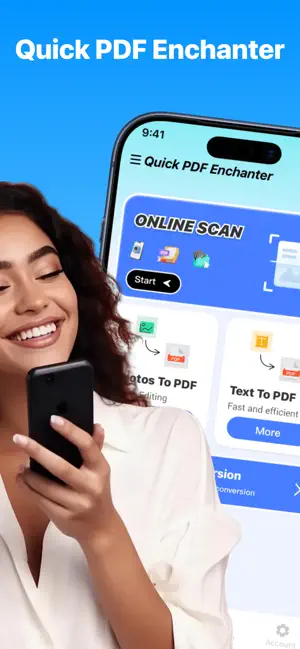
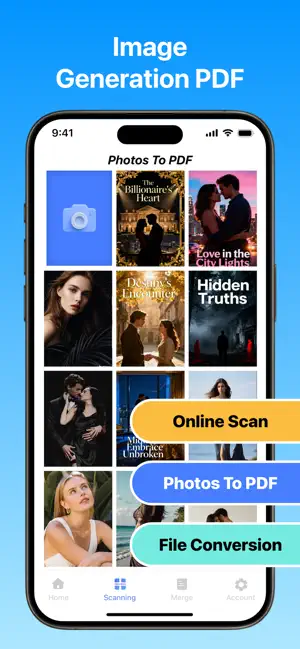
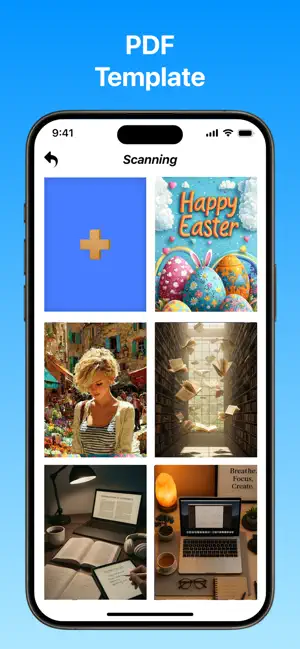
In the current era of information explosion, the PDF format has become an important document carrier due to its stability and universality. However, efficient processing of PDF documents is not an easy task. The excellent application, Quick PDF Enchanter, is like a considerate assistant that solves all your PDF-related problems. Firstly, Quick PDF Enchanter has a powerful document scanning function. Whether you need to digitize important contracts, precious notes, or wonderful book pages, it can handle it with ease. Just launch the application and use the device's camera, and it can quickly and accurately capture the images and automatically perform cropping, correction, and optimization, making your scanned documents clear and orderly, just like professionally produced ones. The text-to-PDF function is extremely convenient. You just need to input or paste the text, and Quick PDF Enchanter can instantly transform it into a beautifully formatted PDF document. You can also freely set the font, font size, color, and typesetting style according to your needs to make the document show a unique style and professional level. The image-to-PDF function is equally outstanding. Whether it's cherished photos, carefully drawn illustrations, or important charts, you can select them from the local album, arrange them in the desired order, and then generate a PDF with one click. This makes the organization and sharing of images easy and efficient. The text recognition technology is a major highlight of Quick PDF Enchanter. It can intelligently recognize the text in the images and scanned documents in the PDF and transform it into editable text. This means you can quickly extract key information and easily perform modifications, copying, and searching, greatly improving work efficiency. In terms of format conversion, Quick PDF Enchanter performs exceptionally well. Whether it's the detailed discussions in Word documents, the wonderful presentations in PPT presentations, or the precise data in Excel spreadsheets, it can quickly and perfectly convert them to PDF format. The converted documents retain the original format, charts, and hyperlinks to ensure the completeness and accuracy of the information. To ensure the security and copyright of the documents, the watermark adding function is essential. Quick PDF Enchanter allows you to customize the content, transparency, position, size, and rotation angle of the watermark. You can add the watermark anywhere in the document to effectively prevent unauthorized use. Quick PDF Enchanter features a simple and clear interface and intuitive operation process, allowing every user to get started easily. Whether you are an experienced professional or a novice who is encountering PDF processing for the first time, you can quickly find the required functions in this application and easily complete various tasks. Choose Quick PDF Enchanter, and you choose efficiency, convenience, and professionalism, allowing you to move freely in the world of PDF documents. Private Policy:https://quickpdfexpert.com/Policy.html Terms of Service:https://quickpdfexpert.com/Terms.html
Ratings & reviews
4.5
27 ratings
What’s new
Version 1.1.7 · Updated March 2, 2026
fixed some issues
App privacy
The developer, Fuxin Technology, reported these privacy practices to Apple.
Data Used to Track You
The following data may be used to track you across apps and websites owned by other companies:
- Identifiers: Device ID
- Usage Data: Advertising Data
Data Not Linked to You
The following data, which may be collected but is not linked to your identity, may be used for the following purposes:
- Identifiers: Device ID
- Usage Data: Advertising Data, Product Interaction
Used for: Third-Party Advertising, Analytics, App Functionality
Alternatives to Quick PDF Enchanter
Looking for apps like Quick PDF Enchanter? Here are 6 similar apps on the App Store. The highest rated is TidyMe-Clean (4.4/5), and all 6 are free to download.
-
 Smart Cleaner : Free Storage
4.2
-
 AuraSort - Smart Photo Keeper
4.0
-
 Clean Now: Format Conversion
4.3
-
 AI Easy Cleaner
4.1
-
 TidyMe-Clean
4.4
-
 MegaClean:Cleaner&Compressor
4.3
| App | Rating | Price | Last updated | Compare |
|---|---|---|---|---|
| Quick PDF Enchanter | 4.5 / 5 (27 ratings) | Free | March 2, 2026 | |
| Smart Cleaner : Free Storage | 4.2 / 5 (355) | Free | Sep 30, 2026 | Compare |
| AuraSort - Smart Photo Keeper | 4.0 / 5 (41) | Free | Aug 8, 2026 | Compare |
| Clean Now: Format Conversion | 4.3 / 5 (58) | Free | Jun 9, 2026 | Compare |
| AI Easy Cleaner | 4.1 / 5 (163) | Free | Dec 29, 2025 | Compare |
| TidyMe-Clean | 4.4 / 5 (1,386) | Free | Dec 2, 2025 | Compare |
| MegaClean:Cleaner&Compressor | 4.3 / 5 (217) | Free | Sep 16, 2026 | Compare |