

Mellel Mobile
Eyal Redler Productivity iPad
Mellel Mobile is a free Productivity app for iPad by Eyal Redler. Rated 4.3/5 from 9 ratings. Requires iOS 18.0. Updated July 23, 2026.
- Rating
- 4.3
- 9 ratings
- Price
- Free
- on the App Store
- Size
- 15 MB
- Age 4+
- Updated
- Jul 23
- 2026 · v1.3.0
Screenshots


About Mellel Mobile
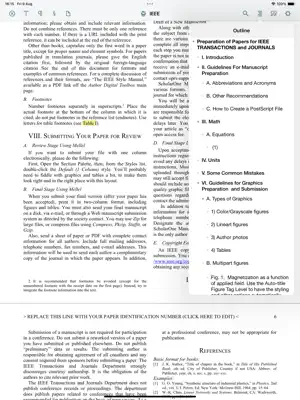
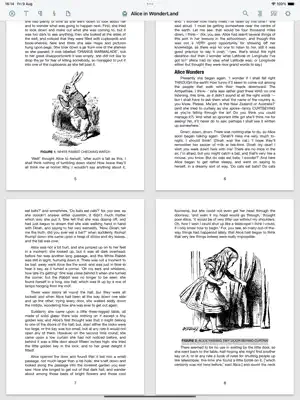
Mellel is a word processor designed from the ground up to be the ultimate writing tool for academics, technical writers, scholars, and students. Mellel is powerful, stable, and reliable; it is the ideal companion for writing documents that are long and complex, short and simple, and anything in between. Of course Mellel has all of the standard and advanced word-processing features like character and paragraph formatting, tables, headers and footers, multiple column layout that you would expect. But Mellel also offers unique and powerful features such as Auto-titles and Outline, multiple note streams, styles and, for the first time on the iPad, bibliography scanning, which allows you to produce documents with configurable citations and bibliographies ready for publication (requires Bookends for iOS and a Premium subscription). Mellel Mobile is fully compatible with its older sister, Mellel for Mac. You can view and edit your Mac-produced documents on your iPad and vice versa without losing a beat. Some editing options are not yet available on the iPad. Formatting options - Character Formatting: Font, size, color, underline, bold, case, superscript and subscript. - Paragraph Formatting: Alignment, margins, line spacing, paragraph spacing. - Section Formatting: Multiple columns, column order, starting page. - Page Formatting: Headers and footers, page numbers, total number of pages, different first page and/or odd and even pages, multiple numbering systems (Arabic, Roman, Greek etc). - List Formatting: List symbol type and list symbol format. Layout - Tables: Insert and edit tables. - Multiple Columns: Layout text in a single or multiple columns. - Notes: Insert and edit footnotes, endnotes and chapter notes in multiple streams. - Lists: Start, stop, manipulate levels and edit lists. - Images: Insert, resize and move images. - Text Boxes: Resize and move around text boxes. Advanced Options - Auto-titles: Easily add headings to structure your document. - Style management: create, modify and delete character, paragraph, page, section and list styles. - Notes: Easily add footnotes, endnotes, author notes, and more. Multiple note stream configuration supported. - Multilingual & Bidirectional text: Freely mix text in multiple languages and directions. Excellent right-to-left script support for Hebrew, Arabic and Syriac. Bibliography (requires Bookends for iOS) - Insert Citations: Insert temporary citations while you write in the body of the text or in footnotes. Insert citations via drag-and-drop or a dedicated built-in panel. - Scan: Produce final citations and a bibliography at the end of the document. - Rescan: Update final citations and bibliography with newly inserted citations. - More: Edit and replace citations, unscan to revert to temporary citations and remove bibliography. Display & Navigation - Outline: Easily navigate your entire document via the Outline. - Statistics: Character count, word count, line count and more. - Go to Page: Jump to any page in the document by page number. - 1, 2 and 4 up display: Zoom in to a word or zoom out to 4 up view to overview your pages. Display snaps to a comfortable editing size. Review - Spell-Checking: Check spelling as you type or by using the spelling panel. - Track-Changes: Track changes you and others make in a document. - Comments: Add comments to your document. - Markers: Highlight for review, rewrite, further consider in one of eight color, non-formatting, markers. Document Management - Manage: Create, edit, rename, duplicate and move documents. - Export: Export any document to Mellel, DOCX, RTF or PDF formats. - Import: Import RTF and DOCX format documents. - Print: Print any document using a printer. - Storage: Use iCloud or local storage to save your documents. - Templates: 22 built in document templates. Create your own templates. Terms of Use: https://www.apple.com/legal/internet-services/itunes/dev/stdeula/ Privacy Policy: https://www.mellel.com/privacy-policy/
Ratings & reviews
4.3
9 ratings
What’s new
Version 1.3.0 · Updated July 23, 2026
- Template Browser: Choose from 22 built-in document templates. - Save as Template: Create a custom template from any document (Mellel Premium feature). - Document Menu: Perform document management tasks from the editor window: - Rename: Set the current document name. - Duplicate: Create a copy of the current document and open it. - Delete: Close and delete the current document. - Save as Template: Save current document as a template (Mellel Premium feature). - Bug fixes: Several minuscule, tiny, almost unnoticeable bugs were fixed... And some serious ones.
App privacy
The developer, Eyal Redler, reported these privacy practices to Apple.
Data Not Collected
The developer does not collect any data from this app.
Alternatives to Mellel Mobile
Looking for apps like Mellel Mobile? Here are 6 similar apps on the App Store. The highest rated is Zavala (4.8/5), and all 6 are free to download.
-
 Bookends
4.7
Bookends
4.7
-
 DEVONthink To Go 4
4.7
DEVONthink To Go 4
4.7
-
 Typinator Mobile
2.0
Typinator Mobile
2.0
-
 Zavala
4.8
Zavala
4.8
-
 Deckset: Your Notes to Slides
4.2
Deckset: Your Notes to Slides
4.2
-
 Word Processor - Textilus Pro
4.4
Word Processor - Textilus Pro
4.4
| App | Rating | Price | Last updated | Compare |
|---|---|---|---|---|
| Mellel Mobile | 4.3 / 5 (9 ratings) | Free | July 23, 2026 | |
| Bookends | 4.7 / 5 (400) | Free | Oct 6, 2026 | Compare |
| DEVONthink To Go 4 | 4.7 / 5 (258) | Free | Oct 5, 2026 | Compare |
| Typinator Mobile | 2.0 / 5 (3) | Free | Jun 3, 2026 | Compare |
| Zavala | 4.8 / 5 (70) | Free | Oct 24, 2026 | Compare |
| Deckset: Your Notes to Slides | 4.2 / 5 (13) | Free | Sep 14, 2026 | Compare |
| Word Processor - Textilus Pro | 4.4 / 5 (906) | Free | May 9, 2026 | Compare |
Compare Mellel Mobile with the top alternatives: ratings, updates, ASO score and keyword gaps →