

WT Scan for Web - Dual Account
Jayshri Pipaliya Social Networking iPhoneiPadiPod touch
WT Scan for Web - Dual Account is a free Social Networking app for iPhone and iPad by Jayshri Pipaliya. Rated 4.5/5 from 786 ratings. Requires iOS 15.0.
- Rating
- 4.5
- 786 ratings
- Price
- Free
- on the App Store
- Size
- 166 MB
- Age 4+
- Updated
- Sep 23
- 2026 · v4.5.4
Screenshots

About WT Scan for Web - Dual Account
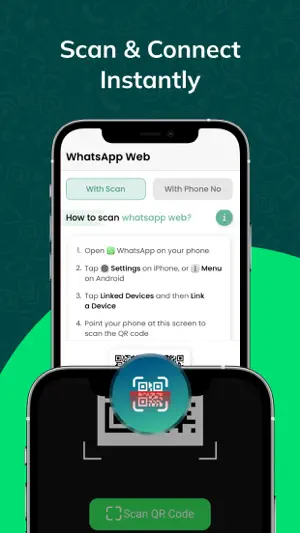
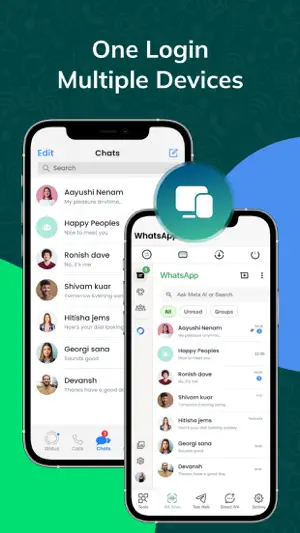
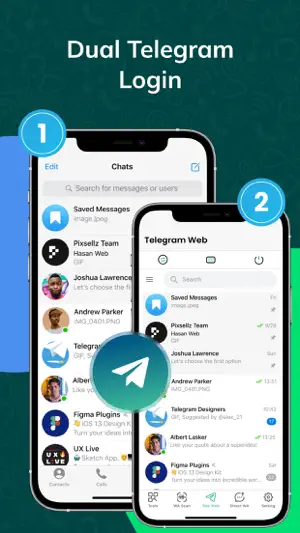
What Scan for Web - Dual WA Dual Messenger for WhatsApp – Use Two Accounts on One Device! What Scan for Web is a powerful utility app that lets you manage two WhatsApp accounts on a single iPhone or iPad. Whether you're using it for personal or business use, this app gives you full control with features like Status Saver, Chat Backup & Restore, Direct Message, and QR Tools – all in one clean, easy-to-use interface. WhatsApp Web / WA Web Access your second WhatsApp account right from your device! Just scan the QR code from your primary WA account and manage chats, media, and more on your iPhone or iPad – no need to switch devices. Direct Message Send WhatsApp messages directly to any phone number without saving it to your contacts. Perfect for quick chats, leads, or temporary communication. Status Saver for WhatsApp Easily download and save WhatsApp status images and videos from your contacts. Repost, share, or keep them forever – no screenshot or screen recording needed! Chat Backup & Restore Backup your WhatsApp chats, media, and documents securely and restore them when needed. Never lose your important conversations again. QR Code Scanner, Reader & Generator Scan QR codes, generate new ones, and share links, contacts, and information effortlessly. Useful for sharing your WA contact, business links, and more. Repeat Text Tool Create and send repeated messages in seconds. Great for marketing messages, invitations, or fun text patterns. Save time and avoid typing the same text again and again. Message Reminder Set reminders for important messages you need to send later. Perfect for business follow-ups, birthday wishes, or important updates. How to Use Dual WA Web: 1. Open the app and tap on WA Web Scan to display your QR code. 2. On your second device, open WhatsApp → Menu → Linked Devices → Scan QR. 3. That’s it! You can now use two WhatsApp accounts on a single device. This is the ultimate WA toolkit for those who want productivity, privacy, and flexibility – all in one place. Privacy Policy: https://privacypolicy.kriadl.com/jayshri-pipaliya/privacy-policy Terms of Use: https://privacypolicy.kriadl.com/jayshri-pipaliya/terms-of-service Need help or want to share feedback? [email protected]
Ratings & reviews
4.5
786 ratings
What’s new
Version 4.5.4 · Updated September 23, 2026
We're improving our performance by regularly updating our app for your Better Experience.
App privacy
The developer, Jayshri Pipaliya, reported these privacy practices to Apple.
Data Used to Track You
The following data may be used to track you across apps and websites owned by other companies:
- Usage Data: Advertising Data
Data Not Linked to You
The following data, which may be collected but is not linked to your identity, may be used for the following purposes:
- Usage Data: Advertising Data
Used for: Third-Party Advertising, Developer’s Advertising or Marketing, Other Purposes
Alternatives to WT Scan for Web - Dual Account
Looking for apps like WT Scan for Web - Dual Account? Here are 6 similar apps on the App Store. The highest rated is Web scan 2024 (4.7/5), and all 6 are free to download.
-
 Web scan 2024
4.7
Web scan 2024
4.7
-
 Whats-App Web Scanner
4.7
Whats-App Web Scanner
4.7
-
 WT Scan for Web 2026
4.6
WT Scan for Web 2026
4.6
-
 Dual App - WA Web Cloner
4.4
Dual App - WA Web Cloner
4.4
-
 ClonApp - Web Scan Cloner
4.2
ClonApp - Web Scan Cloner
4.2
-
 Dual Web Chat for WhatsWA
4.7
Dual Web Chat for WhatsWA
4.7
| App | Rating | Price | Last updated | Compare |
|---|---|---|---|---|
| WT Scan for Web - Dual Account | 4.5 / 5 (786 ratings) | Free | September 23, 2026 | |
| Web scan 2024 | 4.7 / 5 (2,128) | Free | Jan 15, 2026 | Compare |
| Whats-App Web Scanner | 4.7 / 5 (99) | Free | Mar 16, 2025 | Compare |
| WT Scan for Web 2026 | 4.6 / 5 (2,518) | Free | Jul 31, 2026 | Compare |
| Dual App - WA Web Cloner | 4.4 / 5 (285) | Free | Mar 22, 2025 | Compare |
| ClonApp - Web Scan Cloner | 4.2 / 5 (50) | Free | Jan 3, 2025 | Compare |
| Dual Web Chat for WhatsWA | 4.7 / 5 (3,893) | Free | Dec 27, 2024 | Compare |