

Word Editor: Edit Documents®
Normal Vector Productivity iPhoneiPadiPod touch
Word Editor: Edit Documents® is a free Productivity app for iPhone and iPad by Normal Vector. Rated 4.3/5 from 766 ratings. Requires iOS 13.0.
- Rating
- 4.3
- 766 ratings
- Price
- Free
- on the App Store
- Size
- 34 MB
- Age 17+
- Updated
- Apr 16
- 2026 · v2.2
Screenshots
About Word Editor: Edit Documents®
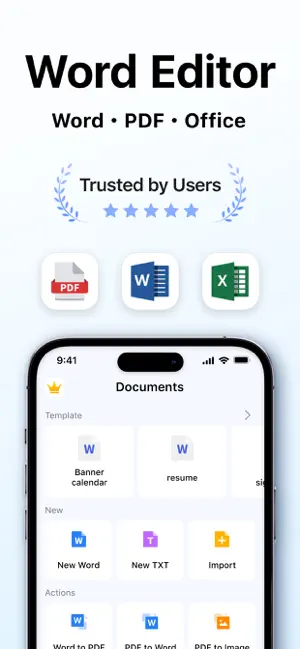
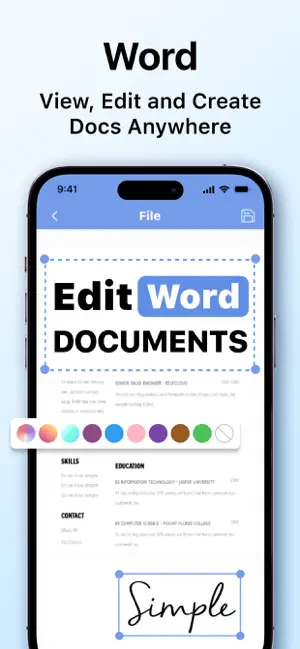
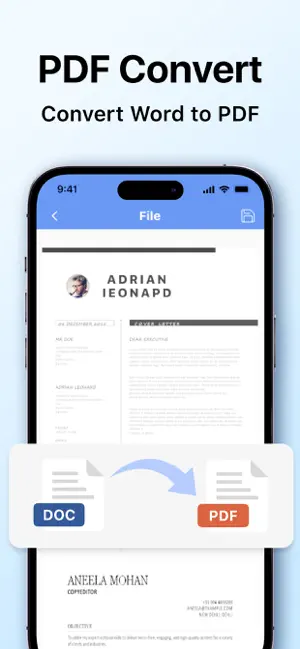
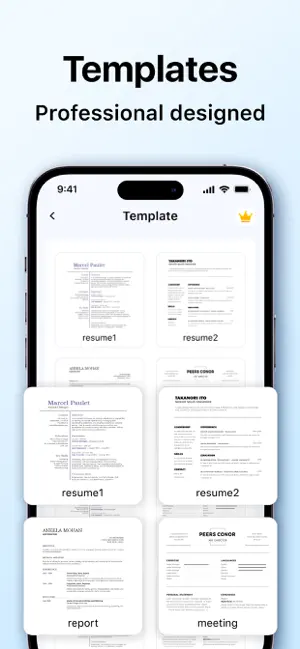
Word Editor: Professional Document Suite Word Editor is the all-in-one productivity tool designed for seamless document management on your mobile device. Whether you are drafting a professional report at the office or editing a quick memo on the go, Word Editor provides a powerful yet intuitive interface to handle all your document needs. Key Features Powerful Document Editing - Seamlessly edit Microsoft Word and Office documents with high compatibility. - Advanced formatting tools: Modify text, fonts, tables, and paragraphs with precision. - Auto-save functionality ensures you never lose your progress. Create & Design from Scratch - Start new projects using professional built-in templates. - Full support for headings, lists, and layout customization. - Organize files efficiently with a clean, user-friendly file manager. Advanced PDF Converter & Sharing - Convert Word files and images to high-quality PDF in seconds. - Maintain original formatting and layout integrity during conversion. - One-tap sharing via Email, WhatsApp, iCloud, or other cloud storage. Favorites & Quick Access - Mark important files as "Favorites" for instant access anytime, anywhere. - Support for multiple formats: DOCX, DOC, RTF, TXT, and more. Subscription Information Unlock full access to all premium features with our flexible subscription plans: Weekly Subscription: $6.99 Monthly Subscription: $12.99 Yearly Subscription: $39.99 Yearly Subscription with 3-Day Free Trial: $39.99 Subscription Terms: - Payment will be charged to your iTunes Account at confirmation of purchase. - Subscriptions automatically renew unless auto-renew is turned off at least 24 hours before the end of the current period. - Your account will be charged for renewal within 24 hours prior to the end of the current period at the rate of your selected plan. - Manage your subscription and turn off auto-renewal in your Account Settings after purchase. Terms of Use: https://www.normalv.com/terms.html Privacy Policy: https://www.normalv.com/privacy.html Contact: [email protected]
Ratings & reviews
4.3
766 ratings
What’s new
Version 2.2 · Updated April 16, 2026
- Performance optimizations and system tuning. - Smoother navigation and interface improvements.
App privacy
The developer, Normal Vector, reported these privacy practices to Apple.
Data Used to Track You
The following data may be used to track you across apps and websites owned by other companies:
- Identifiers: Device ID
Data Linked to You
The following data, which may be collected and linked to your identity, may be used for the following purposes:
- Identifiers: Device ID
Used for: Analytics
Alternatives to Word Editor: Edit Documents®
Looking for apps like Word Editor: Edit Documents®? Here are 6 similar apps on the App Store. The highest rated is Word Editor: Edit Office Word (4.7/5), and all 6 are free to download.
-
 Word Editor: Edit Office Word
4.7
Word Editor: Edit Office Word
4.7
-
 Office Word - Edit Word Docs
4.4
Office Word - Edit Word Docs
4.4
-
 Office Word:Edit Word Document
4.6
Office Word:Edit Word Document
4.6
-
 Office Word: Edit Document
4.7
Office Word: Edit Document
4.7
-
 Image to PDF Converter · Edit
4.6
Image to PDF Converter · Edit
4.6
-
 Office Word Editor:Docs, Share
4.6
Office Word Editor:Docs, Share
4.6
| App | Rating | Price | Last updated | Compare |
|---|---|---|---|---|
| Word Editor: Edit Documents® | 4.3 / 5 (766 ratings) | Free | April 16, 2026 | |
| Word Editor: Edit Office Word | 4.7 / 5 (1,482) | Free | Oct 16, 2026 | Compare |
| Office Word - Edit Word Docs | 4.4 / 5 (15) | Free | Jun 1, 2026 | Compare |
| Office Word:Edit Word Document | 4.6 / 5 (9,705) | Free | Aug 15, 2024 | Compare |
| Office Word: Edit Document | 4.7 / 5 (1,510) | Free | Oct 5, 2026 | Compare |
| Image to PDF Converter · Edit | 4.6 / 5 (306) | Free | Sep 1, 2026 | Compare |
| Office Word Editor:Docs, Share | 4.6 / 5 (123) | Free | Dec 10, 2025 | Compare |