

PDF Converter – Scan & Edit
Shaanxi Jinxi Network Technology Co., Ltd. Utilities iPhoneiPadiPod touch
PDF Converter – Scan & Edit is a free Utilities app for iPhone and iPad by Shaanxi Jinxi Network Technology Co., Ltd. Rated 5.0/5 from 3 ratings.
- Rating
- 5.0
- 3 ratings
- Price
- Free
- on the App Store
- Size
- 47 MB
- Age 4+
- Updated
- Jan 7
- 2026 · vv1.0.7
Screenshots


About PDF Converter – Scan & Edit
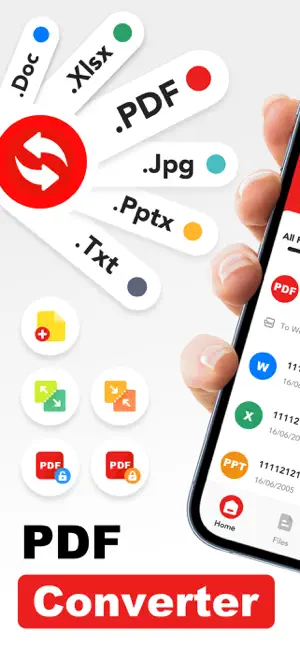
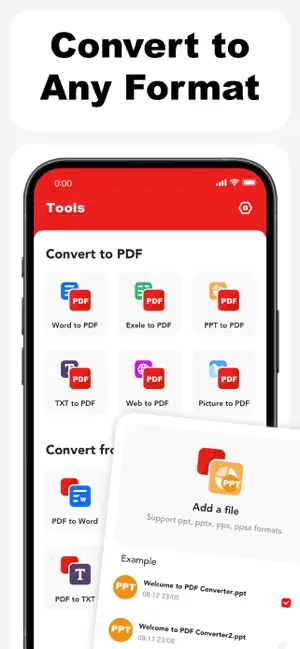
PDF Converter – Scan, Edit & OCR PDF Converter helps you create, convert, and manage PDF files directly on your mobile device. Designed for everyday work, study, and document handling, the app offers a practical set of tools for working with PDFs in a simple and efficient way. Key Features: Create & Edit PDFs Create PDF files from text, images, and documents Edit existing PDF content to adjust layout or text Scan Documents Use your device camera to scan documents and convert them into PDFs Suitable for paper documents, notes, receipts, and more OCR Text Recognition Extract text from scanned PDFs and images Make scanned content easier to read, copy, and edit PDF Management Split large PDFs into smaller files Merge multiple PDFs into a single document File Conversion Convert Word, Excel, PowerPoint, TXT, web content, images, and camera captures to PDF Convert PDF files back to Word, Excel, PowerPoint, TXT, or image formats Designed for Daily Use PDF Converter is built to support common document tasks such as sharing files, organizing documents, and converting formats for work or study. The interface focuses on clarity and ease of use. Subscription & Premium Access Upgrade to access advanced features and enhanced processing capabilities. Subscription options: Weekly: $2.99 Monthly: $8.99 Yearly: $29.99 (includes a 3-day free trial) Payment will be charged to your App Store account upon confirmation. Subscriptions renew automatically unless canceled at least 24 hours before the end of the current period. The free trial applies only to the yearly subscription. You can manage or cancel your subscription in your App Store account settings. Privacy & Terms Privacy Policy:https://efly.freshpdffileartic.com/freshprivacyPolicy.html Terms of Service: https://efly.freshpdffileartic.com/freshtermsOfService.html
What’s new
Version v1.0.7 · Updated January 7, 2026
Major update! We've redesigned the UI for a better experience and added a ton of new features: OCR PDF support, PDF splitting/merging, folders for organization, conversion to/from PDF (Word, Excel, PPT, TXT), and file encryption/decryption. Plus, we've fixed bugs and improved workflows. Upgrade today!
App privacy
The developer, Shaanxi Jinxi Network Technology Co., Ltd., reported these privacy practices to Apple.
Data Used to Track You
The following data may be used to track you across apps and websites owned by other companies:
- Identifiers: Device ID
Data Not Linked to You
The following data, which may be collected but is not linked to your identity, may be used for the following purposes:
- Identifiers: Device ID
- Diagnostics: Crash Data, Performance Data
Used for: Analytics, Product Personalization, App Functionality
Alternatives to PDF Converter – Scan & Edit
Looking for apps like PDF Converter – Scan & Edit? Here are 6 similar apps on the App Store. The highest rated is CleanNow: AI Storage Cleaner (4.7/5), and all 6 are free to download.
-
 ZAP PDF Plus: Scan & Reader
4.5
ZAP PDF Plus: Scan & Reader
4.5
-
 Flash Doc Scanner - PDF Maker
3.1
Flash Doc Scanner - PDF Maker
3.1
-
 Seer PDF: Scan, Edit & Merge
3.7
Seer PDF: Scan, Edit & Merge
3.7
-
 Rally File Explorer & Manager
3.5
Rally File Explorer & Manager
3.5
-
 CleanNow: AI Storage Cleaner
4.7
CleanNow: AI Storage Cleaner
4.7
-
 Folio File Manager&Note Maker
3.0
Folio File Manager&Note Maker
3.0
| App | Rating | Price | Last updated | Compare |
|---|---|---|---|---|
| PDF Converter – Scan & Edit | 5.0 / 5 (3 ratings) | Free | January 7, 2026 | |
| ZAP PDF Plus: Scan & Reader | 4.5 / 5 (26) | Free | Sep 23, 2026 | Compare |
| Flash Doc Scanner - PDF Maker | 3.1 / 5 (10) | Free | Jun 29, 2026 | Compare |
| Seer PDF: Scan, Edit & Merge | 3.7 / 5 (3) | Free | Sep 23, 2026 | Compare |
| Rally File Explorer & Manager | 3.5 / 5 (2) | Free | Nov 8, 2025 | Compare |
| CleanNow: AI Storage Cleaner | 4.7 / 5 (176) | Free | Sep 7, 2026 | Compare |
| Folio File Manager&Note Maker | 3.0 / 5 (2) | Free | Dec 10, 2025 | Compare |